FTP Read Connector
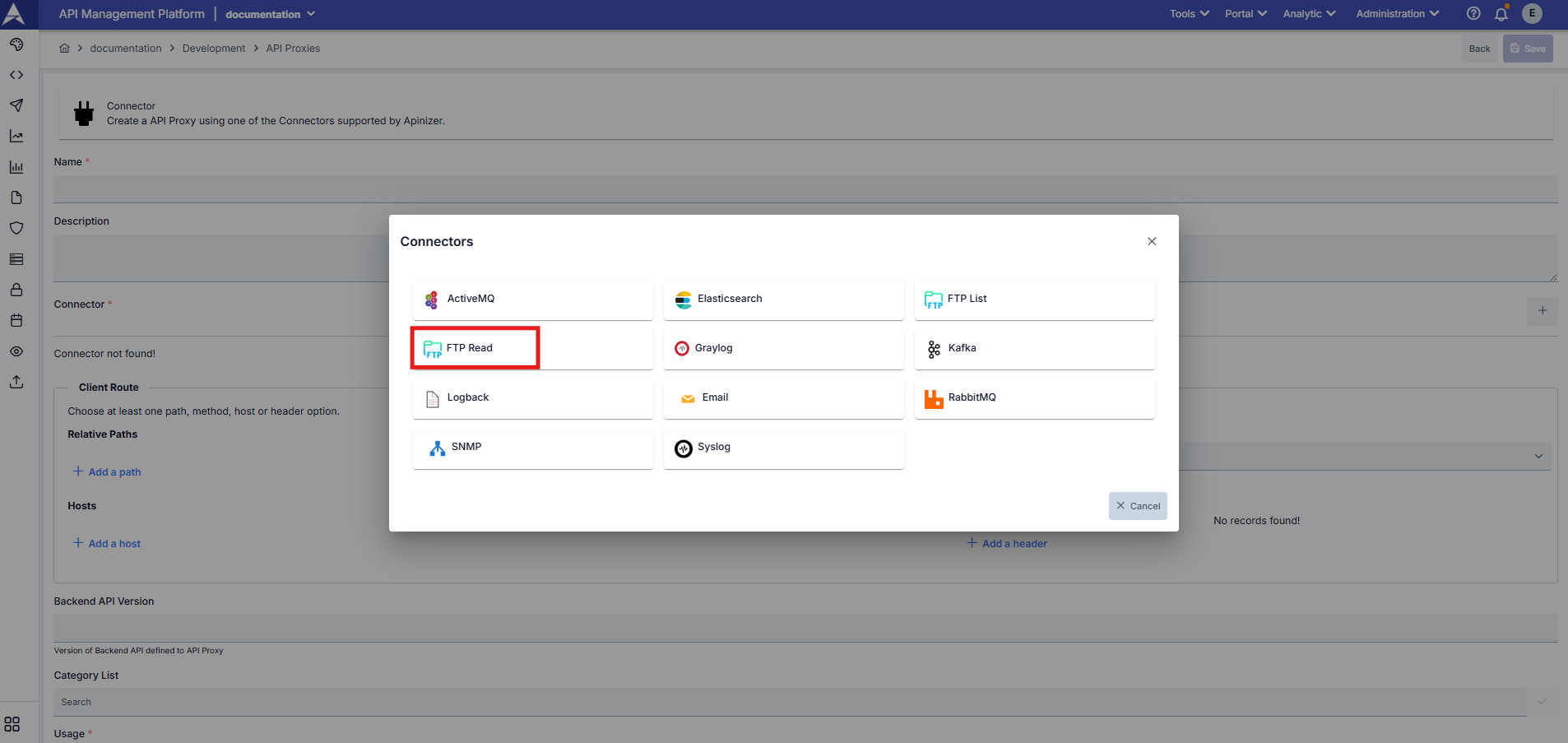
With the FTP file reading connector, you can search for and read files on your servers or in different environments according to specific criteria, retrieve their contents in specific output formats, and create API Proxies that perform these operations and return results.
With the FTP connector;
- You can access the file contents on your FTP servers or in your different environments.
- You can search for files based on specific criteria.
- You can download file contents in different formats.
Using the FTP File Read Connector
Using the FTP file reading connector you create, you can perform file reading operations from the FTP server. This connector enables you to generate outputs with flexible search criteria, such as searching by file name prefix, exact match, or specific pattern, and various output formats, allowing you to create solutions tailored to your needs.
curl --location --request POST "https://<APINIZER_ACCESS_URL>/<RELATIVE_PATH>" -H "Content-Type: application/json" --data-raw "{\"caseInsensitive\": true, \"searchType\": \"STARTS_WITH\", \"searchFileName\": \"invoice_2025_\", \"returnType\": \"FIRST_MATCH\", \"maxFileSizeKB\": 10240, \"outputFormat\": \"JSON_BASE64\"}"
The request body is optional. If the request body is sent empty, default values are used.
Example 1; JSON Format - First Match
Usage Scenario: Find the first file starting with “invoice_2025_” and return it in JSON format. Accept files up to a maximum size of 10 MB.
{
  "caseInsensitive": true,
  "searchType": "STARTS_WITH",
  "searchFileName": "invoice_2025_",
  "returnType": "FIRST_MATCH",
  "maxFileSizeKB": 10240,
  "outputFormat": "JSON_BASE64"
}
Example 2; ZIP - All Matches
Usage Scenario: Find all files containing “.pdf” (case-sensitive) and download them as a ZIP archive.
{
  "caseInsensitive": false,
  "searchType": "CONTAINS",
  "searchFileName": ".pdf",
  "returnType": "ALL_MATCHES",
  "outputFormat": "ZIP"
}
Example 3; MTOM (Message Transmission Optimization Mechanism)
Usage Scenario: Find the file named “payload.xml” with an exact match and return it in MTOM format.
{
  "searchType": "EXACT_MATCH",
  "searchFileName": "payload.xml",
  "returnType": "FIRST_MATCH",
  "outputFormat": "MTOM"
}If a request is sent with an empty request body, the default values in the table below will apply.
Request Body Parameters
| Parametre | Tip | Varsayılan Değer | Açıklama |
|---|---|---|---|
| caseInsensitive | boolean | true | Case sensitivity in file name searches |
| searchType | enum | STARTS_WITH | How to search for the file name to be searched |
| searchFileName | string | - | File name or pattern to search for |
| returnType | enum | FIRST_MATCH | Amount of results to be returned |
| maxFileSizeKB | integer | - | File size of the results to be returned |
| outputFormat | enum | JSON_BASE64 | Output format |
SearchType ENUM Values
The searchType value specifies how the given file name value (searchFileName) should be searched for in the relevant directory.
- STARTS_WITH: Checks whether the file name value starts with a specific pattern.
- EXACT_MATCH: Checks whether the target file name exactly matches the specified file name.
- CONTAINS: It checks whether the file name contains the given pattern.
ReturnType ENUM Values
- FIRST_MATCH: First matching file is returned.
- ALL_MATCH: All matching files are returned.
OutputFormat ENUM Values
- JSON_BASE64: The file content is returned in JSON format, encoded in Base64.
- MTOM: MTOM (Message Transmission Optimization Mechanism) formatında multipart yanıt dönülür.
- ZIP: Matching files are returned in a ZIP archive