Responsible Units
Contents
Overview
Internal departments responsible for the management and continuity of API Products are defined in this section. Thanks to the responsible departments, communication, maintenance, and operational processes related to API Products can be managed at the corporate level.
When creating an API Product, the unit responsible for managing the relevant product is selected from this area. This allows API Developer Portal users to easily see which unit to contact when they want to obtain information about the API or request support.
The API Product Responsible Units screen is an enterprise management tool that allows you to define the team or individuals responsible for managing your API products and associate these responsible parties with API products. You can centrally record the operations, support, development, or business unit responsible parties for each API product, send notifications to these teams when necessary, and make them visible in reports.
Creating a New Responsible Unit
This screen is used to define new units that will be responsible for managing API Products within the organization. A new unit is created by filling in the fields on the form. Once all required fields are completed, click the Save button to complete the registration process.
The image below shows the screen for creating a responsible unit:
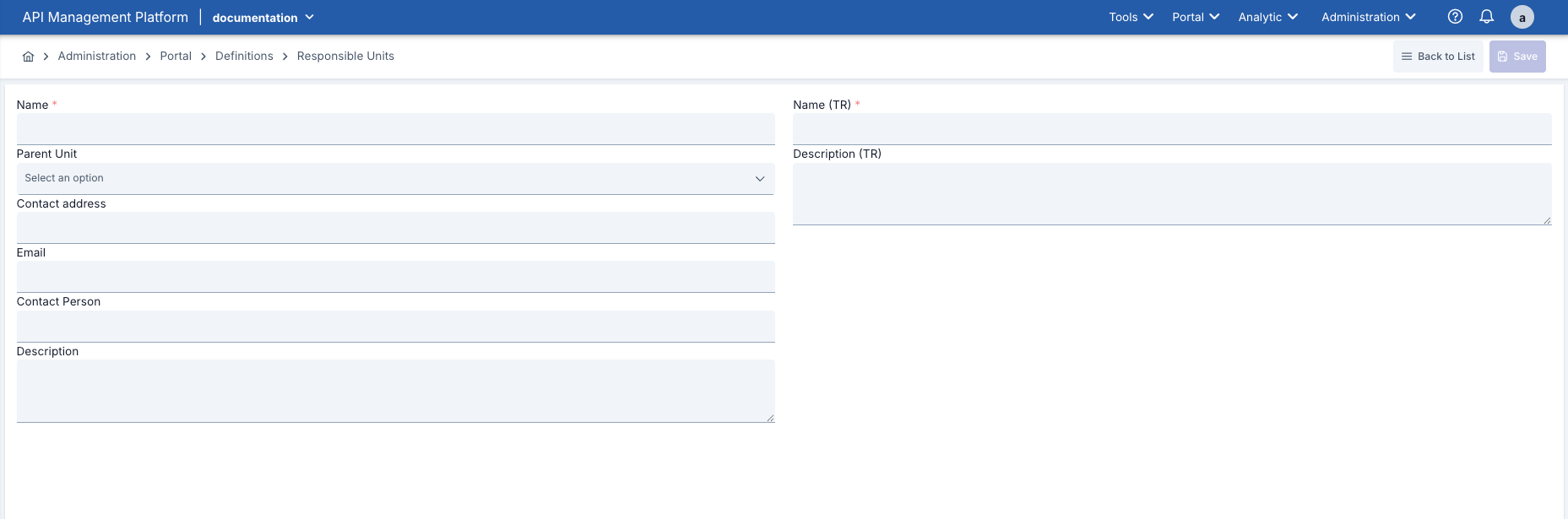
The fields used for responsible unit creation configuration are shown in the table below:
| # | Section | Description |
|---|---|---|
| 1 | List Table | Displays the name of all registered responsible units, their optional description, and the number of associated users. The action menu in the row allows for editing or deleting. |
| 2 | Add New Unit Button | The New Responsible Unit button in the upper right opens the new registration form. |
| 3 | Search/Filter Fields | Allows you to narrow down the list based on criteria such as unit name or associated API product. |
| 4 | Edit/Delete Actions | Unit information can be updated or deleted using the drop-down menu or icons in each row. |
| 5 | Selected Unit Details Panel | When a unit is selected, associated API products and assigned users appear in this panel (may vary depending on the developed interface). |

When both the Turkish Language Option and the English Language Option are enabled in the Portal Settings, the system automatically switches to Multilanguage mode.
If the Multilanguage feature is enabled in the Portal Settings, form fields are displayed in both English and Turkish, and separate data entry can be made in each language.
Steps for Creating a New Responsible Unit
| Step | Process |
|---|---|
| Step 1: Go to the List Screen |
|
| Step 2: Open the New Record Form |
|
| Step 3: Enter Basic Information |
|
| Step 4: Associate API Products |
|
| Step 5: Add Members/Contacts |
|
| Step 6: Perform a Save Check |
|
| Step 7: Verify the Result |
|