API Integrator
What is an API Integrator?
An API Integrator, or Task Flow Manager is a workflow management system that can automatically execute multiple tasks in a specific sequence. Each task can use the output produced by the previous step, communicate with external systems, or perform processes defined in internal systems.
Task Flow Manager Key Features:
- Sequential tasks are defined and run in the order they are defined.
- The output of one task can be used as the input for the next task, and interconnected work processes can be efficiently executed.
- Task flows can run automatically with a scheduler.
- Workflows can be triggered by HTTP requests.
- By defining the actions to be taken in case of an error, it is possible to ensure that predefined actions are performed when an error occurs in the task flow.
- The work and log records for each task can be viewed step by step whenever the workflow is triggered.
- Successful, unsuccessful, ongoing, and total transaction statistics can be viewed through a user-friendly graph.

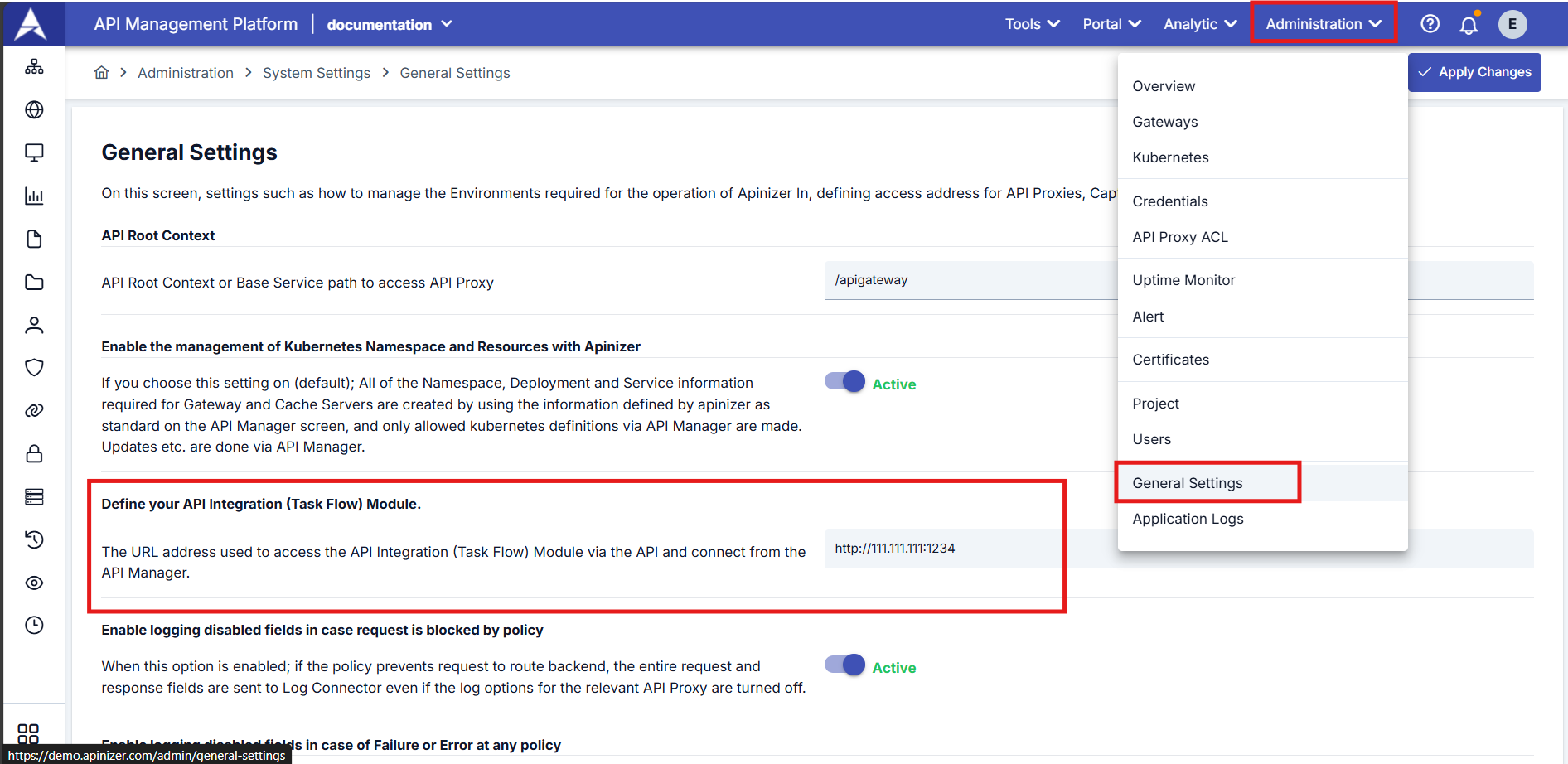
To use the API Integrator, you must enter the integrator's access address information in the Define Your API Integration Module field on the General Settings page under the Administration tab in the top navigation bar.
When Can the Task Flow Manager Be Used?
Task Flow Manager;
- Data transfer and exchange between different systems,
- Automatic email, notification sending,
- Regular and manageable reporting for workflows and workflow steps,
- Performing multiple API calls at specific time intervals or under certain conditions,
- Sending messages to systems such as Kafka and RabbitMQ,
- Automatic task triggering in case of errors in tasks defined as flows,
And can be used in many situations involving sequential tasks that need to be automated.
Task Flow Manager Task Types
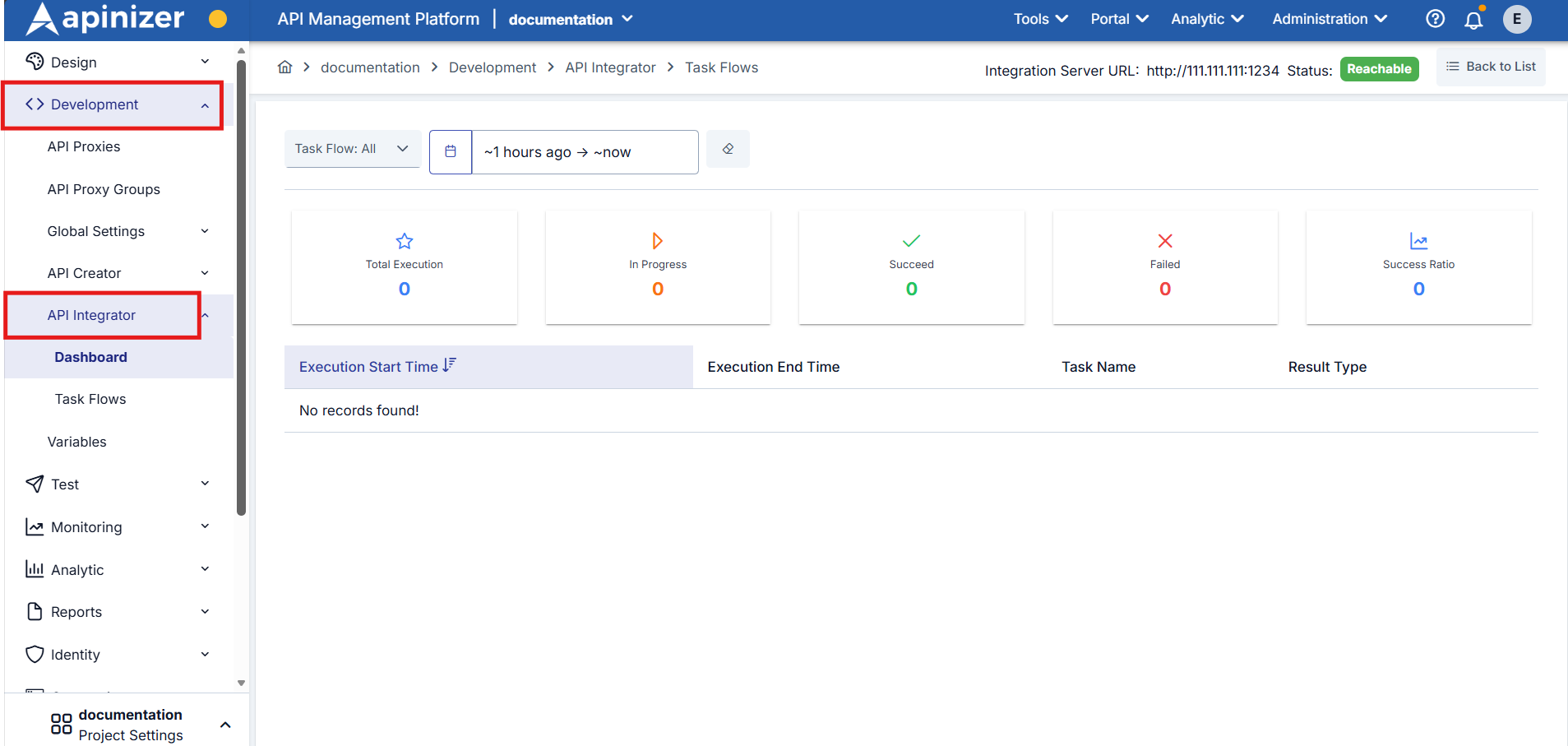
You can access API Integrator (Task Flow Manager) under the Development tab in the navigation bar on the left side of the Task Flow Manager screen.
Click here for detailed information about creating task flows and task types.
Click here to go to the document where the log details of the entire task flow are reviewed.