

Documentation Index
Fetch the complete documentation index at: https://docs.apinizer.com/llms.txt
Use this file to discover all available pages before exploring further.
This document only describes operations specific to Apinizer that need to be done. Details about Kubernetes cluster and Apinizer installation are not within the scope of this document and are presented in a separate document.
Kubernetes Installation
Learn Kubernetes cluster installation
Apinizer Installation
Learn Apinizer installation
Disabling Kubernetes Namespace and Resource Management Feature
In multi-region installation, the Kubernetes namespace and resource management feature through Apinizer Manager Console must be disabled. When the “Enable the management of Kubernetes Namespace and Resources with Apinizer” setting is disabled in the Apinizer interface, Apinizer no longer automatically creates or updates namespaces and resources on Kubernetes. In this case:- Management of Kubernetes resources (Deployment, Service, Secret, Role, etc.) must be performed manually through YAML files.
- This method provides more flexibility and control in multi-cluster structures and facilitates Multi Region installation.
Disable Kubernetes management
Disable (disable) the “Enable the management of Kubernetes Namespace and Resources with Apinizer” option.
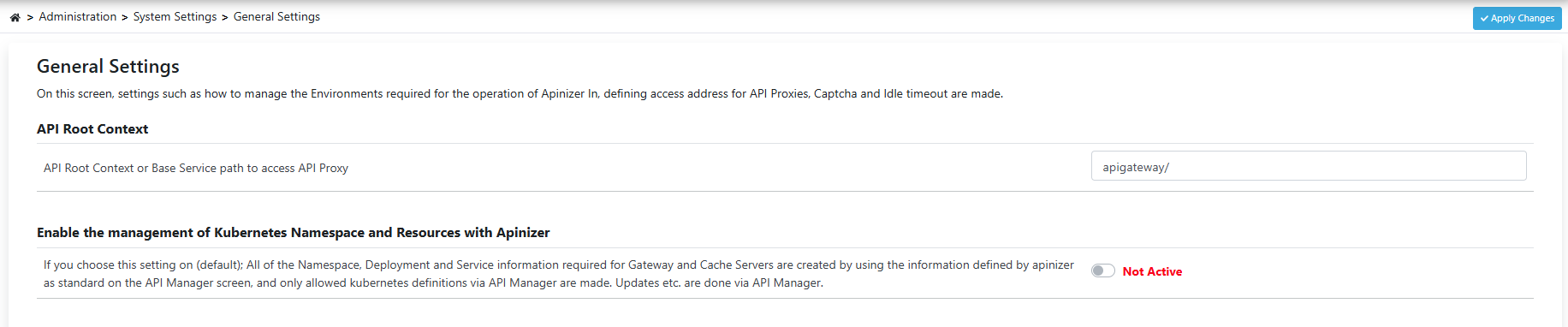
Environment Creation
Environment is created through Apinizer Manager Console for multi-region configuration. With this operation, information about which environment (namespace) and which clusters Apinizer should access and manage is defined. For example, you can define a new environment we installed in a different region to the cluster of an existing environment named prod with the following steps.Go to Gateway Environments page
Open Administration > Server Management > Gateway Environments page.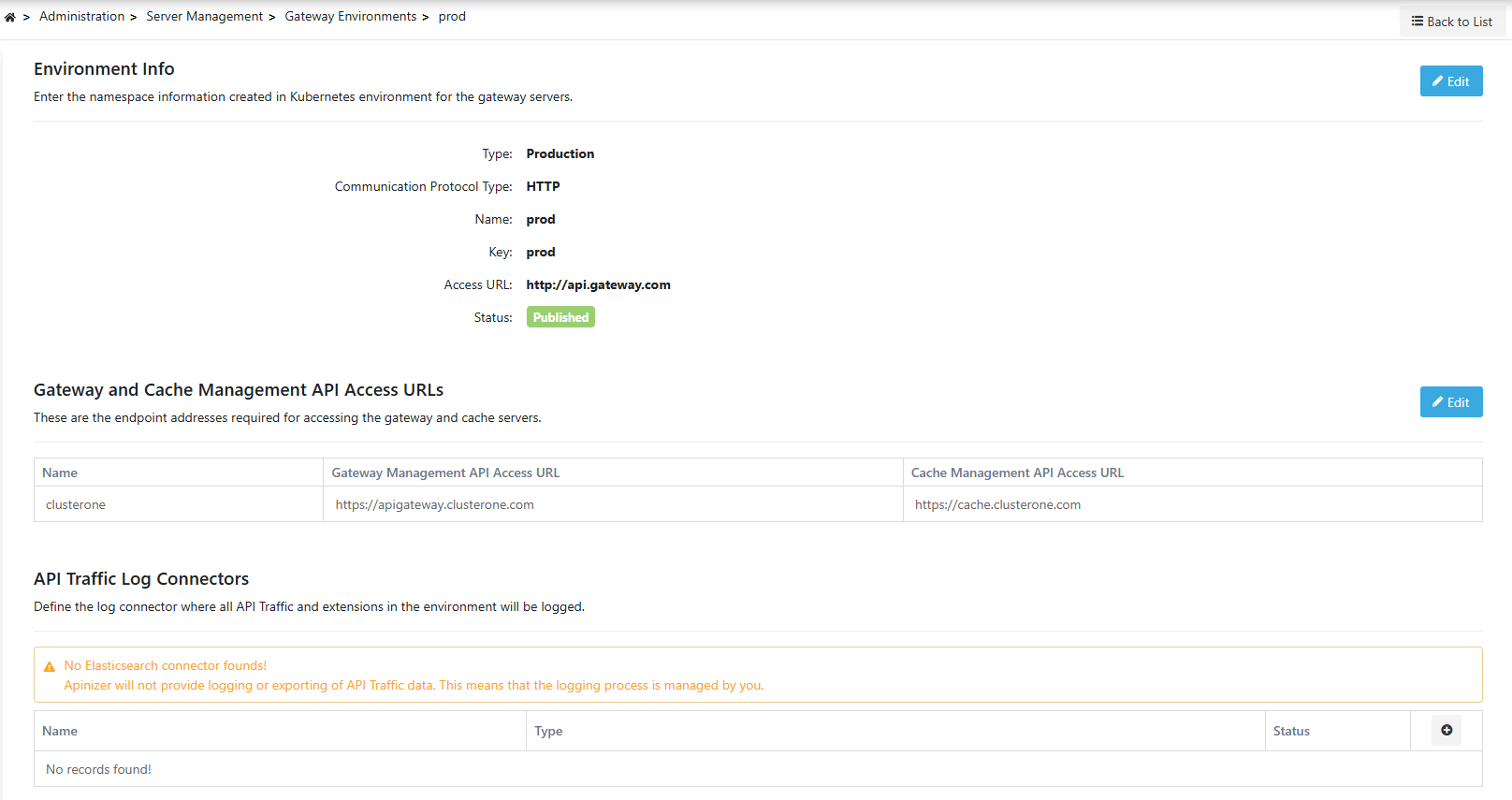
Define Gateway and Cache Management API Access URLs
In the Gateway and Cache Management API Access URLs section, define the management API access information of Gateway and Cache components belonging to the newly added cluster.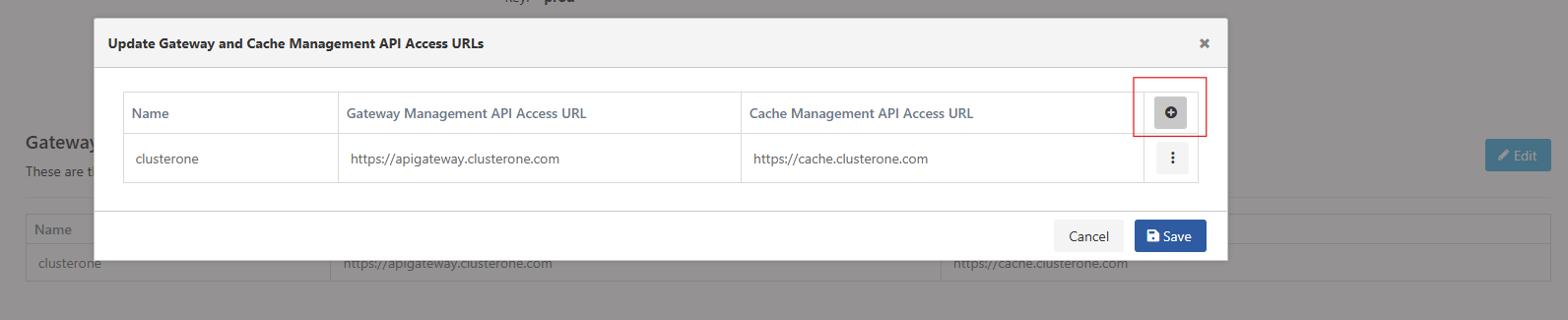
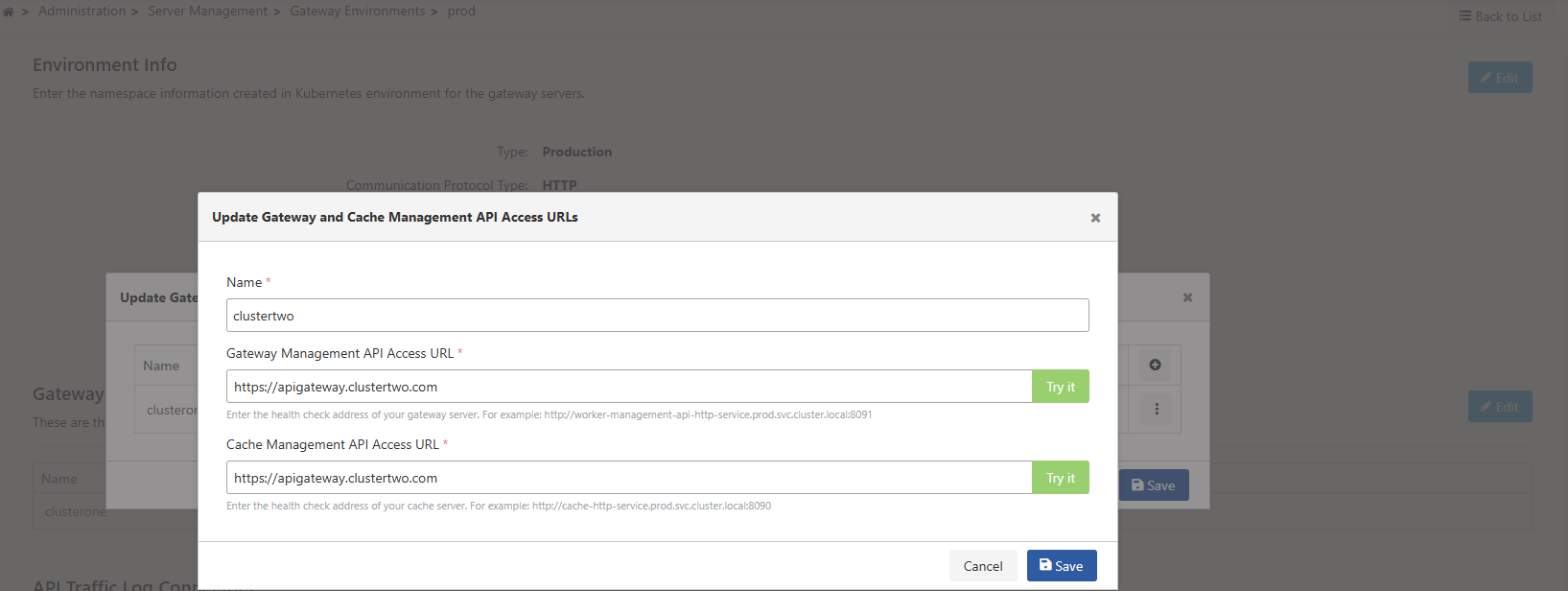
Adding Cluster Information to YAML Files
To specify which cluster Apinizer Worker and Cache applications running in the same environment (namespace) but in different geographical environments belong to, the following setting must be made. With this setting, which cache each worker will connect to is also determined. The following environment variable must be added to each Worker Deployment definition:Next Steps
Apinizer Installation
Learn Apinizer installation
API Portal Installation
Learn API Portal installation
API Integration Installation
Learn API Integration installation
Kubernetes Installation
Learn Kubernetes installation