Overview
The Admin module is the central management and configuration center of the Apinizer platform. Through this module, you can manage users and roles, authentication and access control, Gateway Runtime and Cache infrastructure management, project organization, security certificates, and system settings - all critical components of the platform.
Only users with the Admin role can access the Admin module. Settings in this module are effective across the platform and should be configured carefully.
Management Dashboard
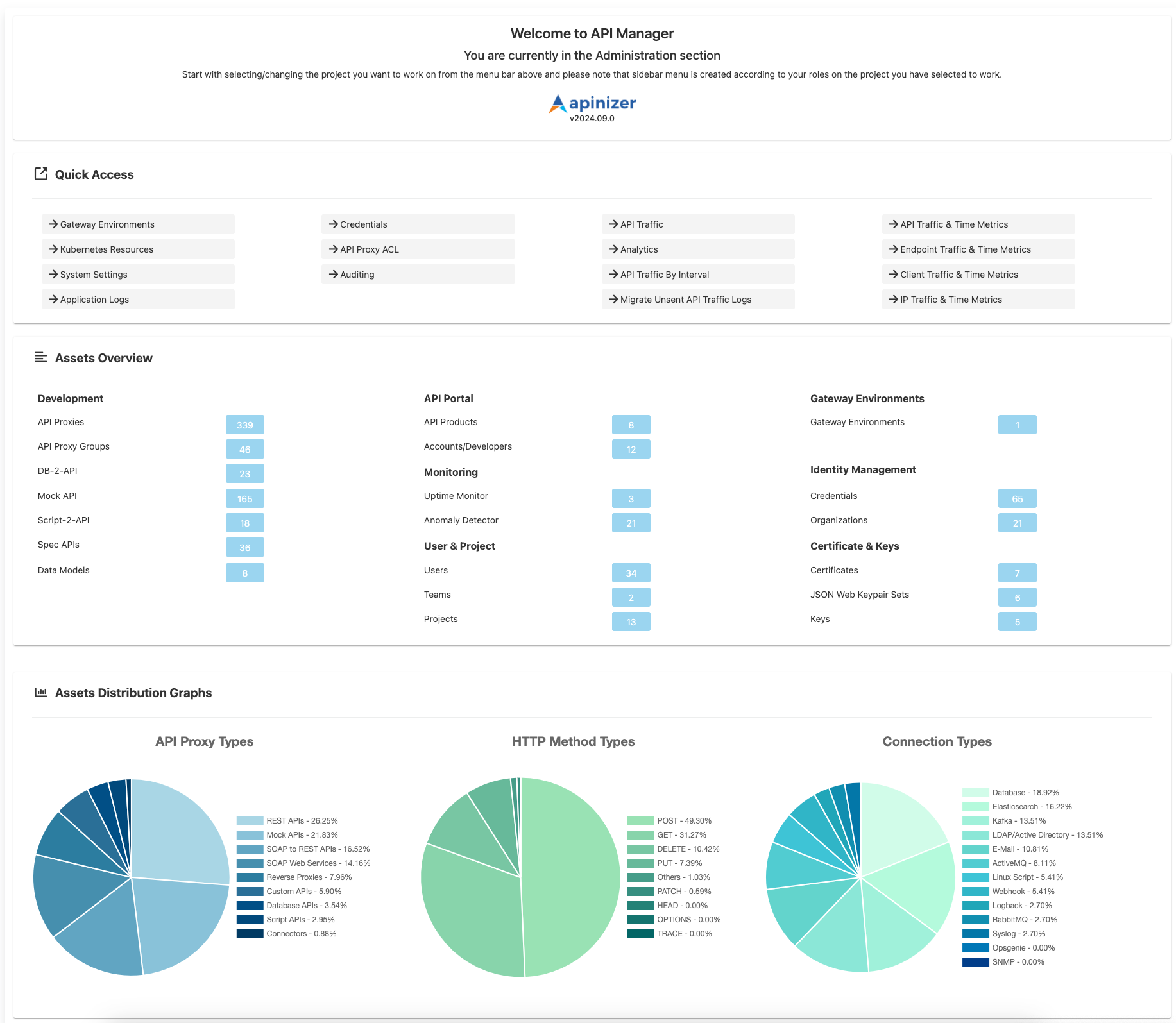
You can view the general status and summary information across the platform in the Apinizer Management Console:
Admin Module Components
The Admin module consists of the following sub-modules:
User and Access Management
User, team, role, and authorization management. API Keys creation and role-based access control.
Project creation, member management, and project settings. Project-based organization and access control.
Security and Identity
Client credentials, access control lists (ACL), contract/protocol management, and identity providers.
Certificates, keystores, encryption keys, and JWKS configuration management.
Infrastructure and System
Gateway Runtime environments, Cache Servers, Kubernetes workloads, and infrastructure management.
Platform general settings, predefined values, LDAP login configuration, and license management.