Token Requests
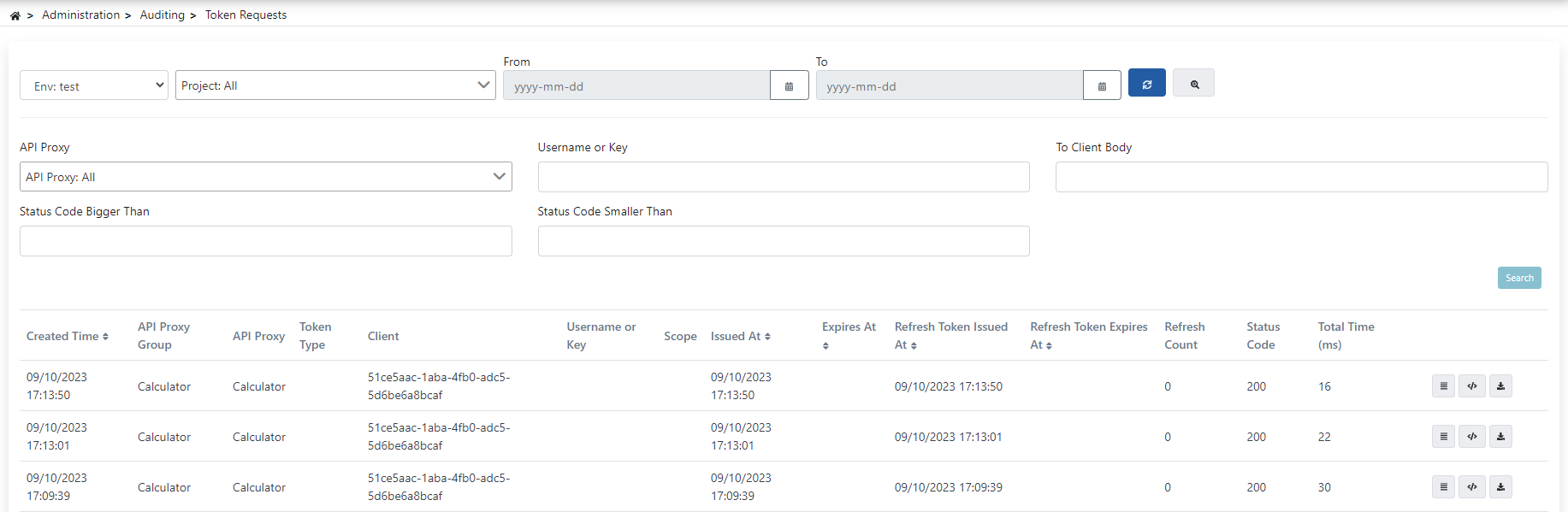
Filtering Options
The fields used for advanced filtering configuration are shown in the table below.
| Field | Description |
|---|---|
| Environment (Environment) | Token Records containing the value selected from this filter field come. |
| Result (Result) | Quick filter for the outcome: All, Success (HTTP 2xx), or Failure (HTTP 400 and above). Choosing Success or Failure fills in the status code range below for you; the range can still be adjusted directly. |
| Project (Project) | Token Records containing the value(s) selected from this filter field come. |
| Date Range (Date Range) | Filters Token Records according to the selected date range. The field can be typed into directly in the on-screen format (yyyy-mm-dd) as well as picked from the calendar; typing an incomplete or invalid value and leaving the field neither triggers a search nor shows an error — the query only fires once a valid date is complete. |
| Proxy (API Proxy) | Token Records containing the value selected from this filter field come. |
| Username or Key (Username or Key) | Token Records containing the value entered in this filter field come. |
| To Client Body (To Client Body) | Token Records containing the value entered in this filter field within the response body returned to the client come. |
| Status Code Bigger Than (Status Code Bigger Than) | Token Records containing values greater than the value entered in this filter field come. |
| Status Code Smaller Than (Status Code Smaller Than) | Token Records containing values smaller than the value entered in this filter field come. |