API Promotion
Why API Promotion?
In the API lifecycle, APIs typically pass through multiple environments. Each environment may use different backend addresses, security configurations, and environment variables. Performing these transitions manually is both time-consuming and error-prone.
With API Promotion you can:
- Consistency: Transfer the API configuration from the source environment to the target environment as-is
- Automatic variable mapping: Automatically map environment variables (backend address, API key, etc.) with the target environment's values
- Comparison and diff analysis: View the differences between source and target before the transfer
- Approval mechanism: Define mandatory approval processes for transfers to critical environments (e.g., Production)
- Traceability: Track the entire transfer history step by step
Supported API Types
API Promotion supports the following API types:
| Type | Description |
|---|---|
| API Proxy | Standard API Proxy transfer. Creator dependencies (DB-2-API, Script-2-API) are automatically detected |
| DB-2-API | Transfer the Creator definition of database-generated APIs independently |
| Script-2-API | Transfer the Creator definition of script-based APIs independently |
| Mock API | Transfer the Mock API Creator definition independently |
| Proxy Group | Transfer a Proxy Group with all its proxies and dependencies |
Connector-type API Proxies are not supported for promotion.
General Workflow
API Promotion consists of three main steps:
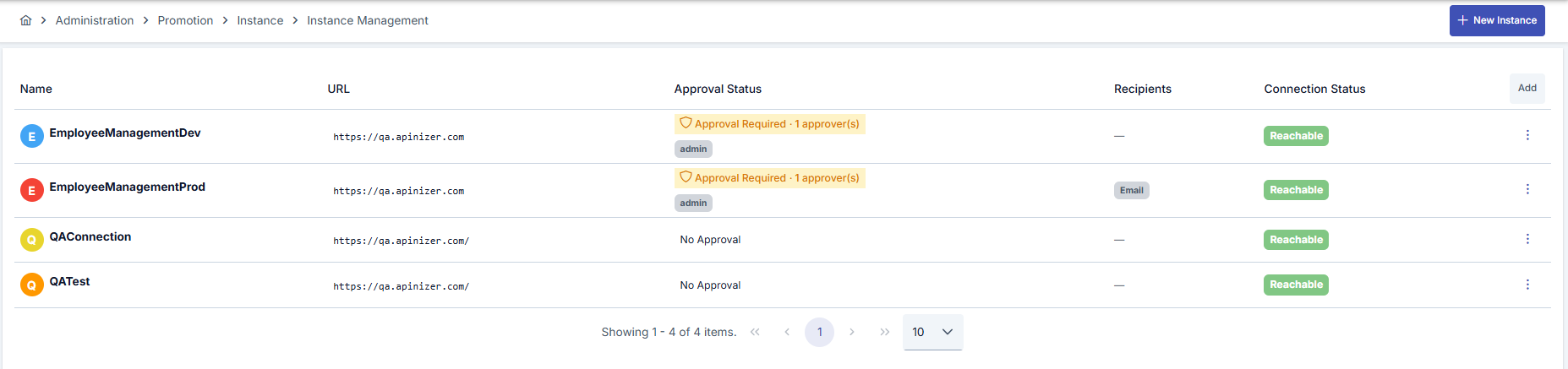
1. Instance Definition
You define target Apinizer environments (Development, Test, Staging, Production) as Instances. For each instance, connection details, approval requirements, and notification recipients are configured.
2. API Mapping Creation
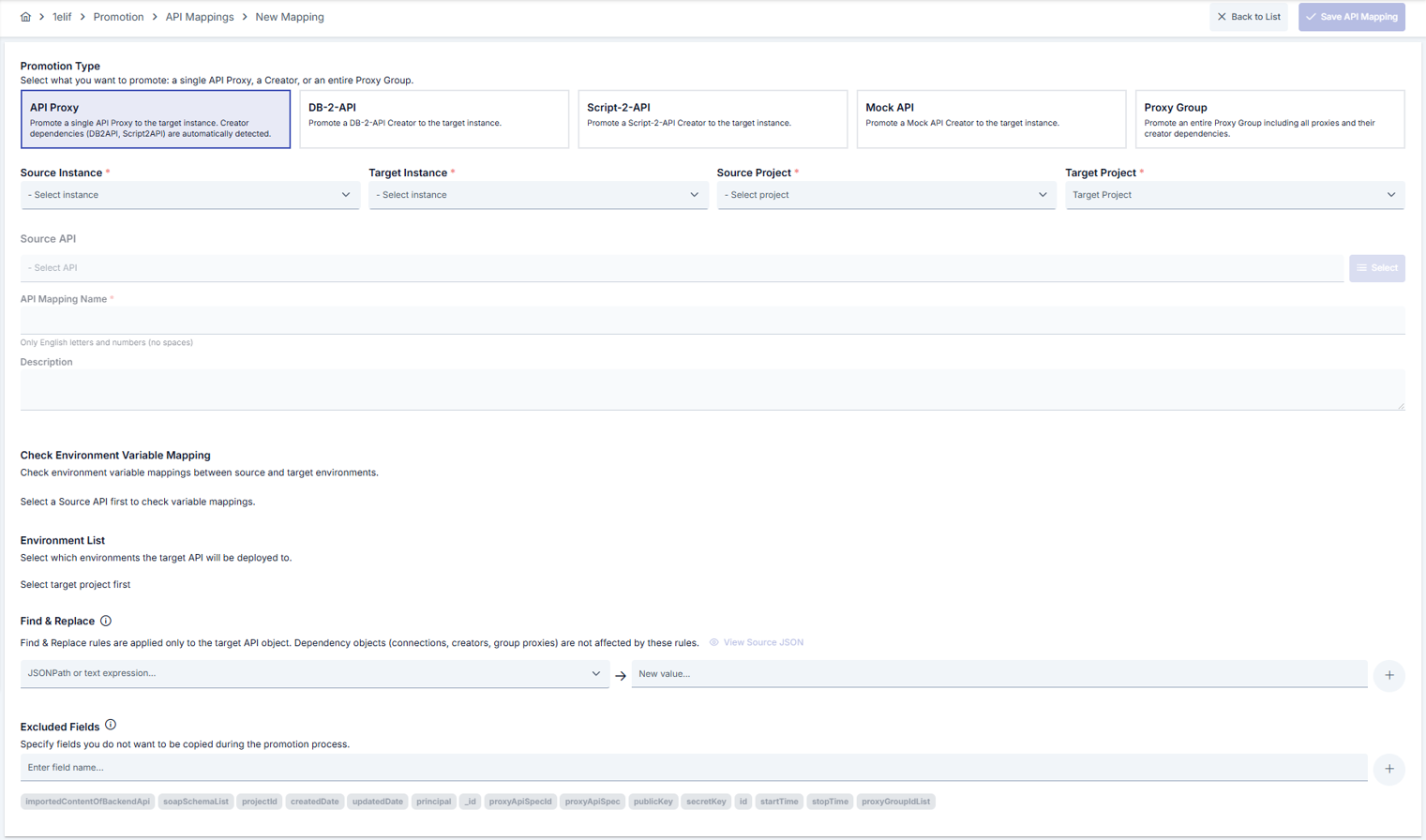
You create a Mapping that links an API in the source environment with its counterpart in the target environment. In this step:
- You select the source and target API (or create a new API in the target environment)
- You map environment variables
- You define the necessary transformation rules
- You run pre-transfer checks
In the Source and Target Project fields, only projects that the user who owns the token used during instance creation is authorized to access are listed.
3. Execution
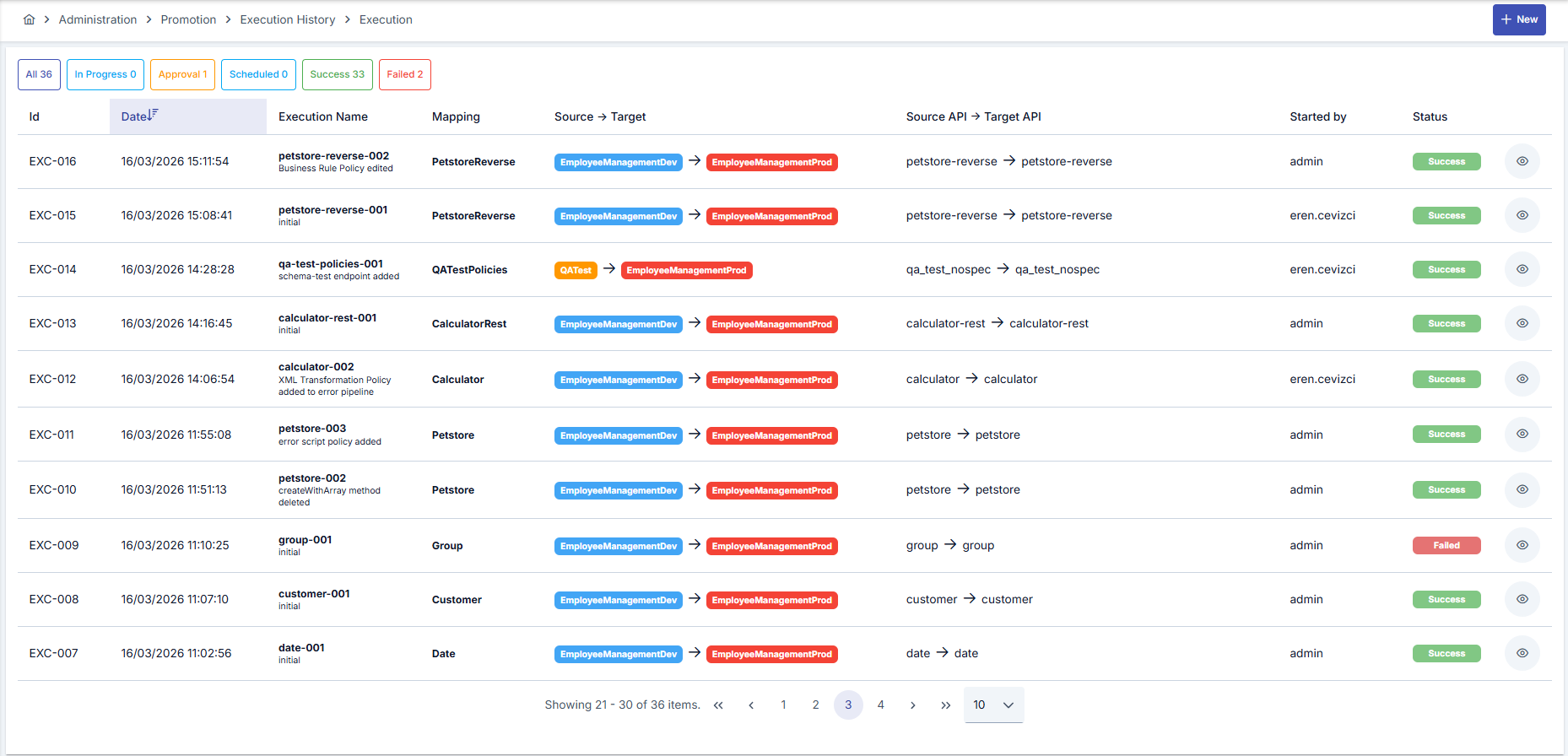
When the mapping is ready, you start the transfer with the Execute action. If approval is required, the process waits for approval; after approval it can run immediately or at a scheduled time.
Permissions
API Promotion is available to system administrators, to users granted the Promotion Manager role, and — for the mapping list, and for creating or updating a mapping — to a user who holds project-scoped Promotion permission on the mapping's source project: View to list and inspect mappings, Manage to create or update one. Every other Promotion screen and action (instances, execution, cloning, and the mapping wizard's comparison/dependency/pre-flight steps) requires system administrator authority or the Promotion Manager role.
Security hardening. In earlier versions, several of the mapping wizard's server-side actions — including some that write to the target instance — did not enforce the permission check above; only the actions listed as protected did. Every Promotion server-side action is now checked. If an integration or a user was relying on one of those unprotected actions without holding the permissions above, it now receives an authorization error and the relevant role or project permission has to be granted.
The rule is enforced on the server, not only in the interface, on every Promotion endpoint — there is no unauthenticated or under-authorized path through the module.
Dependency Management
API Promotion automatically detects the dependencies of the API being transferred and requires them to be mapped in the target environment:
- API Proxies created via DB-2-API: Creator + Database Connection are transferred together (mandatory)
- API Proxies created via Script-2-API and Mock API: Only the Creator definition is transferred (mandatory)
- Manually created API Proxies: No dependencies, only the proxy definition is transferred
- Proxy Group transfer: Group settings are transferred first, then each proxy and its dependencies in sequence
In addition to Creator dependencies, Global Policies and certificate-family records (Certificate, KeyStore, CryptoKeyInfo, JWK — see Secrets Management) used in the source API Proxy (or Proxy Group) definition are also automatically detected. Each of these dependencies must be mapped to an existing record on the target environment or created there; otherwise the mapping cannot be saved. See API Mapping Creation for details.