Instance Management
For detailed information about the Environment concept, see the core concepts page.
Instance List
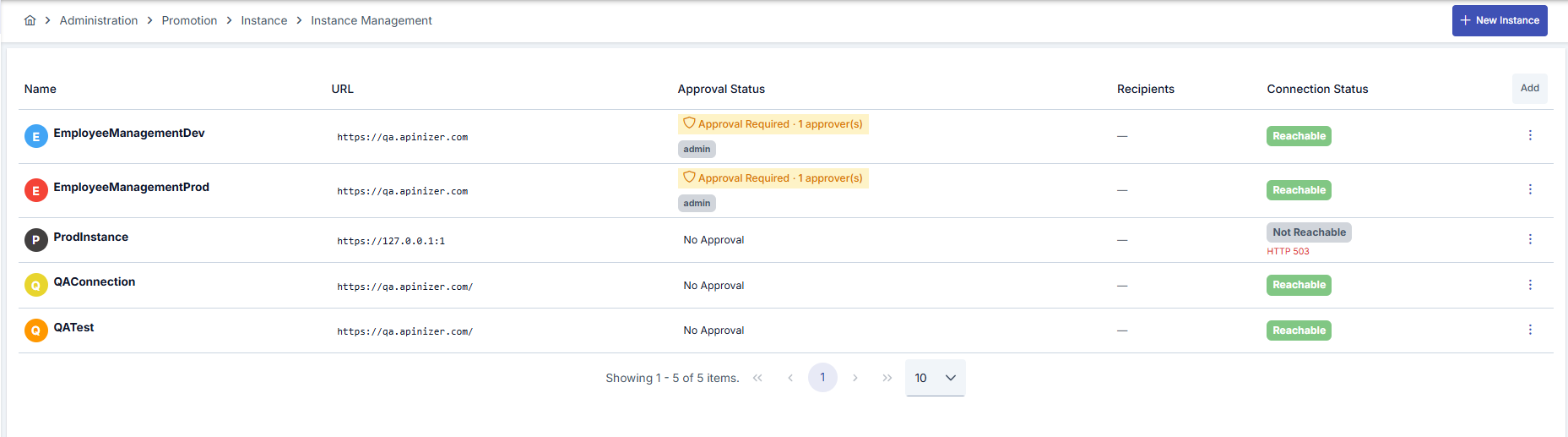
In the instance management screen, you can view all defined target environments. The list provides the following information:
- Name and Description: Identifying information for the instance
- URL: Target environment address (Base URL)
- Approval Status: Whether approval is required and, if defined, approvers
- Recipients: Notification recipients (if any)
- Connection Status: Target environment accessibility status (for example Reachable / Not Reachable)
Creating a New Instance
To add a new target environment, use the New Instance button.
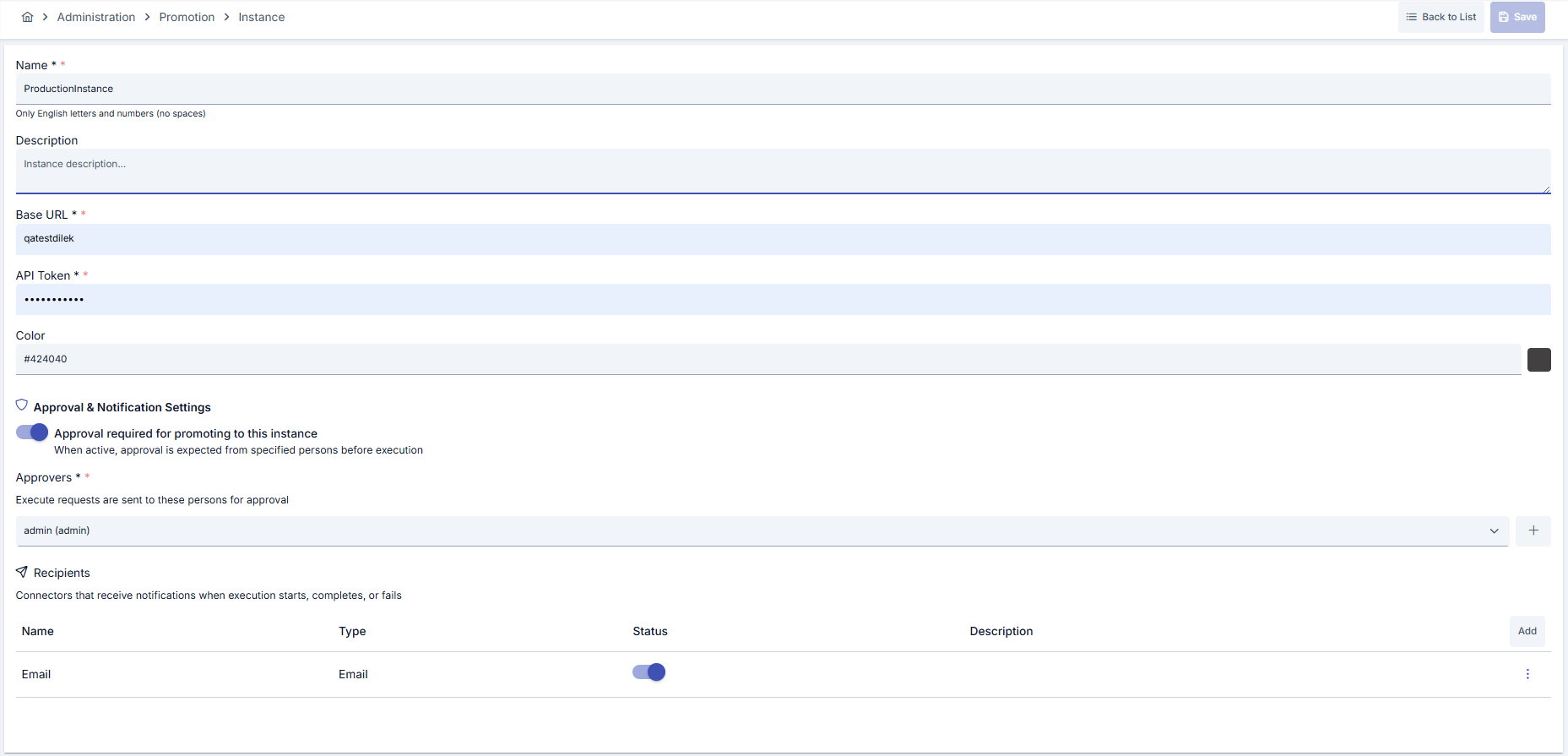
Basic Information
| Field | Description |
|---|---|
| Name | A unique name for the instance. Only English letters and numbers are accepted, no spaces allowed |
| Description | Descriptive information about the instance |
| Base URL | Address of the target Apinizer environment |
| API Token | API key used to access the target environment (retrieved from relevant settings in the target environment). The token must belong to a user with the System Administrator or Promotion Manager role in the target environment; any other token receives 401. |
| Color | Color selection to visually distinguish the instance |
Connection Test
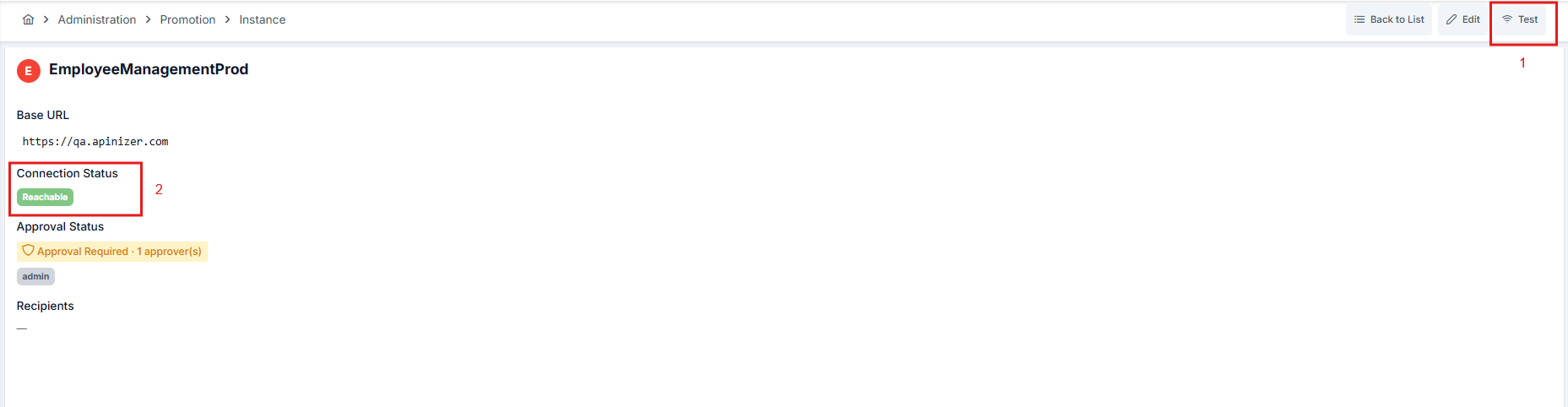
After saving the instance, you can run a connection test to verify access to the target environment.
- From list screen: (… menu) in the related instance row -> Test
- From detail screen: Test button
Connection status is updated on screen after test execution:
- Successful: Reachable is shown in the Connection Status field.
- Failed: Not Reachable is shown in the Connection Status field and, if available, an error message is displayed.
Approval and Notification Settings
You can configure an approval mechanism for transfers to critical environments (especially Production), and define notification recipients.
Approval Mechanism
When you activate Approval required for promoting to this instance, promotion operations to this instance wait for approval from designated approvers before execution.
| Setting | Description |
|---|---|
| Approval Required | When active, approval from designated people is required before execution |
| Approvers | Users who can approve execution requests |

Notification Recipients
You can define recipients to be notified about the status of promotion operations. Notifications are sent when:
- Execution starts
- Execution completes successfully
- Execution encounters an error
You can add connectors defined in the system (for example, an email connector) as notification recipients.

Instance Detail Screen
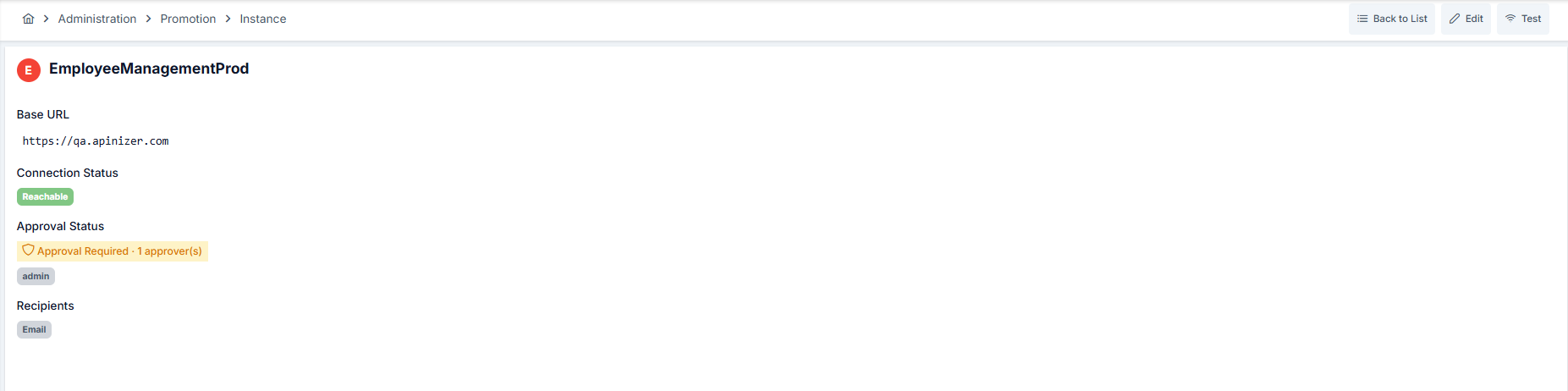
In the instance detail screen, you can view core information with connection status and trigger a connection test using the Test button. If the connection fails, the error message (if available) can also be viewed on this screen.
Deleting an Instance
When you want to delete an instance, a confirmation dialog is displayed.
When an instance is deleted, mappings and execution history associated with this instance may also be affected. Check related mappings before deleting.