Topology 1: Test and PoC
This page is prepared for those who want to install Apinizer in Test and Proof of Concept (PoC) environments. This topology is designed for quick installation, low resource requirements, and minimum cost.
Important: This topology is only suitable for test, development, and PoC environments. It should not be used for production environments. If you want to evaluate the correct configuration for load testing, please refer to our Benchmark Results page.
Overview
Topology 1 is a simple topology that provides quick installation with minimum resource requirements. All components run on 2 servers.
Architectural Structure
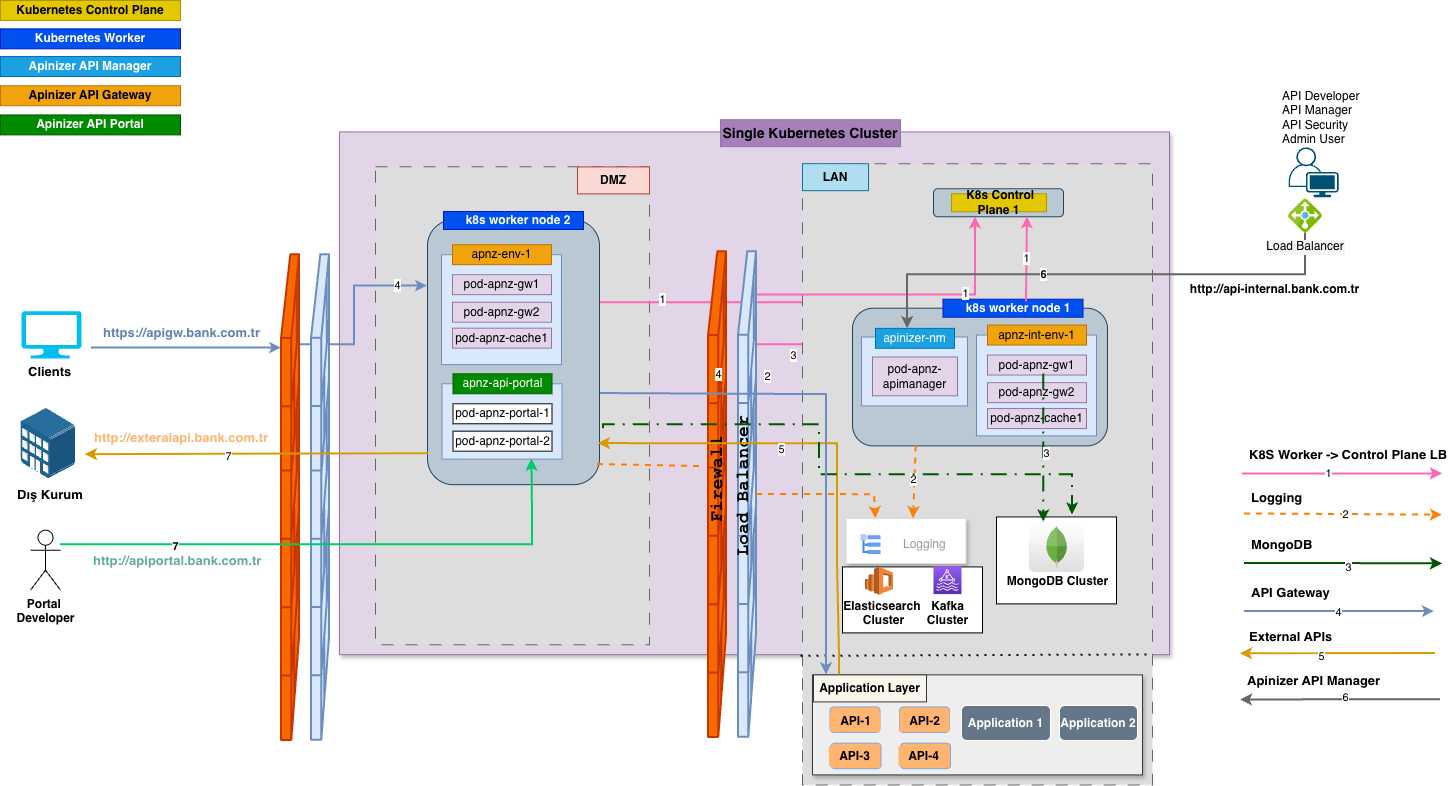
1. System Requirements
For detailed system requirements, you can refer to the Overview page.
Operating System
- Ubuntu Server 24.04 LTS or RHEL 9.x
- Minimum kernel version: 5.4+
- SELinux: Disabled (for RHEL) or Permissive mode
Software Components
| Component | Version/Requirement |
|---|---|
| Kubernetes | 1.31.0+ (or any supported version) |
| Docker/Containerd | Version compatible with Kubernetes |
| MongoDB | Any version (must be configured as Replica Set) |
| Elasticsearch | 7.9.2+ (officially supported version) |
| Network Plugin | Flannel 0.27.4 (or compatible) |
For detailed information about software components: Overview - Components Required by Apinizer
Network Requirements
- Internet Access: Required during installation (special preparation required for offline installation)
- DNS: Working DNS resolution
- Firewall: Required ports must be open
For detailed information about network topology and port requirements: Network Topology and Port Requirements
2. Hardware Requirements
The requirements below are specified for the recommended minimum configuration. They should be increased according to your service loads.
Apinizer does not recommend installing on a single server for production environments. Please evaluate such an installation configuration only for PoC environments.
Do not use Test/PoC installations for load testing purposes! If you want to evaluate the correct configuration for load testing, please refer to our Benchmark Results page or contact us.
| No | Operating System | CPU | RAM | Disk | Installations |
|---|---|---|---|---|---|
| Server 1 | Ubuntu Server 24.04 LTS / RHEL 9.x | 4 | 16GB | 200GB | Kubernetes Control-Plane, Manager, Elasticsearch (Master+Data), Replica set MongoDB Single Instance |
| Server 2 | Ubuntu Server 24.04 LTS / RHEL 9.x | 6 | 8GB | 80GB | Kubernetes Worker |
Worker node server resources include the gateway pod limits (W4: 4 core / 4 GB) plus a ~2 core / ~4 GB reservation for Kubernetes system components (kubelet, kube-proxy, container runtime, operating system).
Important: The CPU, disk, and RAM values above are given as examples. These values may vary according to traffic volume, number of APIs, policy complexity, and other factors. To determine your actual hardware requirements, it is recommended to calculate according to the rules on the Capacity Planning page.
3. Network Topology
Simple Network Structure
A simple network structure is sufficient for Test/PoC environments. DMZ/LAN separation is optional.
Network Structure:
- Internet: Traffic from the outside world is directed to the internal network through Firewall/Router (Port 443/80).
- Server 1: Hosts Kubernetes Control-Plane, MongoDB, and Elasticsearch components.
- Server 2: Hosts Kubernetes Worker Node, Manager, Worker, and Cache components.
This simple structure provides sufficient security and performance for test and PoC environments. More advanced network configurations (DMZ/LAN separation) are recommended for production environments.
For detailed information about DMZ and LAN zones: Overview - Core Concepts and Network Topology and Port Requirements
Port and Firewall Permissions
If all your servers will be located on the same subnet and there will be no firewall between them, firewall rules will only apply to internet access and container network communication. Since inter-server cluster and inter-component communication ports are considered directly accessible within the same subnet, there is no need to define an additional firewall rule for these communications.
For detailed information about port requirements and firewall rules: You can refer to the Network Topology and Port Requirements page. This page explains in detail all port requirements and firewall rules for Kubernetes, MongoDB, Elasticsearch, and Apinizer components.
4. Capacity Planning
This topology runs with 1 W4 worker node. Benchmark-based planning values:
| Metric | Value |
|---|---|
| Worker Tier | W4 (4 core / 4 GB RAM) × 1 node |
| Daily Planning Capacity | ~5M requests/day |
| Usage Purpose | Test / PoC — not for production use |
For detailed information about capacity planning: You can refer to the Capacity Planning page. This page explains in detail traffic estimation, hardware requirements, MongoDB and Elasticsearch data size calculations, and benchmark performance results.
Pre-Installation Checklist
Before starting installation, you should make the following preparations:
| Category | Check Item |
|---|---|
| Infrastructure | [ ] 2 servers prepared |
| [ ] Operating system installed (Ubuntu 24.04 LTS or RHEL 9.x) | |
| [ ] Network connectivity between servers tested | |
| [ ] DNS resolution working | |
| [ ] Internet access available (special preparation done for offline installation) | |
| Network | [ ] Required ports opened |
| [ ] Firewall rules configured | |
| [ ] Load balancer configuration (optional) | |
| Software | [ ] Kubernetes installation packages ready |
| [ ] MongoDB installation packages ready | |
| [ ] Elasticsearch installation packages ready | |
| [ ] Apinizer images accessible (DockerHub or private registry) | |
| Security | [ ] SSH keys configured |
| [ ] Sudo access configured | |
| [ ] Security updates performed |
For detailed pre-installation recommendations: You can refer to the Pre-Installation Recommendations page.
Usage Scenarios
This topology is ideal for Proof of Concept (POC), test environments, training purposes, low-traffic applications (~5M requests/day, 1×W4), quick installation requirements, and situations with limited budget.
For detailed information about topology selection guide and usage scenarios: You can refer to the Deployment Models page.
Limitations and Points to Consider
Limitations of this topology:
- Not suitable for production environments
- No high availability (single point of failure risk)
- Should not be used for load testing
- Not suitable for high-traffic applications
- Database carries single point of failure risk
- No automatic failover