Script-2-API Usage
Script-2-API enables you to create REST APIs by creating methods with JavaScript or Groovy script languages without needing any code editor.
You can use, update, or delete message sections in code with custom-defined variables.
This content explains, in order, defining Script-2-API for a REST API that manages email operations, creating the sendMail method to send emails, and creating, deploying, and testing the REST API as an API Proxy.
1. Creating Script-2-API
Create the REST API in the Create Script API dialog.
- Select Development → API Creator → Script-2-API in the main menu. Click Create. The Create Script API dialog opens.
- Enter Mail API as the Name. Enter a description.
- Under First endpoint, select POST as the HTTP Method. Enter /sendMail as the Path. Select Groovy as the Language.
- Click Create. Apinizer saves the Script-2-API with a starter script and opens the editor.
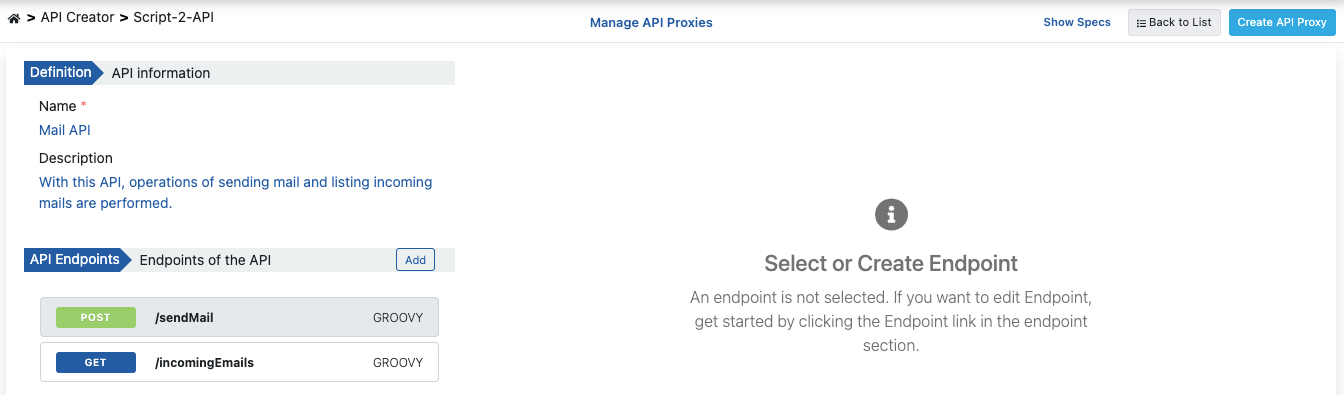
1.1. Writing the /sendMail Script
The /sendMail endpoint reads the email information from the request body and sends an email. The script is written in Groovy.
- Select POST /sendMail in the left column. Click Configure. The Configure panel opens.
- Replace the starter script with the Groovy code below.
- Click Save.
To add another endpoint, click the + button next to API Endpoints.
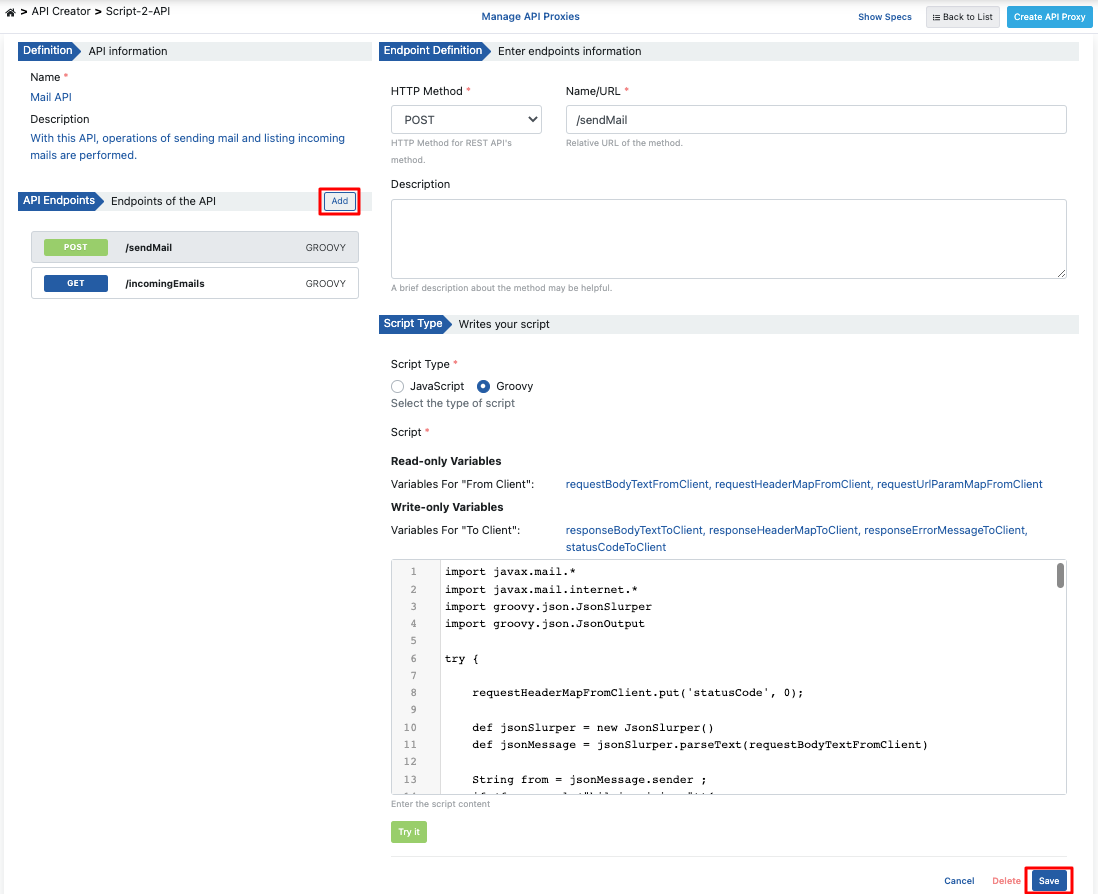
To test the script before you save it, click Try it on the toolbar of the script editor in the Configure panel. The Script Test dialog runs the script with sample data. For details, see Script Test.
Groovy code;
import javax.mail.*
import javax.mail.internet.*
import groovy.json.JsonSlurper
import groovy.json.JsonOutput

try {
    requestHeaderMapFromClient.put('statusCode', 0);
    def jsonSlurper = new JsonSlurper()
    def jsonMessage = jsonSlurper.parseText(requestBodyTextFromClient)

    String from = jsonMessage.sender;
    if (from.equals("bilgi.apinizer")){
        from="info@apinizer.com";
    } else if(from.equals("apinizer.hata")){
        from="warning@apinizer.com";
    } else {
        statusCode=400;
        requestErrorMessageFromClient = JsonOutput.toJson([
            isTheOperationSuccessful: false,
            errorMessage: 'Hatalı gönderen bilgisi',
            errorCode:'01-ERR-02'
        ])
        return;
    }

    String to=jsonMessage.reciever;
    String cc=jsonMessage.recieverInformation;
    String bcc=jsonMessage.recieverInformation;

    if(!to?.trim() && !cc?.trim() && !bcc?.trim()){
        requestErrorMessageFromClient = JsonOutput.toJson([
            isTheOperationSuccessful: false,
            errorMessage: 'En az bir alıcı eklenmeli',
            errorCode:'01-ERR-03'
        ])
        statusCode=400;
        return;
    }

    String subject=jsonMessage.subject;
    if(subject?.trim()){
        subject=""
    }

    String content=jsonMessage.content;
    if(content?.trim()){
        content=""
    }

    String mimeType=jsonMessage.contentType;
    if(mimeType?.trim()){
        mimeType="text/html;charset=utf-8"
    }

    // Init constants of sender email account.
    String email = "apinizer.hata"
    String password = ""
    String host = "mail.apinizer.com"
    String port = "25" // "465" "587"

    // Set up properties.
    Properties props = System.getProperties()
    props.put("mail.smtp.user", email)
    props.put("mail.smtp.host", host)
    props.put("mail.smtp.port", port)
    props.put("mail.smtp.auth", "false")
    props.put("mail.smtp.starttls.enable", "false")
    props.put("mail.smtp.socketFactory.class", "javax.net.ssl.SSLSocketFactory")
    props.put("mail.smtp.ssl.trust", host) // Change host to "*" if you want to trust all host.

    Session session = Session.getInstance(props, new javax.mail.Authenticator() {
        protected PasswordAuthentication getPasswordAuthentication() {
            return new PasswordAuthentication(email, password);
        }
    });

    // Set up message.
    MimeMessage message = new MimeMessage(session)
    message.setFrom(new InternetAddress(from))
    if(to?.trim()){
        message.addRecipients(Message.RecipientType.TO, new InternetAddress(to))
    }
    if(cc?.trim()){
        message.addRecipients(Message.RecipientType.CC, new InternetAddress(cc))
    }
    if(bcc?.trim()){
        message.addRecipients(Message.RecipientType.BCC, new InternetAddress(bcc))
    }
    message.setSubject(subject)
    message.setContent(content, mimeType)

    try {
        // Send mail.
        Transport.send(message)
    } catch (MessagingException e) {
        e.printStackTrace();
        statusCode=500;
        responseErrorMessageToClient = JsonOutput.toJson([
            isTheOperationSuccessful: false,
            errorMessage: 'Error occurred while sending mail:' + e.getMessage(),
            errorCode:'01-ERR-04'
        ])
        return;
    }

    statusCode=200;
    responseBodyTextToClient = JsonOutput.toJson([
        isTheOperationSuccessful: true,
        errorMessage: '',
        errorCode:''
    ])
} catch (MessagingException e) {
    e.printStackTrace();
    statusCode=500;
    responseErrorMessageToClient = JsonOutput.toJson([
        isTheOperationSuccessful: false,
        errorMessage: 'Error occurred while sending mail:' + e.getMessage(),
        errorCode:'01-ERR-05'
    ])
    return;
}
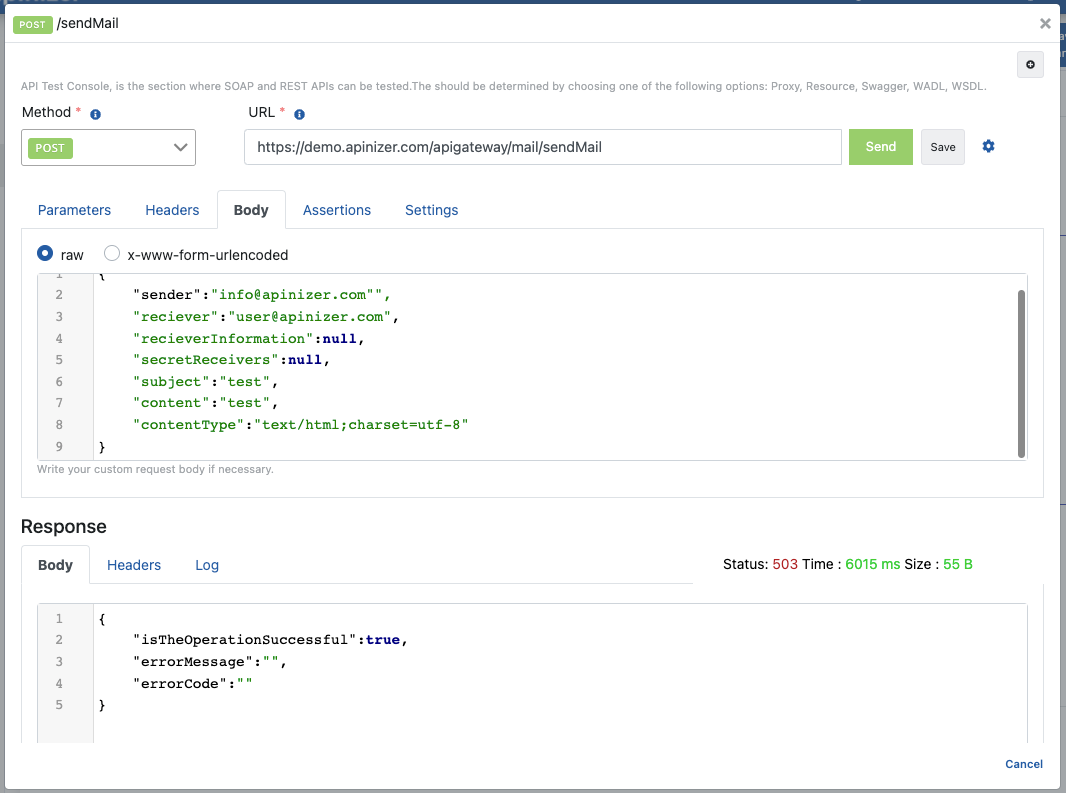
When sending an email, the request body should contain the following JSON body;
{
 "sender":"info@apinizer.com",
 "reciever":"user@apinizer.com",
 "recieverInformation":null,
 "secretReceivers":null,
 "subject":"test",
 "content":"test",
 "contentType":"text/html;charset=utf-8"
}
When a successful response is returned, you encounter a message template example in the following template;
{
 "isTheOperationSuccessful":true,
 "errorMessage":"",
 "errorCode":""
}
When an error response is returned, you encounter a message template example in the following template;
Script Error: {
 "isTheOperationSuccessful":false,
 "errorMessage":"Error occurred while sending mail:Invalid Addresses",
 "errorCode":"01-ERR-04"
}
2. Viewing API Definition Documents
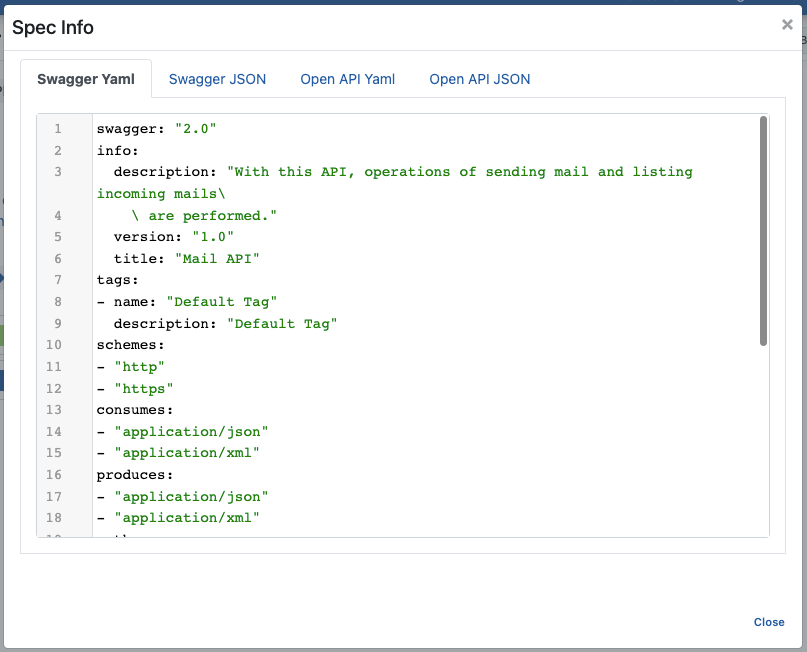
Click the Show Specs button in the breadcrumb bar to access the API definition files for Mail API.

The image below shows the Spec Information dialog:
3. Creating API Proxy
You can instantly create an API Proxy by clicking the Create API Proxy button from the Script-2-API screen.

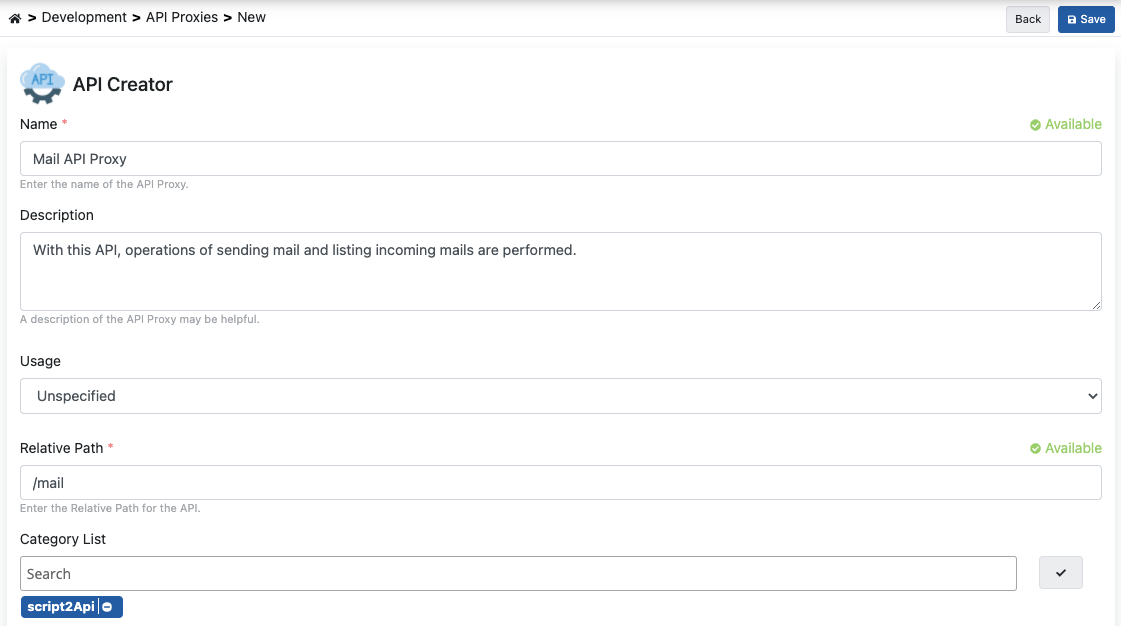
The Create API Proxy dialog opens. Fill in the fields shown in the image below. Click Create and deploy.
3.1 Deploying the API Proxy
Mail API Proxy can be quickly deployed to a defined environment and made available for client consumption.
If you checked an environment under Deploy to, Create and deploy has already deployed the API Proxy. To deploy later, use the dialog opened by the Deploy button on the API Proxy screen.

You can also do this from the Script-2-API screen with the Manage API Proxies button.

4. Testing
You can test the endpoint with Try it on the Script-2-API screen:
- Select POST /sendMail in the left column. Click Try it in the header of the endpoint. The Try it panel opens.
- Check the API Proxy and the Environment.
- Enter the email information in the Body tab. Click Send.
For details, see Try it. The image below shows testing the /sendMail endpoint from the API Proxy page: