Grafana Installation and Prometheus Integration as Data Source
Grafana Installation
Persistent Storage Configuration
Since Grafana's data will be stored on a node in Kubernetes cluster, PersistentVolume (PV) and PersistentVolumeClaim (PVC) definitions need to be made.
This configuration ensures Grafana preserves its data in case of shutdown or restart situations.
apiVersion: v1
kind: PersistentVolume
metadata:
  name: grafana-pv
  namespace: monitoring
spec:
  capacity:
    storage: 1Gi
  accessModes:
    - ReadWriteOnce
  hostPath:
    path: /mnt/data/grafana
  persistentVolumeReclaimPolicy: Retain
---
apiVersion: v1
kind: PersistentVolumeClaim
metadata:
  name: grafana-pvc
  namespace: monitoring
spec:
  accessModes:
    - ReadWriteOnce
  resources:
    requests:
      storage: 1Gi
The PersistentVolume (PV) and PersistentVolumeClaim (PVC) configuration above ensures Grafana stores its data on a specific node. However, the hostPath used here is dependent on the local file system of the specific node where Grafana runs.
Therefore:
- If Grafana pods are moved to a different node, they will lose their data unless the same hostPath directory exists on the new node.
- To guarantee pods always run on the same node, pods need to be pinned to specific nodes using nodeAffinity or nodeSelector.
Alternatively, NFS, Ceph, Longhorn, or a cloud-based storage solution can be used to store data in a node-independent manner.
Grafana Secret Configuration
Password and password for admin user who will login to Grafana interface are determined:
GF_SECURITY_ADMIN_USER=admin
GF_SECURITY_ADMIN_PASSWORD=<YOUR_GRAFANA_PASSWORD>

echo -n ${GF_SECURITY_ADMIN_USER} | base64
# We will put the output of this in place of <ENCODED_GF_SECURITY_ADMIN_USER> variable in the next step

echo -n ${GF_SECURITY_ADMIN_PASSWORD} | base64
# We will put the output of this in place of <ENCODED_GF_SECURITY_ADMIN_PASSWORD> variable in the next step
Username and password to be used in Grafana interface are stored with the secret given below.
apiVersion: v1
kind: Secret
metadata:
  name: grafana-secrets
  namespace: monitoring
type: Opaque
data:
  GF_SECURITY_ADMIN_USER: <ENCODED_GF_SECURITY_ADMIN_USER>
  GF_SECURITY_ADMIN_PASSWORD: <ENCODED_GF_SECURITY_ADMIN_PASSWORD>
Grafana Deployment Configuration
Load the following Grafana Deployment YAML file to your Kubernetes Cluster by modifying it according to your systems.
Don't forget to replace <NODE_HOSTNAME> value with your own node hostname.
apiVersion: apps/v1
kind: Deployment
metadata:
  labels:
    app: grafana
  name: grafana
  namespace: monitoring
spec:
  replicas: 1
  selector:
    matchLabels:
      app: grafana
  template:
    metadata:
      labels:
        app: grafana
    spec:
      affinity:
        nodeAffinity:
          requiredDuringSchedulingIgnoredDuringExecution:
            nodeSelectorTerms:
              - matchExpressions:
                  - key: kubernetes.io/hostname
                    operator: In
                    values:
                      - <NODE_HOSTNAME>
      initContainers:
        - name: init-permissions
          image: busybox
          command: ["sh", "-c", "chown -R 472:472 /var/lib/grafana"]
          volumeMounts:
            - mountPath: /var/lib/grafana
              name: grafana-storage
      containers:
        - name: grafana
          image: grafana/grafana:11.6.1
          imagePullPolicy: IfNotPresent
          ports:
            - containerPort: 3000
              name: http-grafana
              protocol: TCP
          readinessProbe:
            httpGet:
              path: /api/health
              port: 3000
              scheme: HTTP
            initialDelaySeconds: 10
            periodSeconds: 30
            successThreshold: 1
            timeoutSeconds: 5
          livenessProbe:
            httpGet:
              path: /api/health
              port: 3000
              scheme: HTTP
            initialDelaySeconds: 30
            periodSeconds: 10
            successThreshold: 1
            timeoutSeconds: 5
          resources:
            requests:
              cpu: 256m
              memory: 256Mi
          envFrom:
            - secretRef:
                name: grafana-secrets
          volumeMounts:
            - mountPath: /var/lib/grafana
              name: grafana-storage
      volumes:
        - name: grafana-storage
          persistentVolumeClaim:
            claimName: grafana-pvc
Grafana Kubernetes Service
Kubernetes service for Grafana is created:
apiVersion: v1
kind: Service
metadata:
  name: grafana
  namespace: monitoring
  labels:
    app: grafana
spec:
  ports:
    - name: http
      port: 3000
      nodePort: 32181
  selector:
    app: grafana
  type: NodePort
While Grafana is deployed on Kubernetes, it creates a Kubernetes service named grafana and of NodePort type. This service is necessary for accessing Grafana from outside Kubernetes. However, you can adapt it according to Ingress or whatever structure you use for connection method in your organization instead of this service.
Setting Prometheus as Data Source on Grafana
Login to Grafana
Login to Grafana interface with admin user.
Adding Data Source
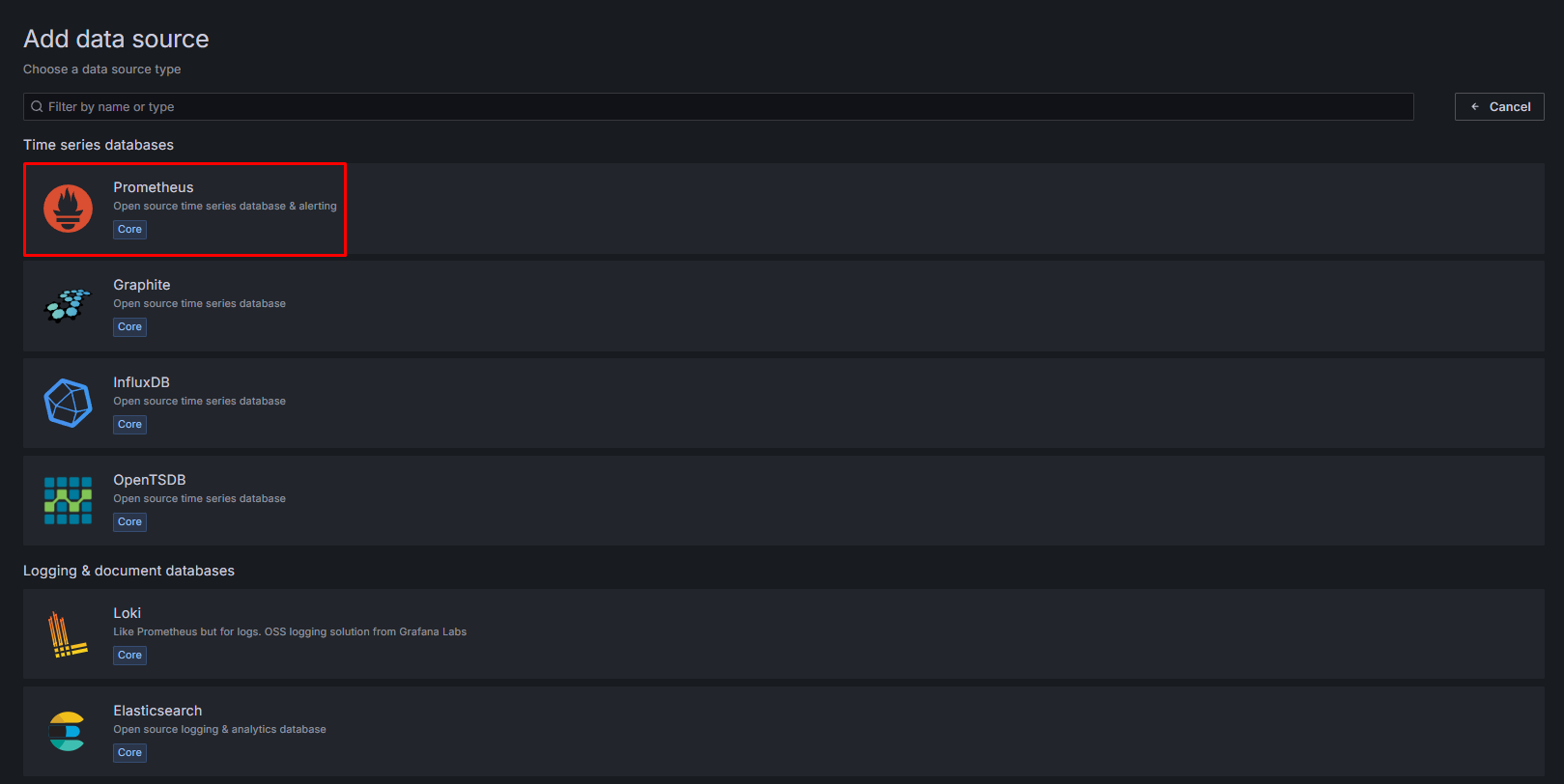
Click Data Source tab from Left Menu and select Add new data source option.

Prometheus Selection
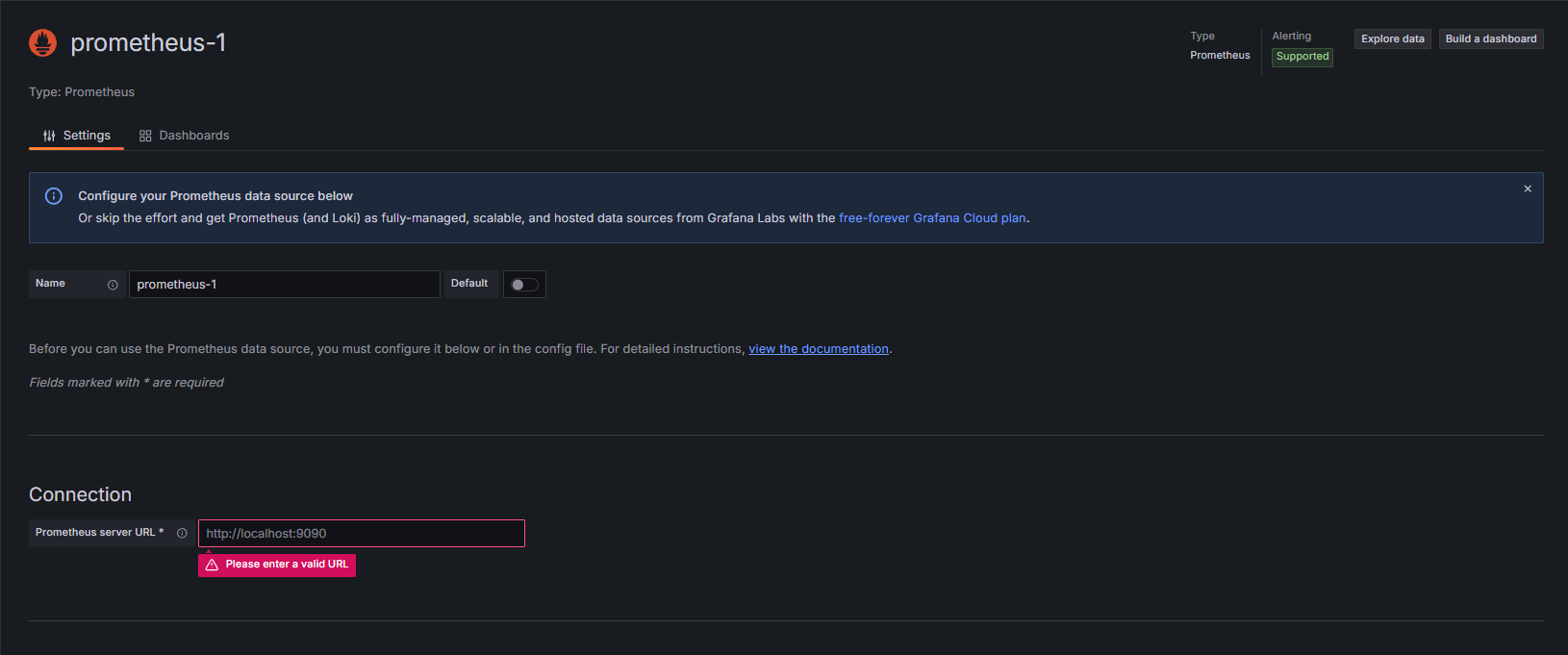
Prometheus is selected as data source. Prometheus Connection url and other necessary settings are entered and saved.
Creating Dashboard
Click Dashboard tab from Left Menu and select new dashboard option.

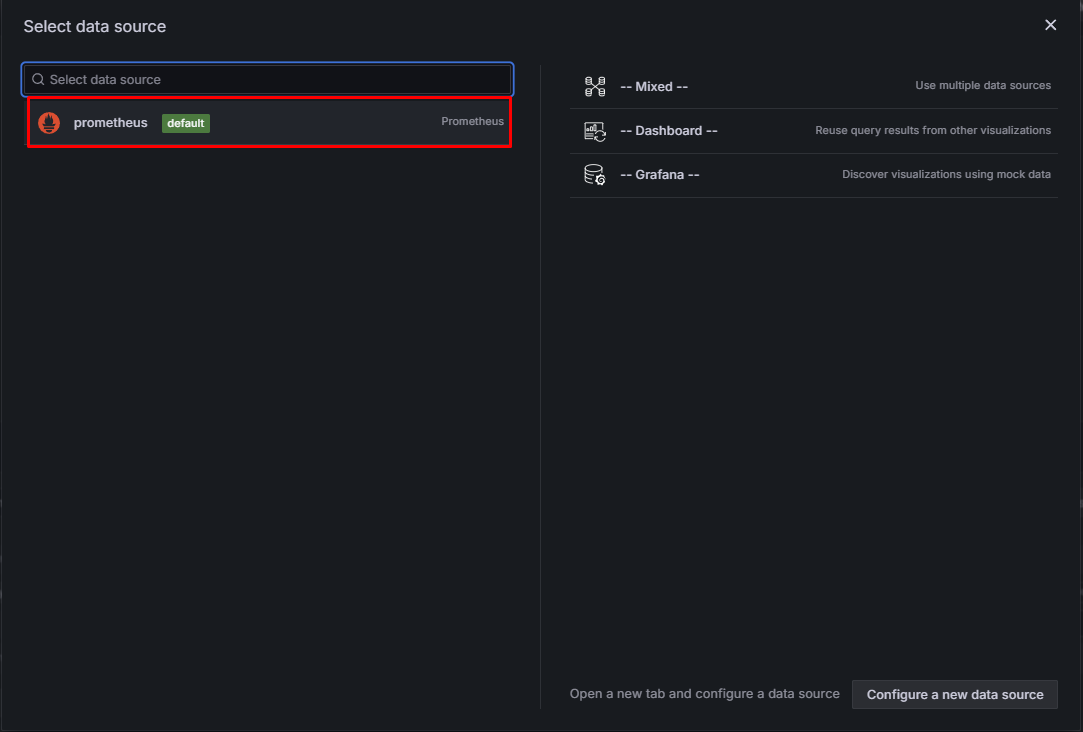
Data Source Selection
New dashboard is created and prometheus is selected as data source.