Transfer of Apinizer System Logs with Syslog
Audit, token and application log destinations are now configured on the SIEM & Log Forwarding page, under Administration → System Settings. The four recipient sections that used to live under General Settings have moved there, together with per-stream filtering rules, a privacy profile and an event size limit.
The payloads shown on this page are what the Legacy Raw payload profile produces — today's output, unchanged and frozen, so an existing parser keeps working after the upgrade. Fields added to Apinizer in later versions do not appear in this output; they are available in the Apinizer JSON v2 profile described below.
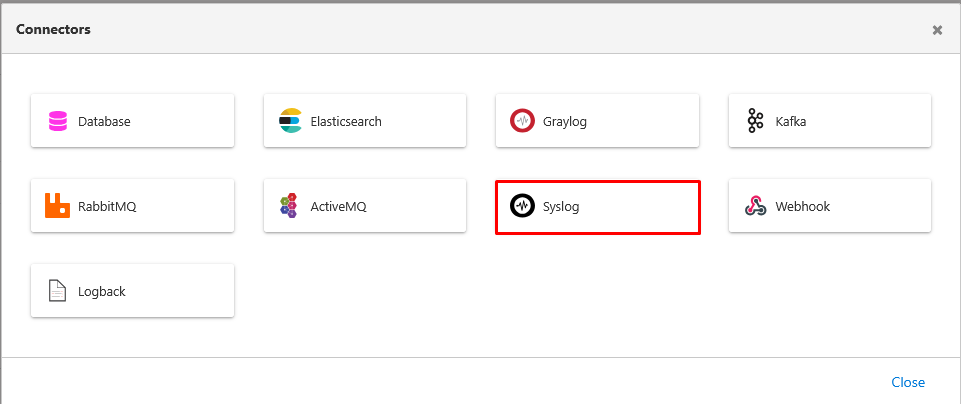
Go to Administration > Connection Configurations > Syslog page and create a Syslog connection definition. See Syslog Connection Management for detailed information.
Transfer of Application Logs with Syslog
Go to Administration > System Settings > SIEM & Log Forwarding, add a destination and switch on the relevant stream.

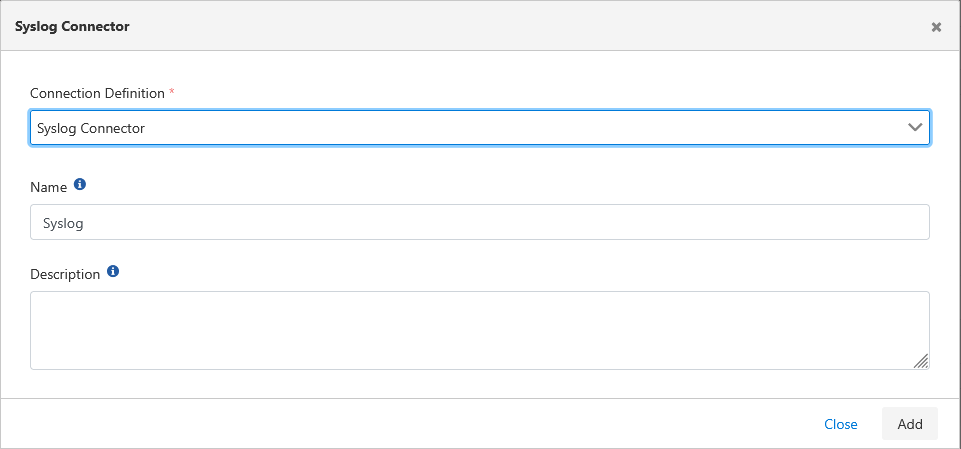
Select the Syslog connection definition created earlier.
The data structure for application logs to be sent will be as follows.
- id: Unique identifier of the log record.
- date: Date and time when the log occurred.
- level: Importance level of the log (e.g., "INFO", "WARN", "ERROR", "DEBUG").
- message: Main message of the log, text describing the event.
- stackTrace: In error situations, detailed stack trace showing the code path where the error occurred. Usually very long and critical for troubleshooting.
- hostName: Name of the machine where the Apinizer component producing the log runs.
- enumApplicationLog: Specifies which Apinizer module the log comes from (e.g., "MANAGER", "GATEWAY").
Example appearance of an error message in syslog:
2025-06-11T08:52:02.824Z apinizer_demo Apinizer_demo {"id":"684943b280f5de2a3c29d28b","date":"2025-06-11T08:52:02.810Z","level":"ERROR","message":"Connector response status code is 429","stackTrace":"java.lang.Exception: Connector response status code is 429\n\tat com.apinizer.common.executable.connector.webhook.ConnectorWebhookSend.sendWithFailover(ConnectorWebhookSend.java:185)\n\tat com.apinizer.common.executable.connector.webhook.ConnectorWebhookSend.executeAuditLog(ConnectorWebhookSend.java:119)\n\tat com.apinizer.manager.aop.auditing.AuditingAspectDatabaseOperationsService.saveAuditLog(AuditingAspectDatabaseOperationsService.java:104)... ...\n\tat java.lang.Thread.run(Thread.java:750)\n","hostName":"manager-58b4d4784d-sm47j","enumApplicationLog":"MANAGER"}
Transfer of Token Logs with Syslog
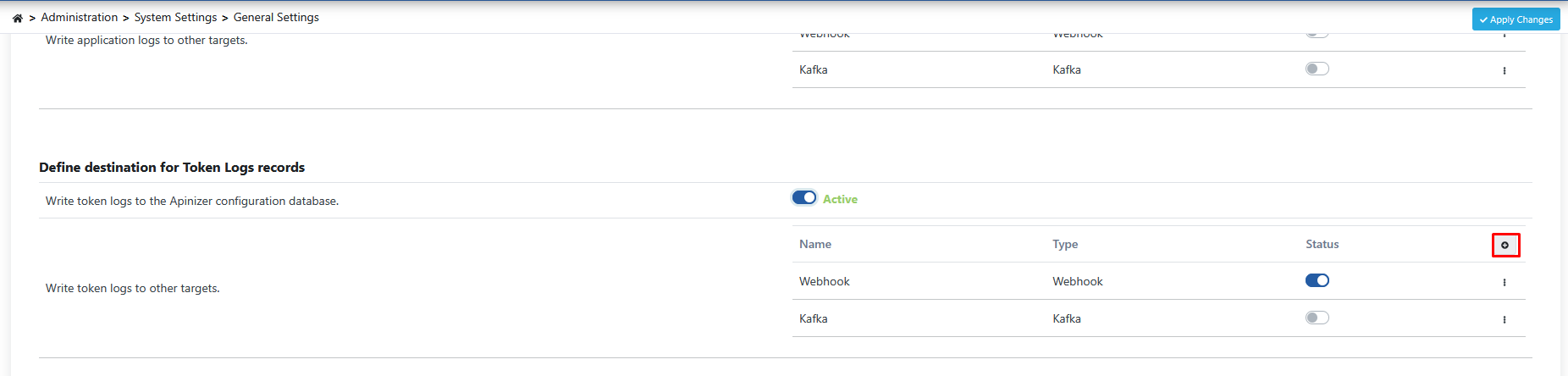
Go to Administration > System Settings > SIEM & Log Forwarding, add a destination and switch on the Token stream.
Select the Syslog connection definition created earlier.
The data structure for token logs to be sent will be as follows.
- id: Unique identifier of the log record.
- timestamp: Timestamp when the token event occurred.
- apinizerCorrelationId: Unique correlation ID used to track all operations related to this token request within Apinizer.
- environmentId: Unique identifier of the environment where the request was made.
- projectId: Unique identifier of the project to which the request belongs.
- applicationName: Name of the application related to the request (e.g., "Swagger Petstore Documentation").
- apiProxyId: Unique identifier of the API Proxy associated with the token request.
- apiProxyName: Name of the associated API Proxy.
- httpRequestRemoteAddress: IP address of the client making the token request.
- httpRequestHttpMethod: HTTP method of the token request (usually "POST").
- httpRequestContentType: Content type of the request (e.g., "application/x-www-form-urlencoded").
- usernameOrKey: Username or client key requesting the token.
- timeTotal: Total duration of the token operation (ms).
- statusCode: HTTP status code of the token request (e.g., 200 Successful).
- resultType: Result of the token operation (e.g., "SUCCESS", "ERROR").
- audience: Target audience or resource for which the token is valid.
- clientInfo: Additional information about the client requesting the token (usually similar to usernameOrKey).
- issuedAt: Timestamp when the token was issued.
- refreshTokenAllowed: Whether refresh token is allowed for this operation (boolean).
- refreshTokenIssuedAt: Timestamp when the refresh token was issued.
- refreshCount: How many times the refresh token was used.
Example appearance of a token log record in syslog:
2025-06-11T08:49:15.970Z apinizer_demo Apinizer_demo {"id":"6849430bfec3ea5f01ed3989","timestamp":"2025-06-11T08:49:15.229Z","apinizerCorrelationId":"dccababd-16e3-415e-b801-9f6a52b6a28c","environmentId":"63ca7ed05c8e155862d99e88","projectId":"68493b6e80f5de2a3c29c5ee","applicationName":"Swagger Petstore Documentation","apiProxyId":"68493bb680f5de2a3c29c609","apiProxyName":"Swagger Petstore Documentation","httpRequestRemoteAddress":"10.244.0.1","httpRequestHttpMethod":"POST","httpRequestContentType":"application/x-www-form-urlencoded","usernameOrKey":"documentation","timeTotal":19,"statusCode":200,"resultType":"SUCCESS","audience":"#GW#90c33df5f81e-4717-95f8-1ea76228a7d5","clientInfo":"documentation","issuedAt":"2025-06-11T08:49:15.220Z","refreshTokenAllowed":false,"refreshTokenIssuedAt":"2025-06-11T08:49:15.220Z","refreshCount":0}
Transfer of Audit Logs to Syslog
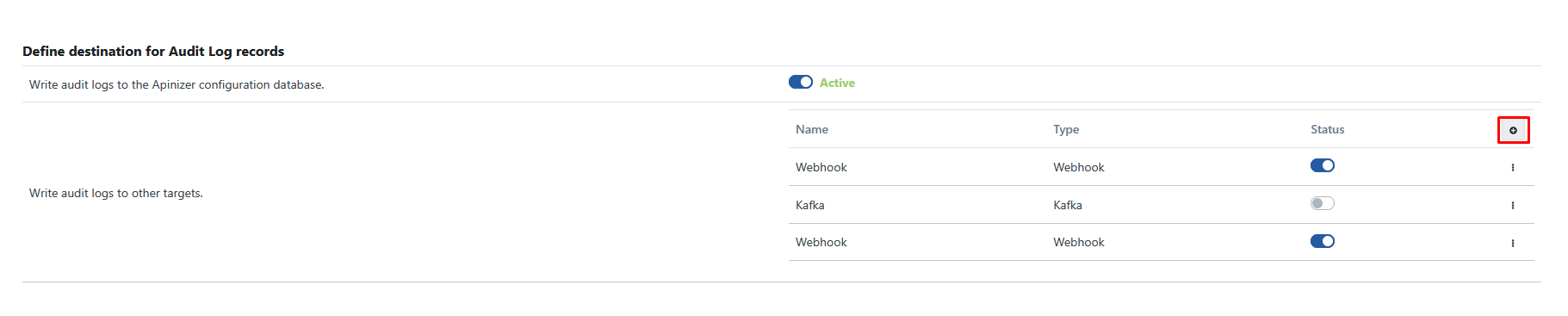
Go to Administration > System Settings > SIEM & Log Forwarding, add a destination and switch on the relevant stream.
Select the Syslog connection definition created earlier.
The data structure for audit logs to be sent will be as follows.
- id: Unique identifier of the audit event.
- principal: Name of the user who performed the operation (e.g., "admin").
- auditEventDate: Date and time when the audit event occurred.
- state: Type of operation performed (e.g., "CREATED", "UPDATED", "DELETED").
- objectId: Unique identifier of the object (API, Policy, etc.) affected by the operation.
- objectName: Name of the object affected by the operation (e.g., "Swagger Petstore Documentation").
- referenceObjectJson: Complete detailed JSON representation of the object after the operation. This field fully reflects the new state of the object and can usually be very long.
- projectId: Unique identifier of the project to which the relevant object belongs.
- className: Class/type name of the object affected by the operation within Apinizer (e.g., "ApiProxy").
Example appearance of an audit log message in syslog:
2025-06-11T08:26:11.650Z apinizer_demo Apinizer_demo {"id":"68493da280f5de2a3c29c975","principal":"admin","auditEventDate":"2025-06-11T08:26:10.710Z","state":"UPDATED","objectId":"68493bb680f5de2a3c29c609","objectName":"Swagger Petstore Documentation","referenceObjectJson":"{ \"id\": \"68493bb680f5de2a3c29c609\", \"name\": \"Swagger Petstore Documentation\", \"type\": \"REST\", ... <DETAILS_SHORTENED_IN_THIS_EXAMPLE> ... }","projectId":"68493b6e80f5de2a3c29c5ee","className":"ApiProxy"}
Every audit log message forwarded via this connector additionally carries the following fields:
- eventType: Always present.
ENTITYfor the change record shown above, orMANAGER_REQUEST/ACCESS_DENIEDfor the two event kinds described next. - outcome: Always present.
SUCCESS,FAILURE, orDENIED. - clientIp, userAgent, correlationId: Present only when known for the request.
- source: Always present.
MANAGER,APIOPS,PORTAL, orSYSTEM.
Manager Console Request and Access Denied Events
Turning on Audit Log — record Management Console requests under Administration > System Settings > General Settings (it is also shown on the Audit row of the SIEM & Log Forwarding page) additionally sends a MANAGER_REQUEST audit event through this same connector for every write operation (HTTP POST) reaching the Management Console screens, the Management APIs, APIops, or the API Portal's management backend. Rejected requests are always sent as ACCESS_DENIED events, independently of this setting. For these two event kinds, objectName and referenceObjectJson carry the operation's path, HTTP method, outcome, and duration instead of an asset's data — the request body, query string, and authentication headers are never included. See Audit Records for the full field reference and JSON examples.
Apinizer JSON v2
Instead of the per-stream formats above, a destination can send the canonical Apinizer JSON v2 envelope. All four system log streams then share the same shape — a stable field order, an explicit outcome, a severity value, and a curated data object from which token values, passwords and authentication headers are excluded by construction. The privacy profile and the event size limit apply only on this path.
{
  "logType": "TOKEN",
  "schemaVersion": 2,
  "eventId": "6849430bfec3ea5f01ed3989",
  "timestamp": "2026-09-02T08:49:15.229Z",
  "event": { "category": "TOKEN", "action": "TOKEN_ISSUED", "outcome": "SUCCESS", "severity": 2 },
  "actor": { "user": "documentation", "ip": "10.244.0.1", "userAgent": null, "sessionId": null },
  "target": { "type": "ApiProxy", "id": "68493bb680f5de2a3c29c609", "name": "Swagger Petstore Documentation", "projectId": "68493b6e80f5de2a3c29c5ee" },
  "correlationId": "dccababd-16e3-415e-b801-9f6a52b6a28c",
  "source": { "component": "WORKER", "host": "worker-0", "environmentId": "63ca7ed05c8e155862d99e88" },
  "apinizer": { "version": "2026.09.2", "configRevision": 17, "destinationId": "5f2c9a1e-7c4d-4a9b-9f0e-1b2c3d4e5f60", "synthetic": false, "truncated": false },
  "data": { "id": "6849430bfec3ea5f01ed3989", "applicationName": "Swagger Petstore Documentation", "httpRequestHttpMethod": "POST", "httpRequestContentType": "application/x-www-form-urlencoded", "authTokenType": "OAUTH2_TOKEN", "audience": "#GW#90c33df5f81e-4717-95f8-1ea76228a7d5", "issuedAt": "2026-09-02T08:49:15.220Z", "refreshCount": 0 }
}
New fields may be added to the v2 envelope without raising schemaVersion — your parser must ignore fields it does not recognise. The full field list for each stream, the filtering rules, the privacy profile and the event size policy are documented on the SIEM & Log Forwarding page.