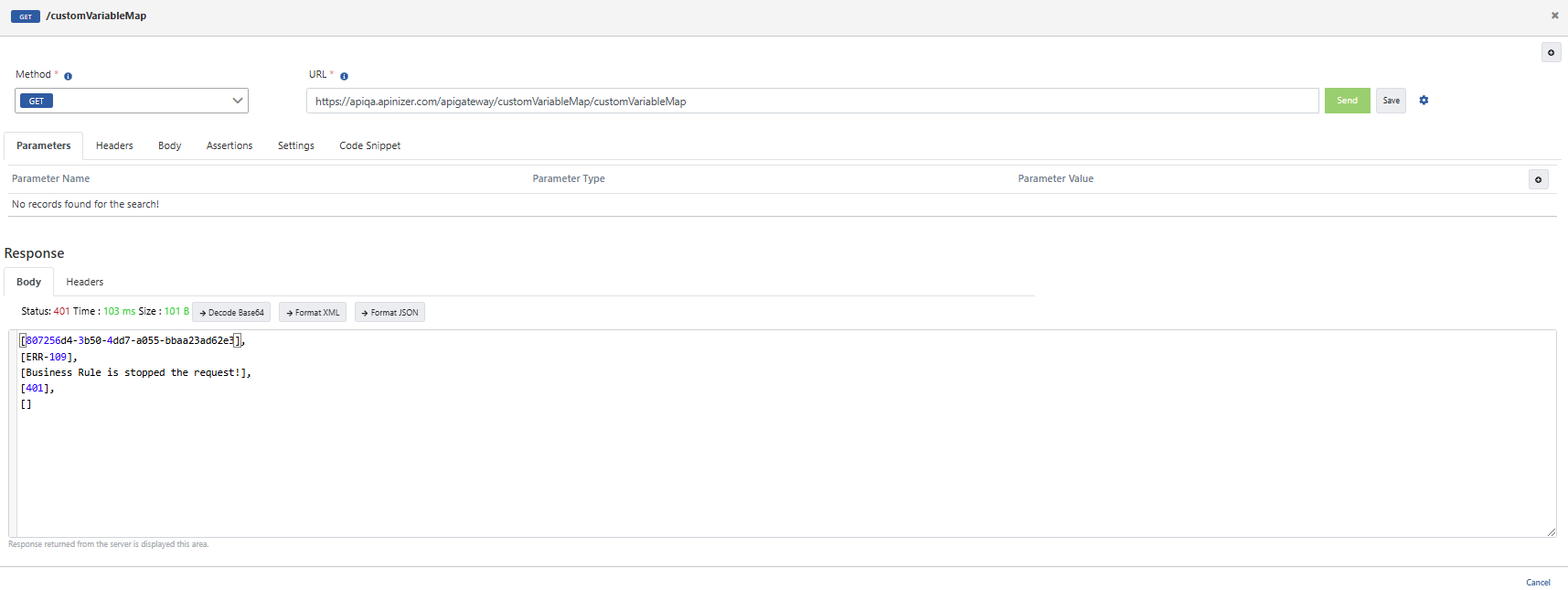
Business Rule Application Based on Variable Content Using Custom Variable Map
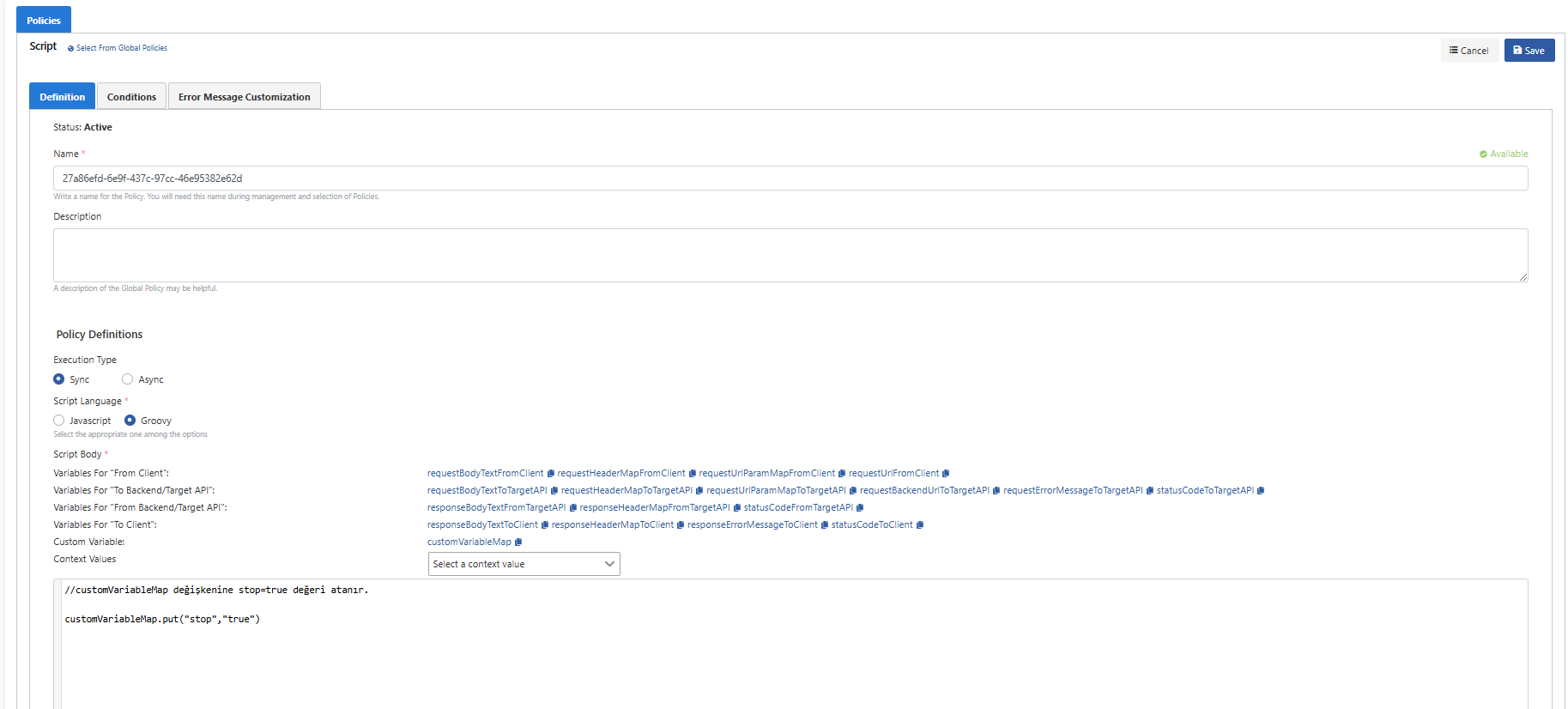
In this scenario, a Mock API will be created on Apinizer. In the request to be made, the value stop=true will be added to the customVariableMap variable using script.
In the next stage, a Business Rule policy will be added and the value in customVariableMap will be checked. If this value is stop=true, the request will be prevented from going to the backend
Let's add policies through Add policy.
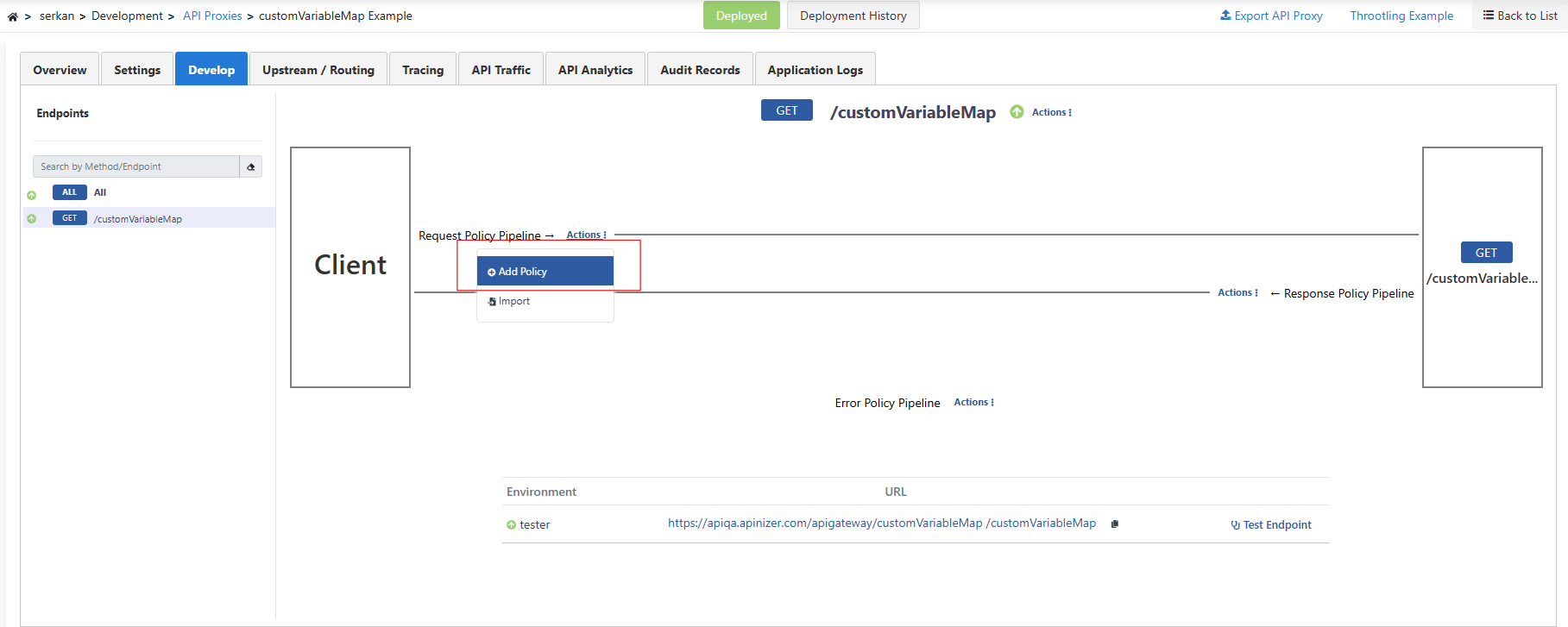
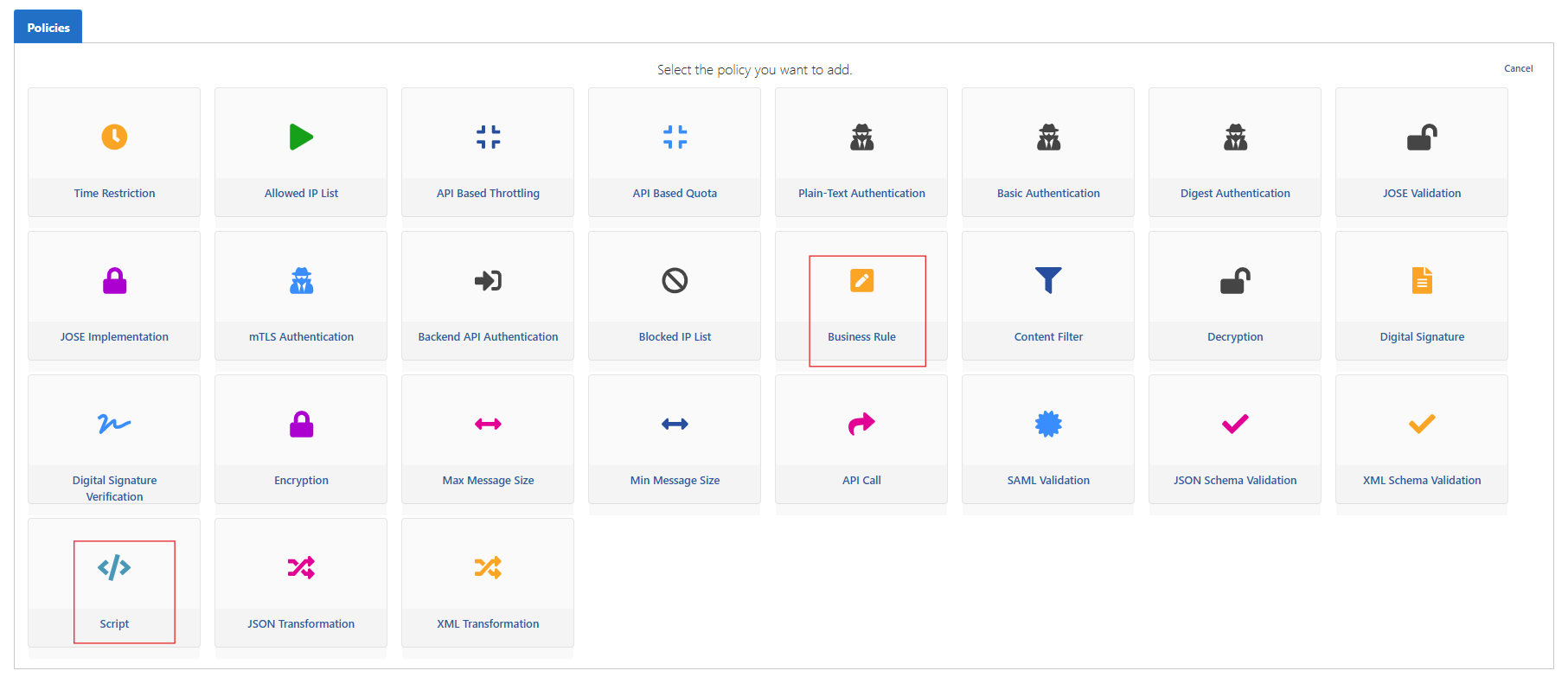
We add Script and Business Rule as policies.
In the Script policy, by selecting the Groovy language, stop=true will be assigned to the customVariableMap value.
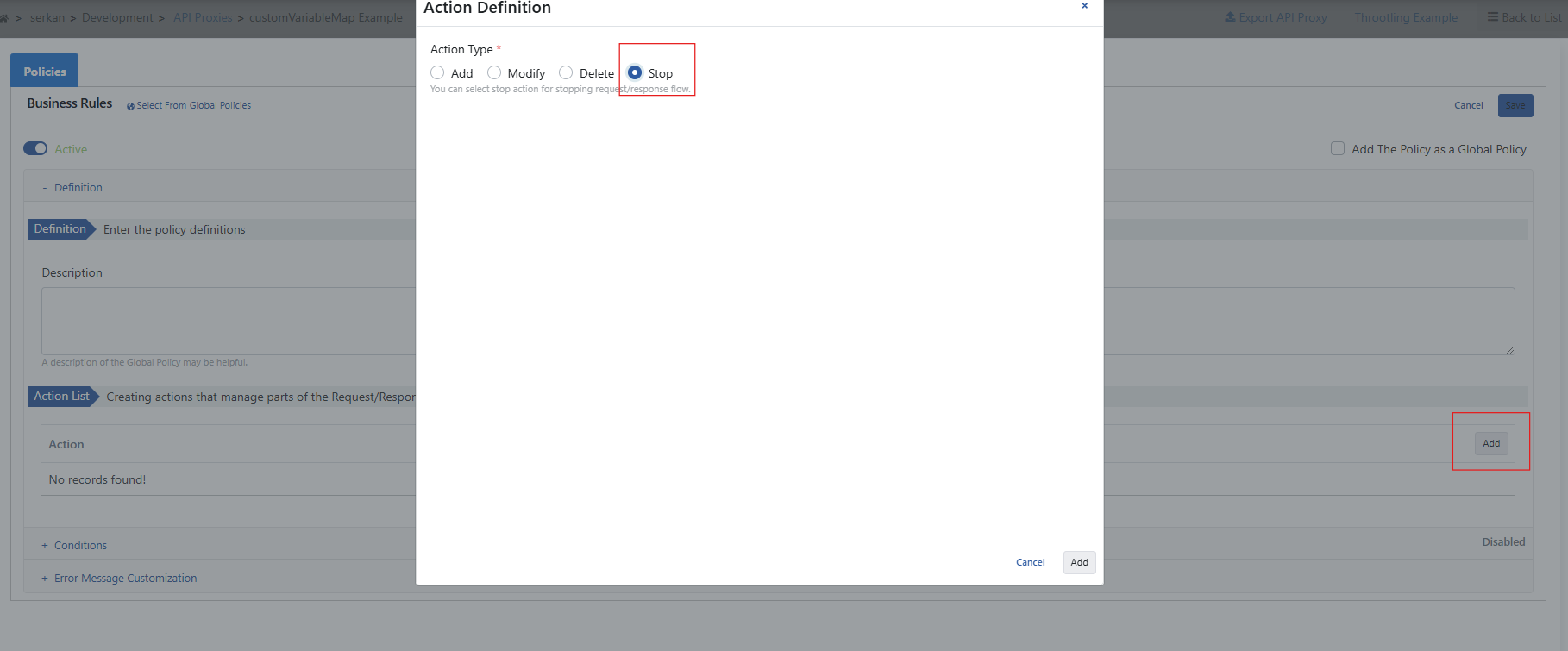
Let's select the stop action we determined in the Business Rule policy.
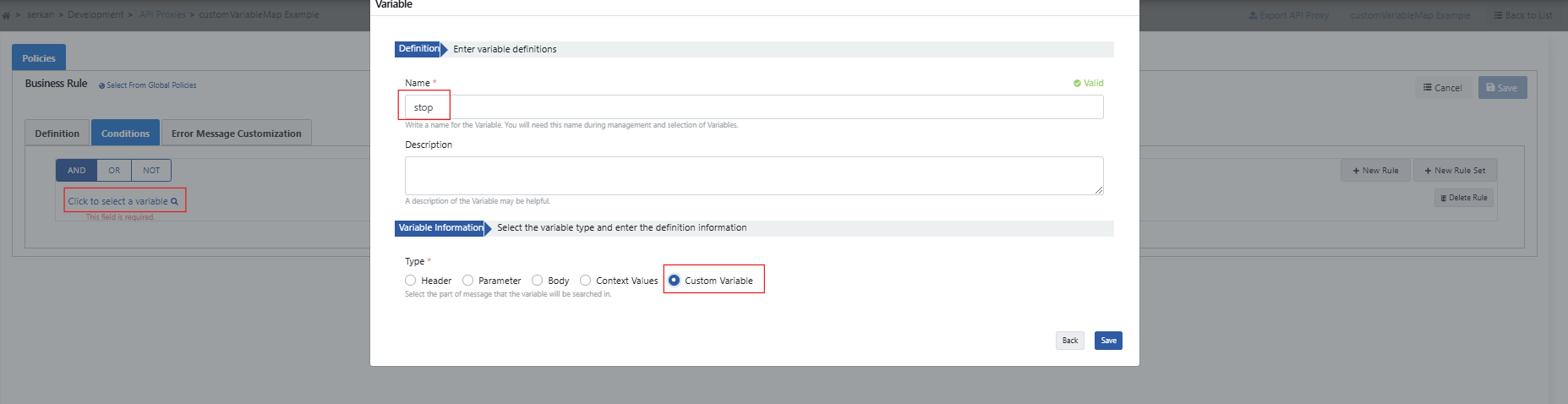
Select "'Custom Variable'" from the Conditions field, write stop in the name field, and save.
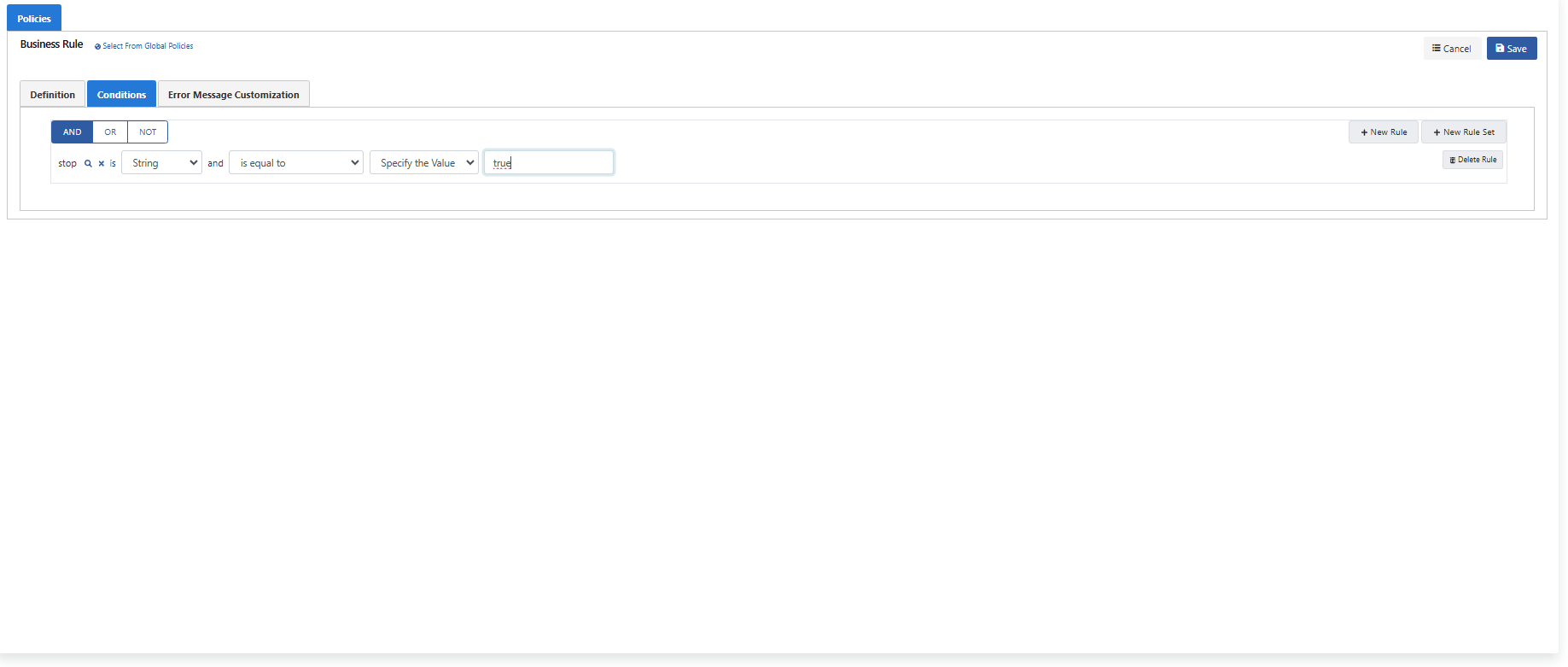
With the rule you added below, if the value in customVariableMap is "'true'", the request will not be forwarded to the backend.
When the test is performed from the console below, a response message indicating that the request was stopped is returned.