Throttling Application Based on Variable Content
We will proceed through an example scenario to explain throttling application based on variable content.
Example Scenario:
- Users can send SMS to specified phone numbers through an API service.
- A maximum of 10 SMS messages should be allowed to be sent from the same user to the same phone number in one minute.
- If the number of SMS messages sent from the same user to the same phone number exceeds 10, an error message should be returned to the user from the SMS API, the request should not reach the SMS API, that is, SMS should not be sent to the user.
Solution:
In Apinizer's existing throttling policy, one target variable can be added to the target variable definition where the restriction can be made.
In this case, throttling can be applied either by user or by phone number.
However, in this scenario, restrictions must be applied together for both user and phone number.
For this, we will create a variable with "Custom Variable" and assign both the user and phone number values to it, and perform the throttling policy through this custom variable.
Implementation of the Scenario:
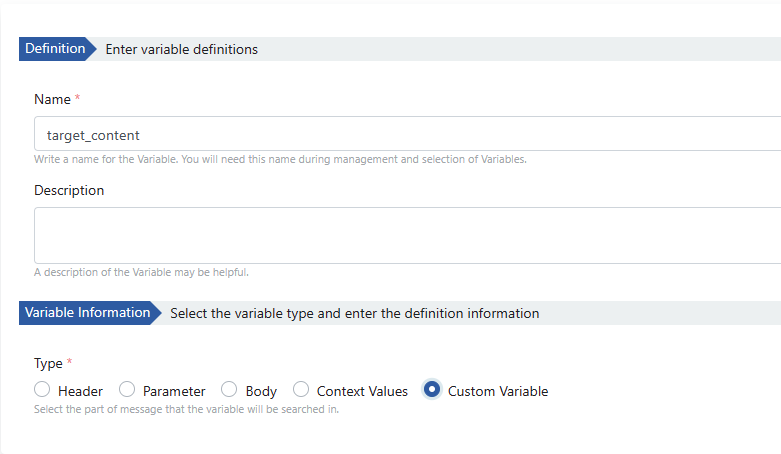
First, a Custom Variable is created. These types of variables only live in the flow where they are used.
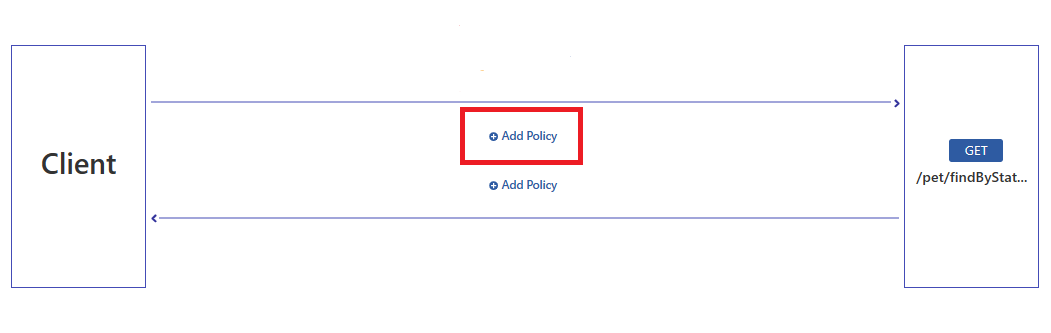
This scenario is applied on the request line. Username and phone number values will be retrieved from the request header field.
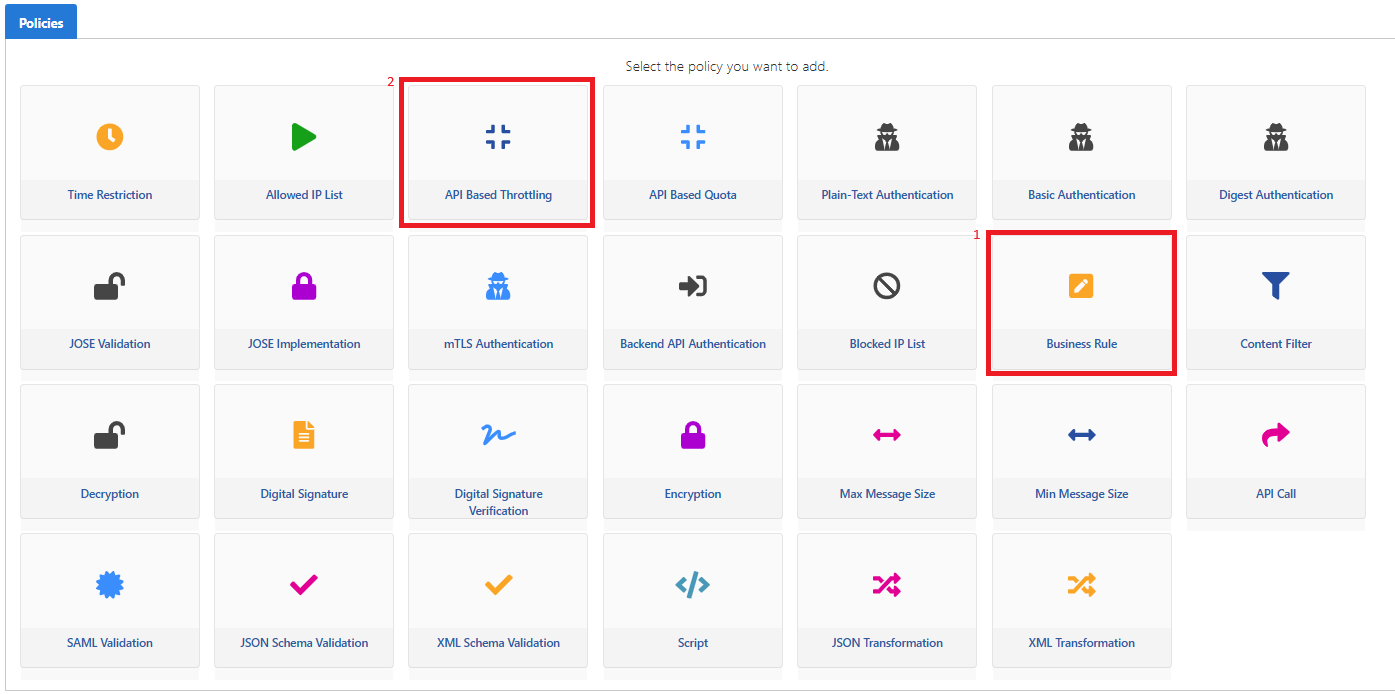
Business Rule and Api Based Throttling policies are used in the scenario.
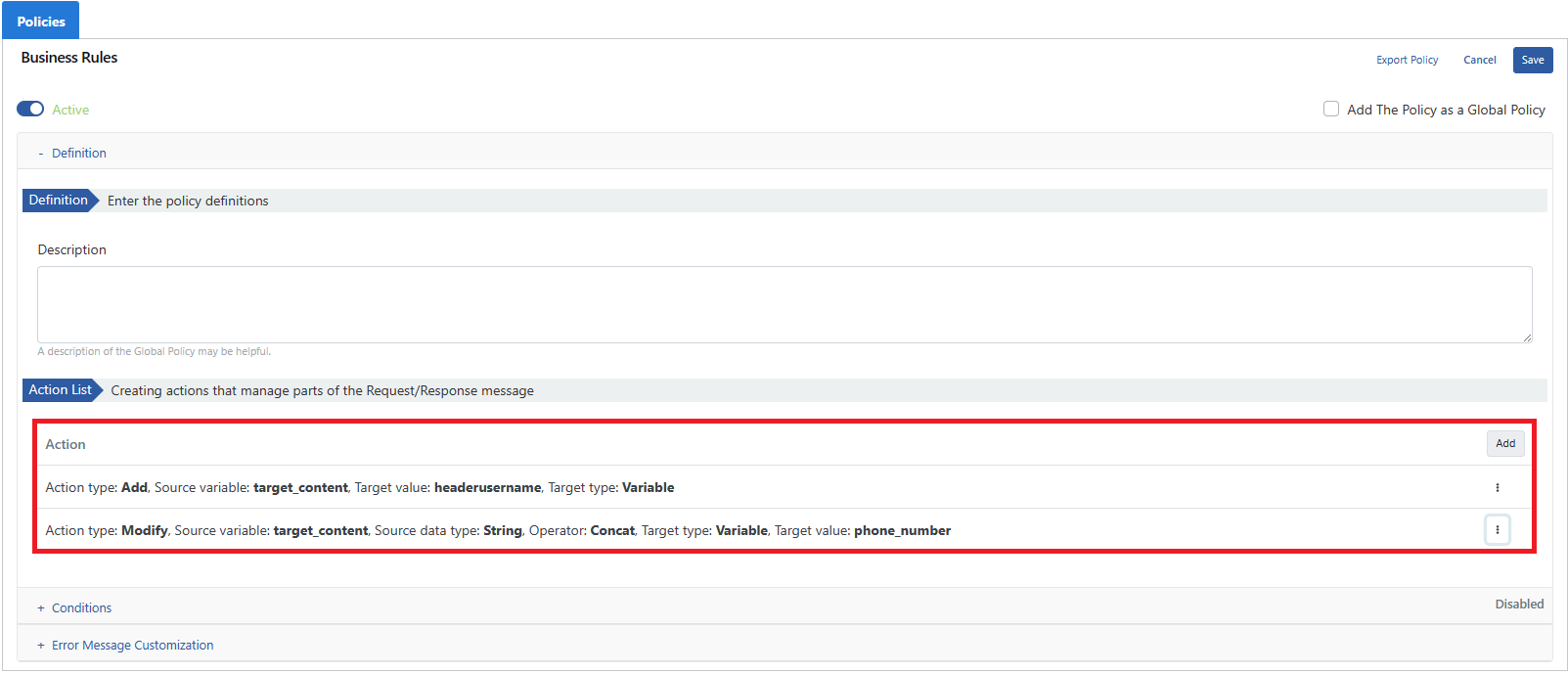
The username and phone number sent in the request header field are added to the Custom Variable with the Business Rule policy.
The Custom Variable containing two values is added from the Apply by field within the API Based Throttling policy. Message count and duration are determined.
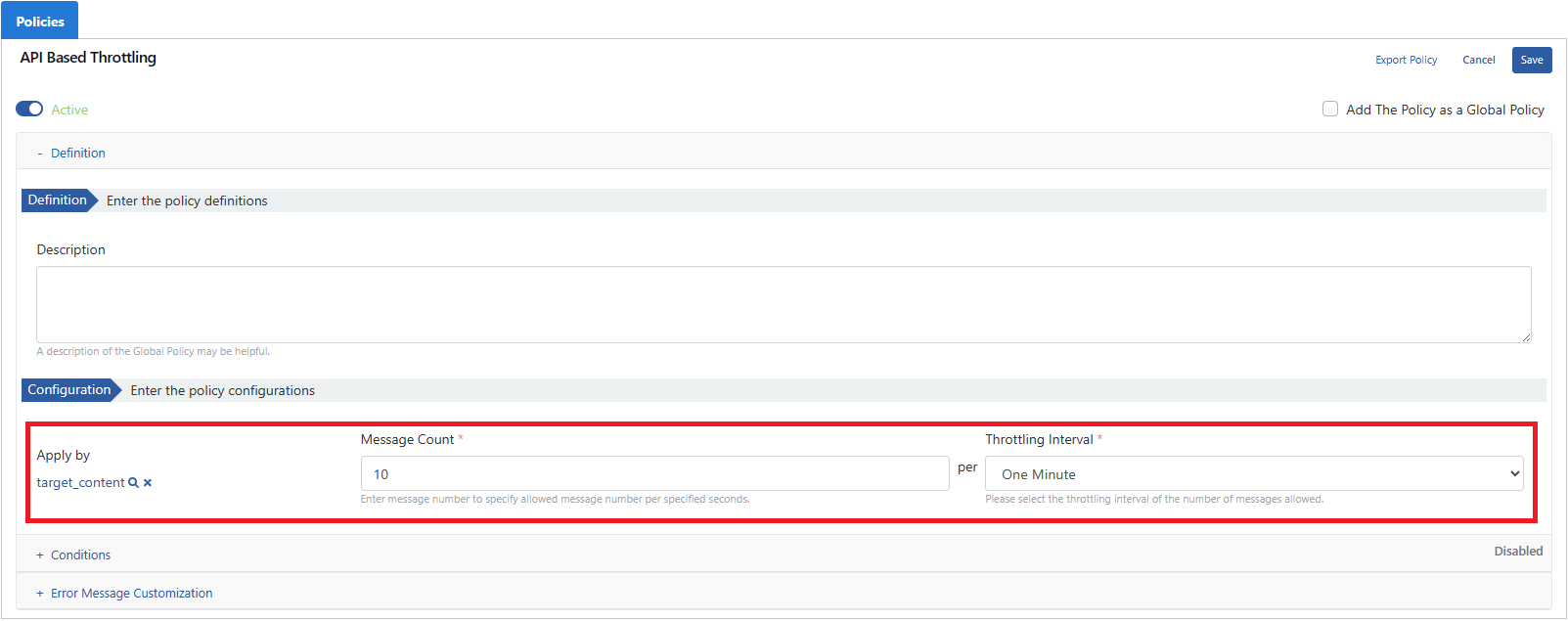
Then the API Proxy is deployed.
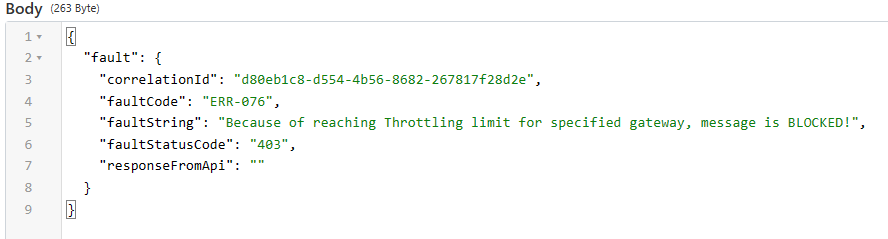
When the scenario is applied, an error message is returned to the user for requests that hit the limitation as follows: