JSON Schema Validation Application - REST Type API Proxy
In this scenario, the application of the JSON Schema Validation policy to a Mock API created on Apinizer will be tested.
Assuming that the JSON body of incoming requests in the scenario is the same, let's add this to the All section.
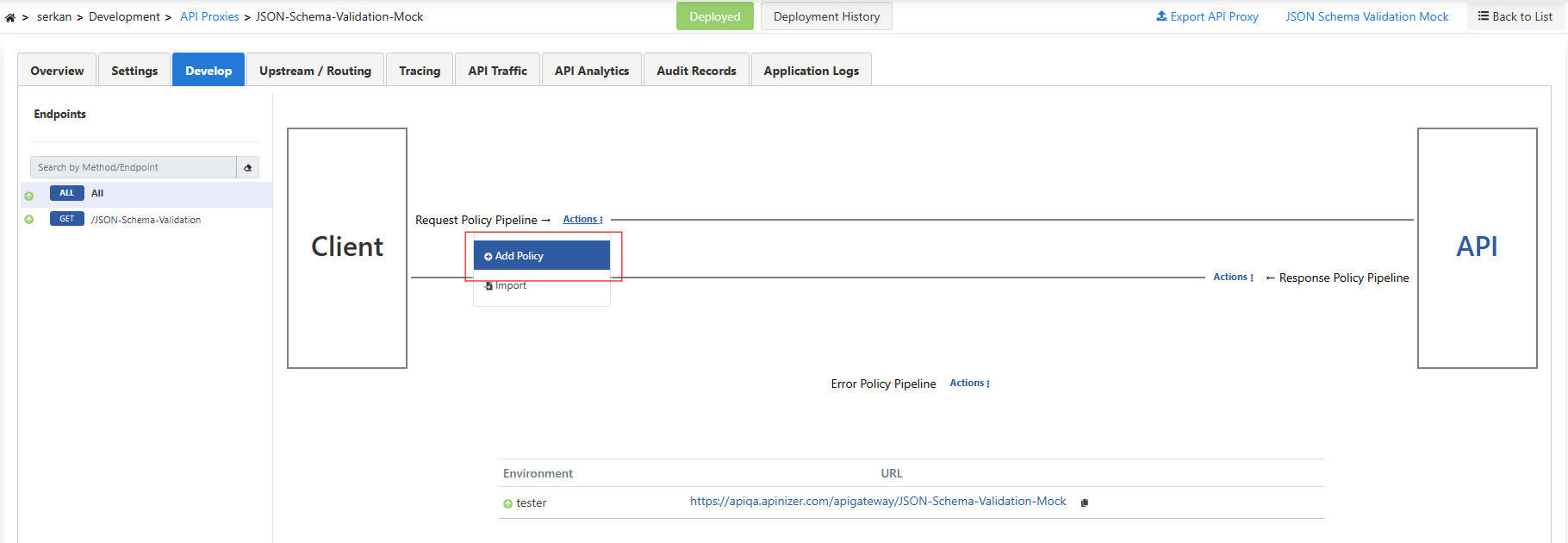
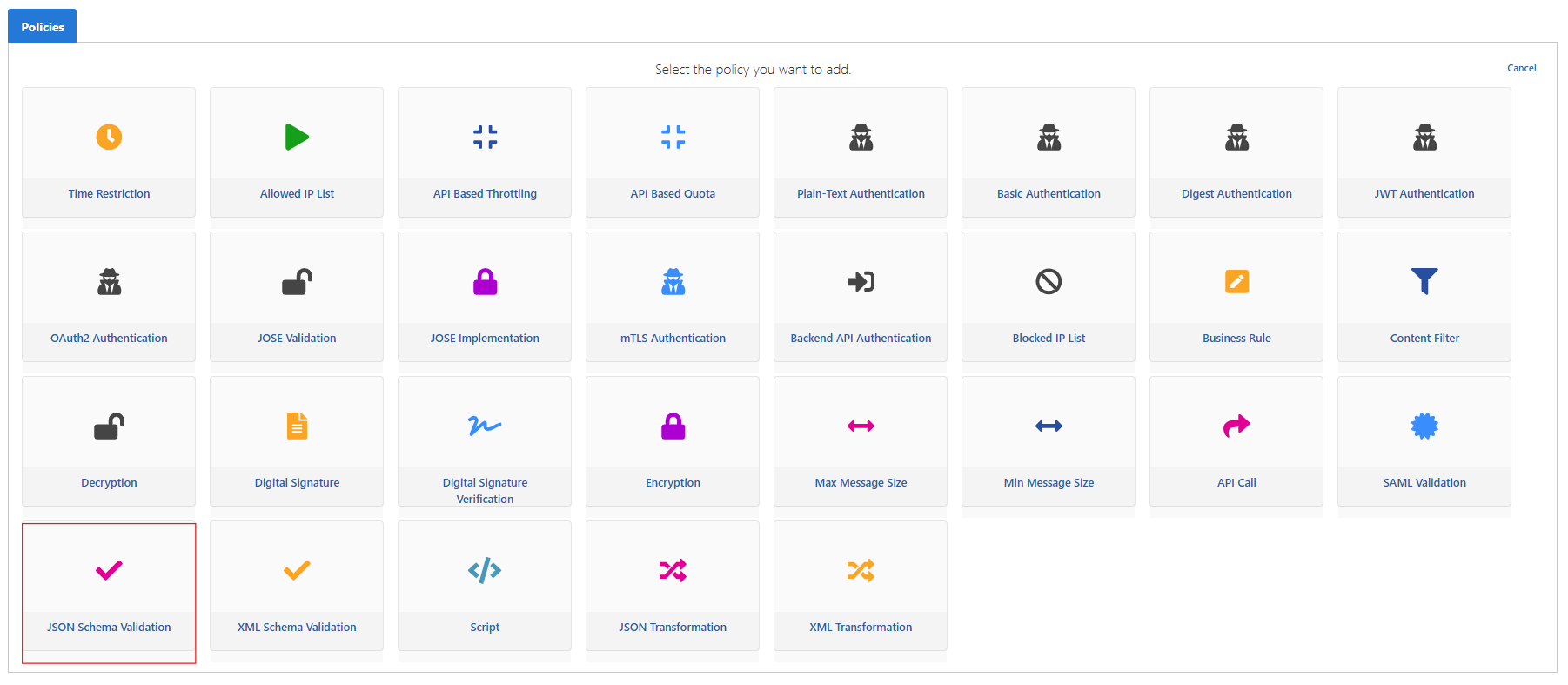
We add JSON Schema Validation as a policy.
Example request body in Mock Api will be as follows:
{
  "id": 1,
  "name": "John Doe",
  "email": "johndoe@example.com",
  "age": 30,
  "isActive": true,
  "addresses": [
    {
      "street": "123 Elm St",
      "city": "Springfield",
      "postalCode": "12345"
    },
    {
      "street": "456 Oak St",
      "city": "Shelbyville",
      "postalCode": "67890"
    }
  ]
}
A JSON Schema Validation suitable for this includes the following:
- id: Required, a positive integer.
- name: Required, cannot be empty.
- email: Required, must be in valid email format.
- age: Optional, an integer greater than or equal to zero.
- isActive: Optional, a boolean value.
- addresses: Optional, an array containing addresses. Each address must contain street, city, and postalCode fields.
JSON Schema Validation to be added to the policy:
{
  "$schema": "http://json-schema.org/draft-07/schema#",
  "type": "object",
  "properties": {
    "id": {
      "type": "integer",
      "minimum": 1
    },
    "name": {
      "type": "string",
      "minLength": 1
    },
    "email": {
      "type": "string",
      "format": "email"
    },
    "age": {
      "type": "integer",
      "minimum": 0
    },
    "isActive": {
      "type": "boolean"
    },
    "addresses": {
      "type": "array",
      "items": {
        "type": "object",
        "properties": {
          "street": { "type": "string" },
          "city": { "type": "string" },
          "postalCode": { "type": "string", "pattern": "^[0-9]{5}$" }
        },
        "required": ["street", "city", "postalCode"]
      }
    }
  },
  "required": ["id", "name", "email"]
}
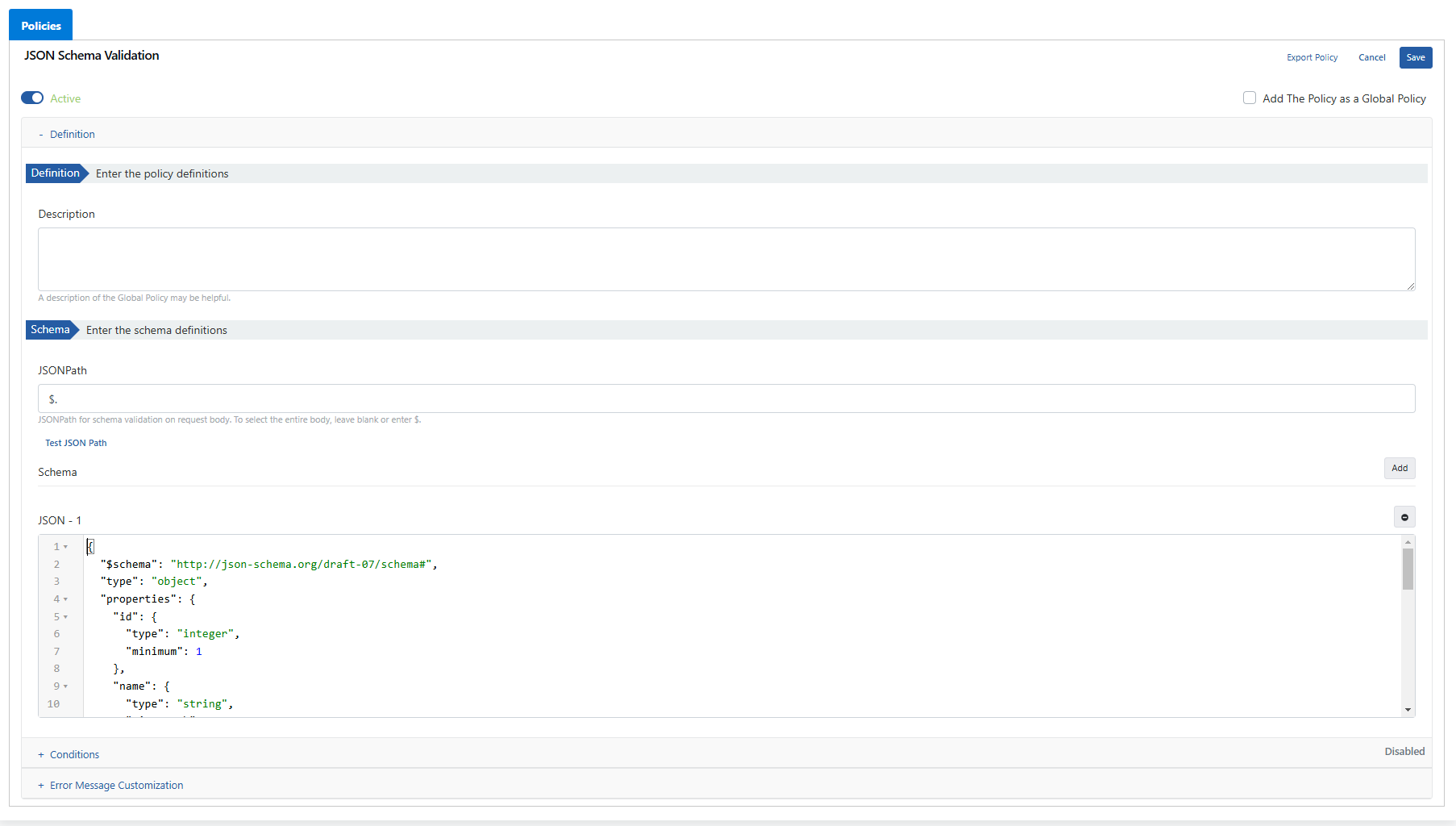
The JSON Schema Validation content above is added to the "Schema" field in the image below and saved.
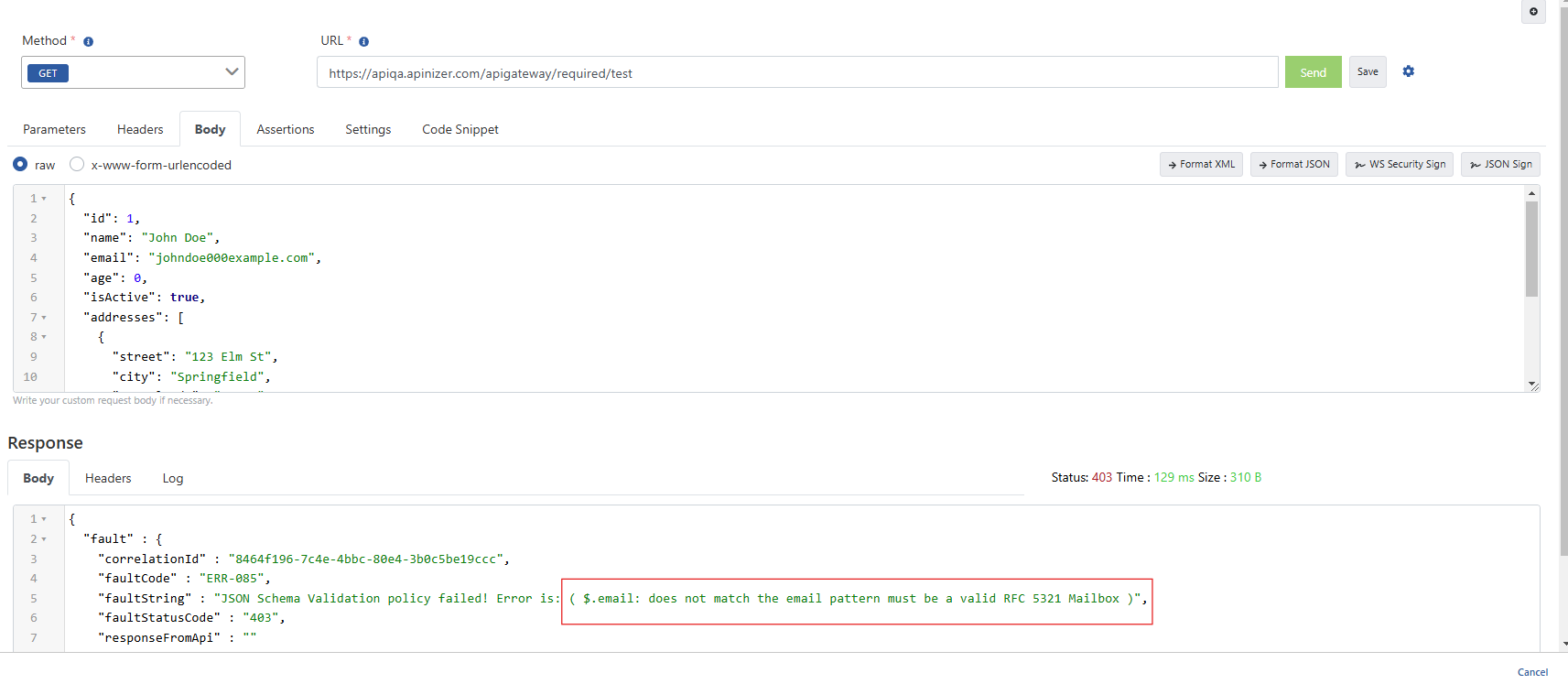
When we send a sample request from the test console, the email was sent incorrectly and validation was performed. We received a warning that the email is not valid.