Deployment and Specification Information
Deployment Information
The deployment information section displays which environments the API Proxy is deployed to and the access address in that environment. An API Proxy can be deployed to multiple environments at the same time.
If an API Proxy Group has been created from the API Proxy, information about that group is also displayed in this area.

Deployment Information Fields
| Field | Description |
|---|---|
| Environment | The Environment information where the API Proxy is deployed. |
| Access Type | The access type information of the API Proxy. |
| URL | The access address of the API Proxy. It is automatically generated using the Gateway Address and the access address of the deployed Environment. |
| Specification Files | The Specification files of the API Proxy. Specification files in Swagger and OpenAPI formats are generated for each API Proxy. If the API Proxy type is SOAP, WSDL and XSD specification files will also be generated. When the Show link is clicked for any environment, the API Specification Files valid for that environment for the API Proxy are displayed. |
Viewing Specification Files
When the Show button is clicked, a dialog showing API Proxy definitions in different types and formats opens:
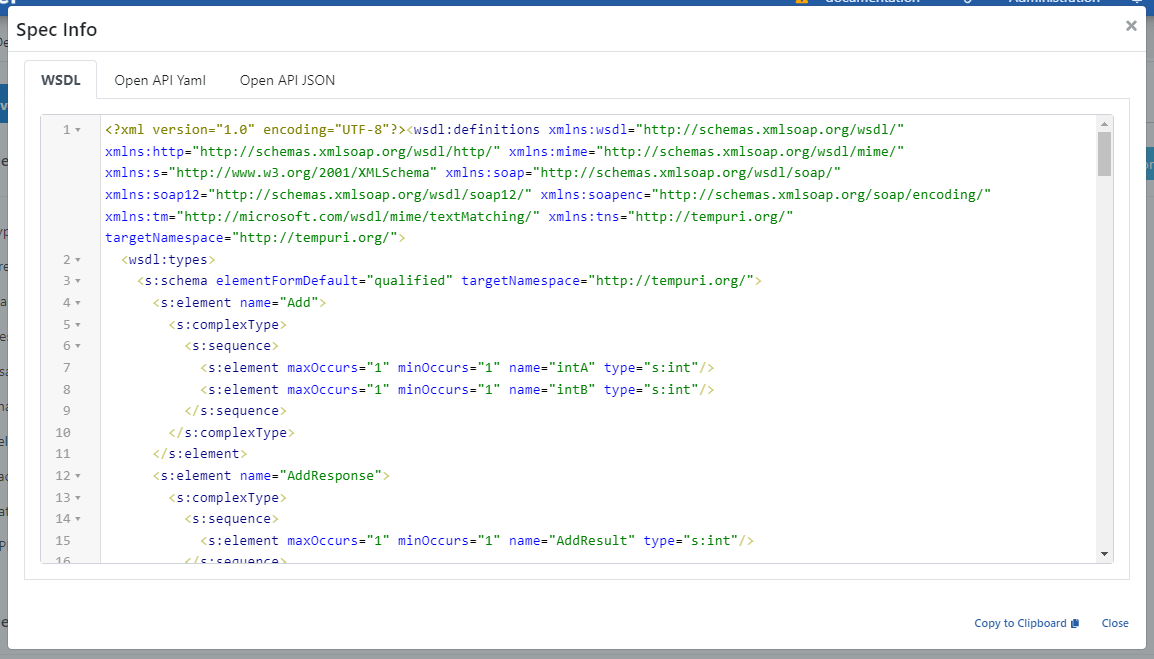
If the related API Proxy is part of a Group and the Block Direct Access to API Proxies option is selected from the API Proxy Group screen, a warning box is displayed in this section.
Accessing Specification Files Through API Proxy
The content of specification files opens as shown above when the Show link is clicked and can be copied from there. However, this method is for users with roles such as API Developer, API Tester working on the Apinizer platform. Clients cannot access these interfaces.
Clients can use the access address of the Environment where the API Proxy is deployed in the following way to access specification files:
For example, let the API Proxy's access address in Production Environment be https://demo.apinizer.com/apigateway/petstoreProxy.
Requests can be sent to the following addresses to access specification files:
Swagger 2.x (JSON)
https://demo.apinizer.com/apigateway/petstoreProxy?swaggerhttps://demo.apinizer.com/apigateway/petstoreProxy?swagger&format=jsonhttps://demo.apinizer.com/apigateway/petstoreProxy?swagger.json
Swagger 2.x (YAML)
https://demo.apinizer.com/apigateway/petstoreProxy?swagger&format=yamlhttps://demo.apinizer.com/apigateway/petstoreProxy?swagger.yaml
OpenAPI 3.x (JSON)
https://demo.apinizer.com/apigateway/petstoreProxy?openapihttps://demo.apinizer.com/apigateway/petstoreProxy?openapi&format=jsonhttps://demo.apinizer.com/apigateway/petstoreProxy?openapi.json
OpenAPI 3.x (YAML)
https://demo.apinizer.com/apigateway/petstoreProxy?openapi&format=yamlhttps://demo.apinizer.com/apigateway/petstoreProxy?openapi.yaml
WSDL (If API Proxy is SOAP)
https://demo.apinizer.com/apigateway/calc?wsdl