Creating API from Database with API Creator
It supports the following operations:
Supports SELECT, INSERT, UPDATE, DELETE, PROCEDURE, BATCH INSERT, TRUNCATE operations.
Provides FIND operation type support.
Provides Stored Procedure calling support.
Can return cursor result.
Provides batch operation support.
Supports all CRUD operations.
Creating New DB-2-API
Creating a DB-2-API is a two-step wizard: Definition and Review.
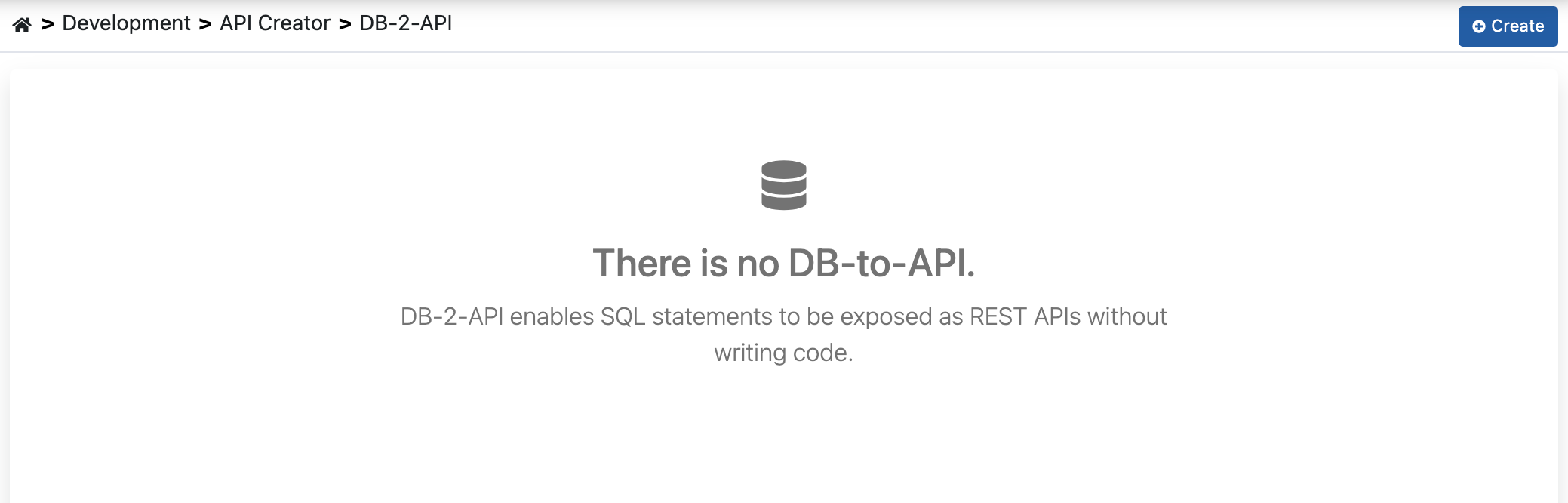
Development → API Creator → DB-2-API item is selected in the main menu.
The Create button at the top right of the opened interface is clicked.
On the Definition step, the Name (required, must be unique) and Description of the API are entered and Continue is clicked. The panel on the right explains how a DB-2-API works: the client calls a REST API through Apinizer, Apinizer runs the SQL statement on the database, and the OpenAPI specification is generated automatically.

On the Review step, the type, name, and description are shown. Clicking Create DB-2-API creates the API and opens its editor, where you add the endpoints.
The editor shows the API on the left (name, description, and counts of endpoints, connection pools, and API Proxies; the edit icon changes the name and description) with the Endpoints list below it, and the selected endpoint on the right. At the top, the Variables and Show Specs icons and the ⋯ menu are available. The ⋯ menu holds API Proxy (Create API Proxy, Manage API Proxies), Transfer (Export, Duplicate), History (Audit and Rollback), and Delete.
Endpoint Creation
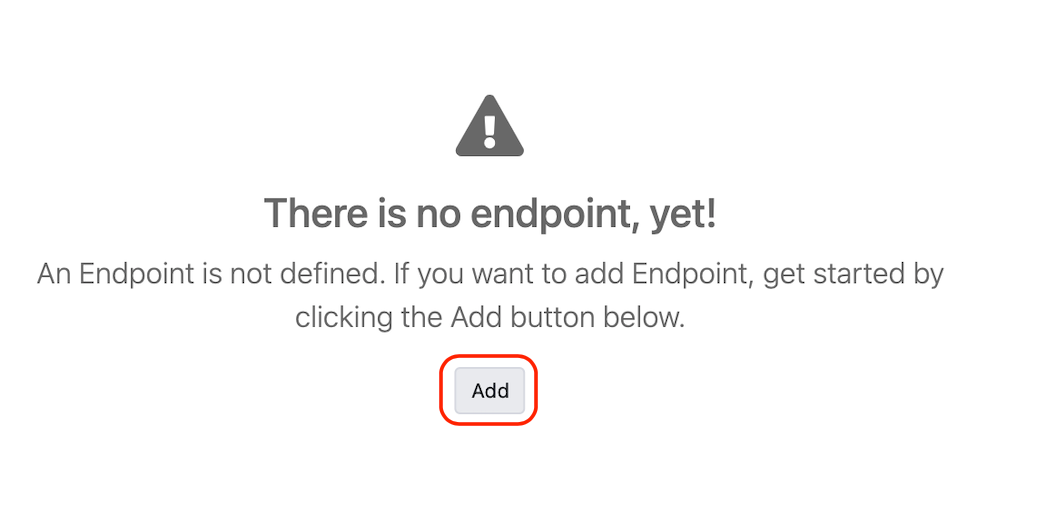
Method/Endpoint is added to the API by clicking the Add (+) button in the Endpoints list, or Add endpoint when the list is empty. The list can be searched by endpoint name or SQL.
Fields in the Method/Endpoint definition form are filled and the Save button is clicked. To change an existing endpoint later, select it and click Configure.
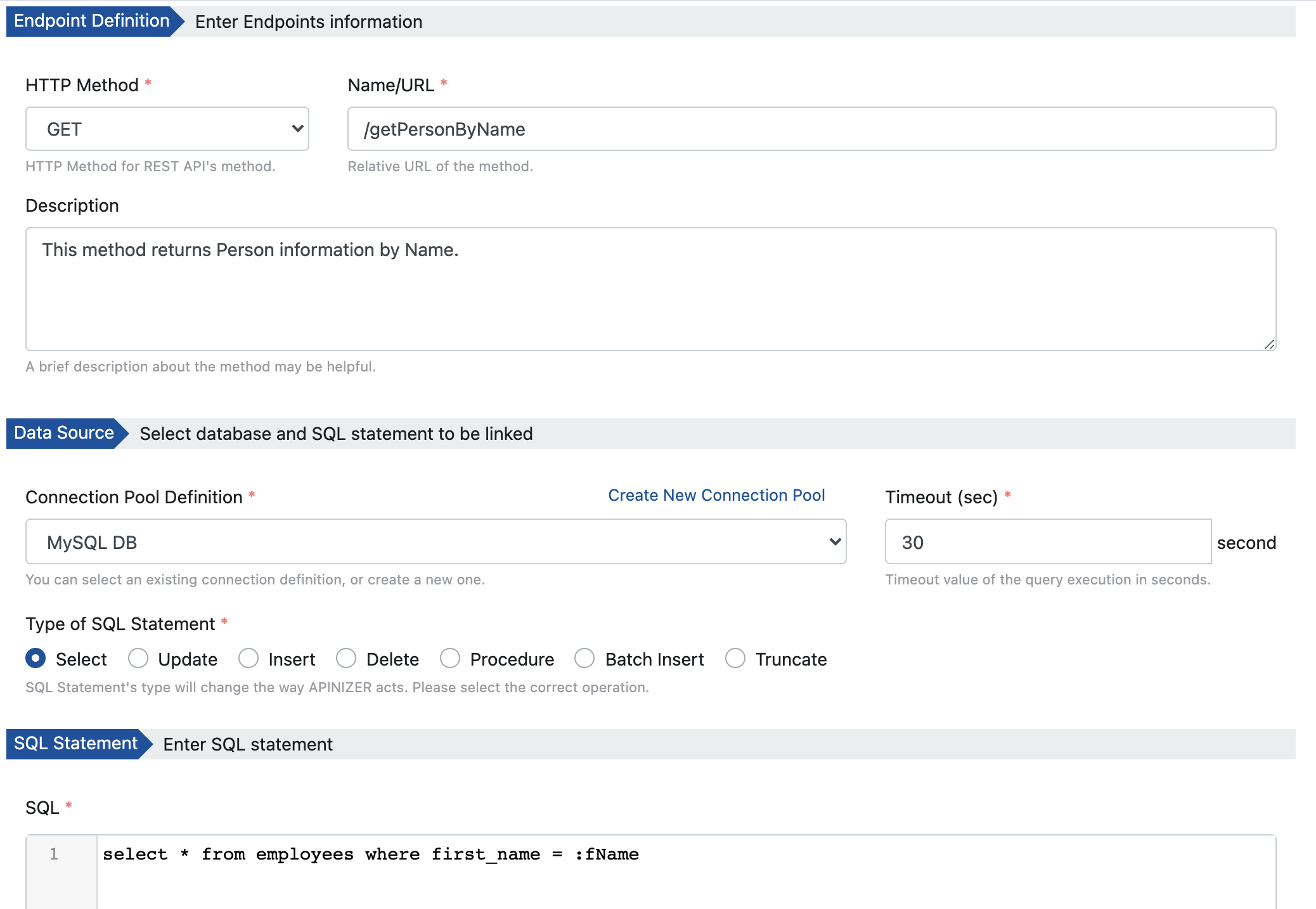
Fields used to create endpoints are explained below, categorized:
Basic Information
Field: HTTP Method
HTTP Method is selected for REST APIs: GET, POST, PUT, HEAD, OPTIONS, DELETE, PATCH, TRACE, ALL, QUERY
Field: Name/URL
The name given to Method/Endpoint by the user. This name appears in interfaces.
Field: Description
Definition information of Method/Endpoint.
Database Connection
Field: Connection Pool Description
Information about the Database connection where queries will be executed.
Field: Timeout
Timeout value in seconds for query execution.
SQL Operations
Field: Type of SQL Statement
SQL Statement type information: SELECT, UPDATE, INSERT, DELETE, PROCEDURE, TRUNCATE, BATCH INSERT
Field: SQL
The SQL statement to be executed. Parameters must be written with a colon (:) prefix without spaces to be definable.
Example query:
select * from employees where first_name = :fName
Here :fName is a parameter and is sent by the user making a request to the API.
You can check the correctness of your query by entering example values for the parameter and clicking the Try this query button.
NoSQL Operations
Field: Operation Type
NoSQL operation type information: FIND
Field: Query
The query to be executed. Parameters are enclosed in double curly braces to be definable.
Example query:
{ username: {{username}} }
Here {{username}} is a parameter and is sent by the user making a request to the API.
You can check the correctness of your query by entering example values for the parameter and clicking the Try this query button.
Parameters
Field: Parameters
If there is a parameter like :fName in your SQL Query, the Parameters table opens. Here the parameter's:
- Data Type
- Format
- Repetition Type
- Parameter Type
- Example Values
are entered.
Parameters can also be filled from the statement with the Sync parameters from SQL button. Then by clicking the Try this query button, the "Response Message Example" comes according to this data.
Testing SQL
It may be desired to see what result will be obtained when a request is sent to the endpoint. If the query to be executed for the endpoint has parameters, test data (Test Value) is entered and the Try this query button is pressed.
To send a real request, use Try it at the top of the endpoint. It sends the request through an API Proxy created from this DB-2-API, so at least one API Proxy must exist and be deployed.
The template returned as the test result is the Response object that is stable in Apinizer. If there are multiple records matching the query, only the first record is given in the example response.
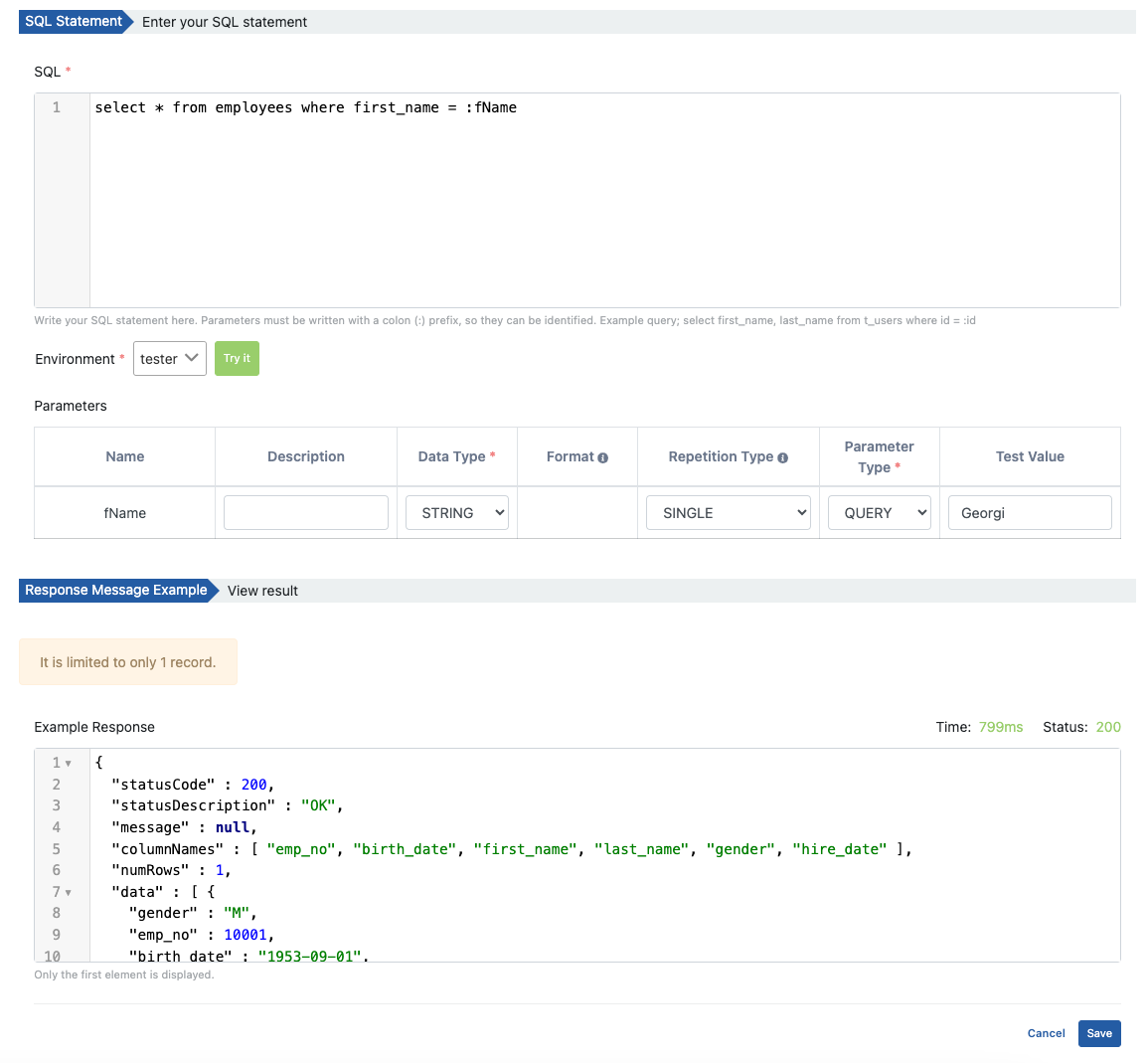
If a null value is desired to be sent for testing, it is sufficient to write null as the parameter.
Creating API Proxy from DB-2-API
When there is at least one Method/Endpoint, an API Proxy is created for DB-2-API from the ⋯ menu with API Proxy → Create API Proxy.
At least one Method/Endpoint must exist to create an API Proxy from DB-2-API. Until then the menu item is disabled ("Add an endpoint first.").
On the Create API Proxy dialog, enter the Proxy name, set the Client Route (relative paths, methods, hosts, and headers; choose at least one), and select the environments to deploy to under Deploy to. Clicking Create and deploy creates the API Proxy and deploys it to the selected environments. If you select no environment, the API Proxy is created but not deployed.
After this step, what can be done is exactly the same as the API Proxy document. You can refer to the API Proxy Creation page for details.
You can create multiple API Proxies from one DB-2-API.
Deploy/Redeploy
To view and manage API Proxies in DB-2-API, open the ⋯ menu and click API Proxy → Manage API Proxies; they are viewed and managed from the opened window. In the opened window, Deploy/Undeploy and Redeploy operations for API Proxies created with DB-2-API are performed in this section.
To deploy the API Proxy, open Manage API Proxies and press the deploy icon.
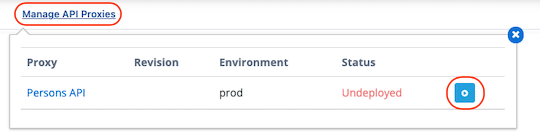
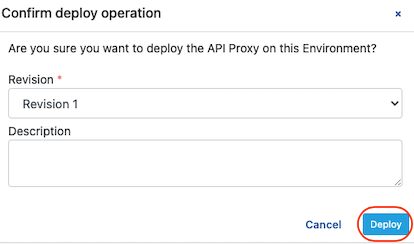
After the above operation, confirmation is required. Information about the deployment operation is created and the (Deploy) Deploy button is clicked.
When a new Method/Endpoint is added to DB-2-API or one of the existing Method/Endpoints is updated, all API Proxies must be redeployed.
When you add a new Method/Endpoint or update an existing Method/Endpoint, a notification like the following will appear.

By saying Redeploy Required, changes are applied to API Proxies.
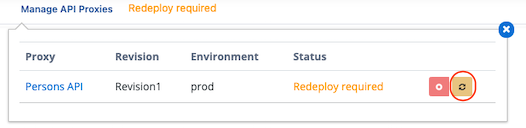
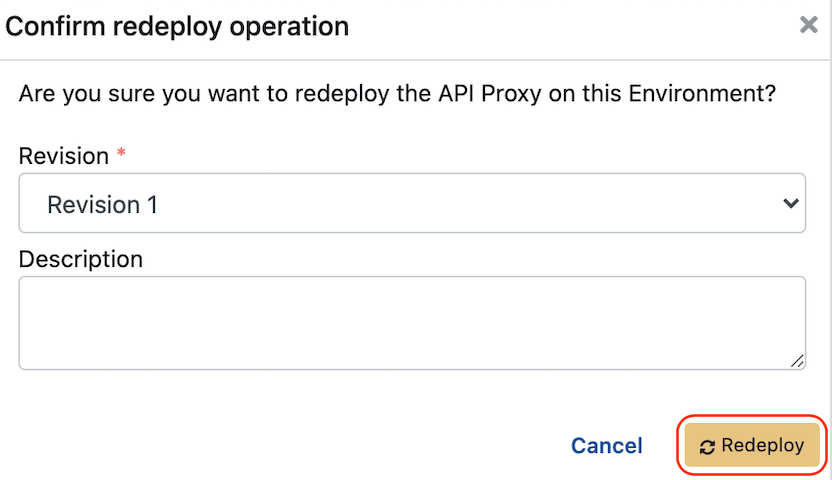
After the above operation, confirmation is required. Information about the redeployment operation is created and the (Redeploy) Redeploy button is clicked.
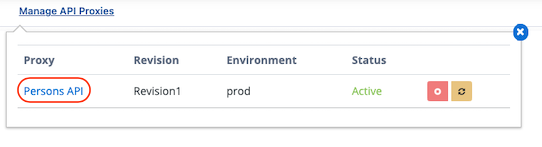
From the DB-2-API page, go to the API Proxy by clicking the link in the API Proxy's name.
Similarly, to go to the DB-2-API page from the API Proxy page, go by clicking the DB-2-API name in the API Proxy as shown below.

DB-2-API Deletion
When a DB-2-API is deleted, all API Proxies connected to it are first removed (Undeploy) and then deleted.