Manual Token Generation and Validation
This method lets you generate tokens within the gateway flow using the JOSE Application Policy and validate them using the JOSE Verification Policy. While the standard Token Acquisition Methods rely on fixed endpoints and grant types, this method offers fully dynamic claim content and key control.
When to Use It
The standard token service offers a fixed flow for distributing tokens to API consumers. Manual generation is for cases where you need to shape the token content and security layers per request.
| Topic | Token Service (Standard) | Manual Generation (JOSE) |
|---|---|---|
| Token acquisition | Fixed endpoints and grant types | Within the gateway flow via a policy, conditionally triggerable |
| Claim content | Predefined fields | Fully dynamic; any fields via variables |
| Security layer | Signed token | Signature and/or encryption, applied together |
| Key | Environment or credential key | Embedded or client-specific dynamic key |
| Typical use | Distributing tokens to consumers | Carrying a custom signed/encrypted token to a backend or external service |
Token Generation
With the JOSE Application Policy you generate a token from the request or response data.
The JOSE Application Policy configuration screen is shown below:
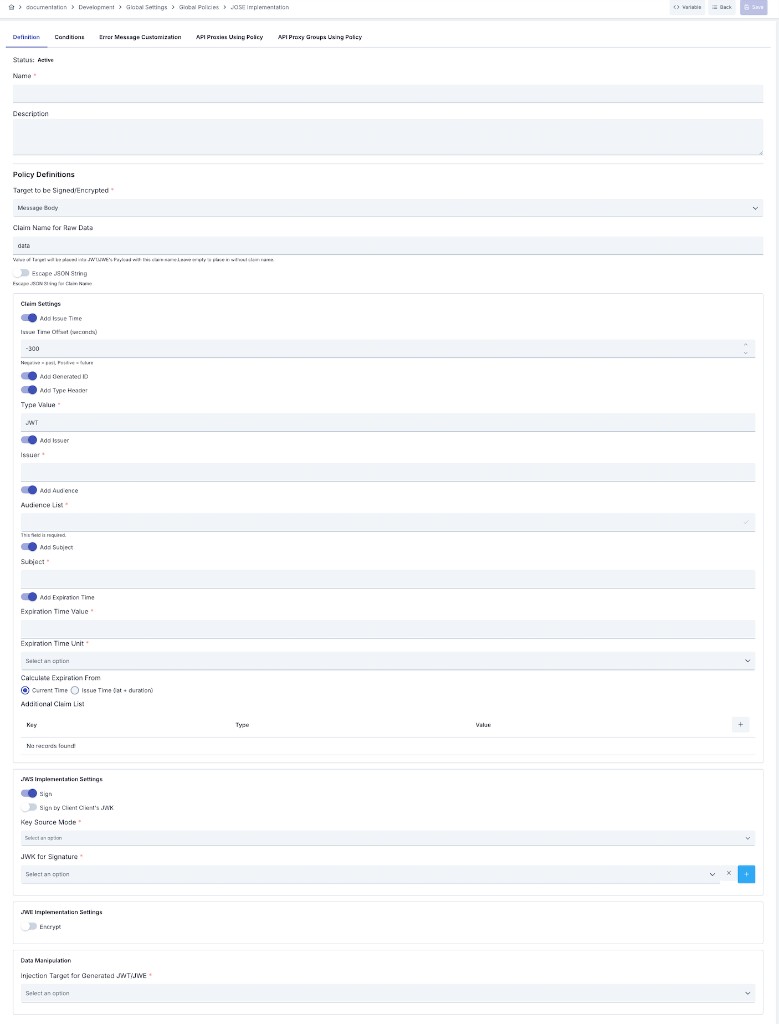
- Dynamic claims: You can toggle standard fields such as issuer, audience, subject, expiration, identifier (jti), and issue time individually, and fill additional fields with variables (for example, values coming from the request). This way a differently shaped token is produced for each request.
- Signing: The token is signed with RSA, EC, or HMAC algorithms.
- Encryption: The token is optionally encrypted. Signature and encryption can be applied together in the same request to produce a sign-then-encrypt (nested) token, ensuring integrity and confidentiality simultaneously.
- Key source: The key can be Embedded (a JWK from Secret Manager) or Dynamic HTTP (fetched remotely at runtime). In dynamic mode you can bind the cache key to a variable to use a different key for each client — for example, fetching each client's public key from their own JWKS endpoint.
- Target: The generated token can be written to the message body or assigned to a variable to be passed to subsequent policies.
For detailed configuration steps, see the JOSE Application Policy page.
Token Validation
With the JOSE Verification Policy you validate an incoming token.
The JOSE Verification Policy configuration screen is shown below:
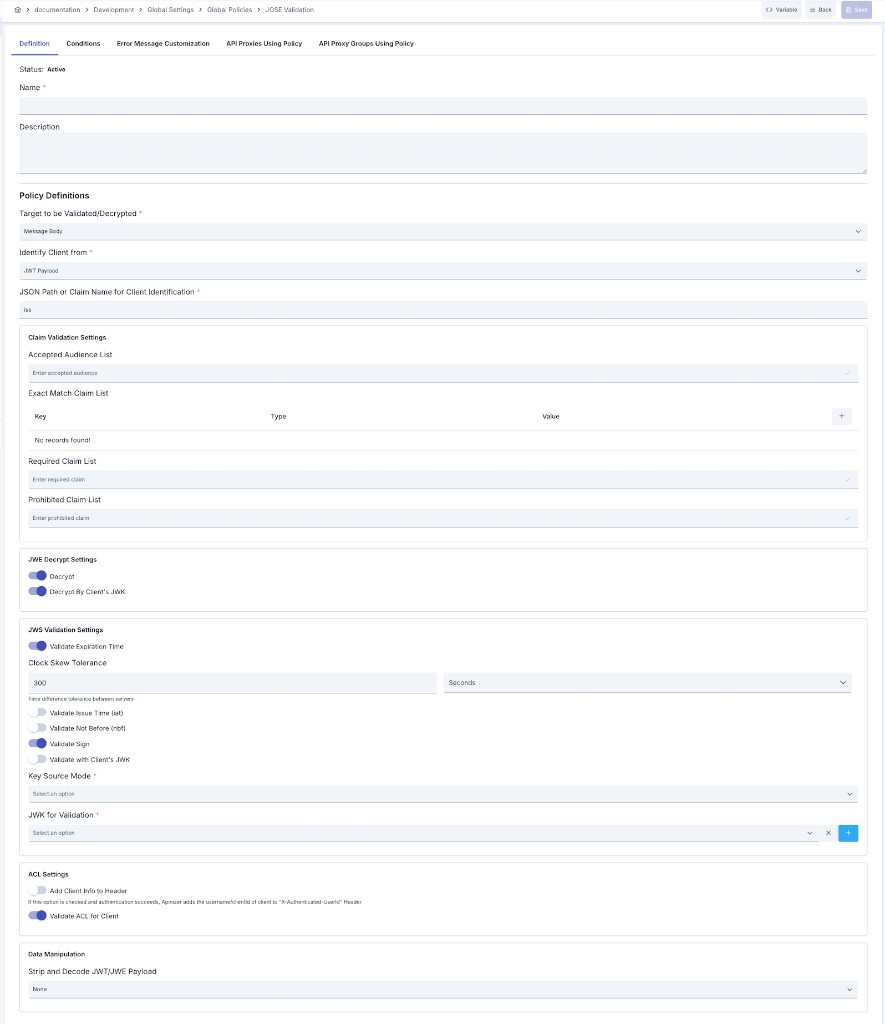
- Signature verification and decryption: The token's signature is verified; if it is encrypted, it is decrypted.
- Claim checks: Validation is performed using the accepted audience list, required and prohibited fields, exact-match checks, and expiration, not-before, and issue-time validation (with a clock-skew tolerance).
- Identity extraction: The client identity is determined from a field within the token (for example, the issuer), and authorization can be checked via ACL.
- Key source: As in generation, Embedded or Dynamic HTTP — you can validate by fetching the client's public key from their JWKS endpoint at runtime.
For detailed configuration steps, see the JOSE Verification Policy page.
Typical Scenarios
- Client-specific encrypted token: Generate a token encrypted with each client's own public key so that only that client can decrypt it.
- Signed token to an external service: Pass a token signed by Apinizer and carrying dynamic fields to a backend or an external API.
- Open Banking and local regulatory compliance: Generate and validate tokens that comply with local regulations using issue-time offsets and required claim sets.