Filter Rules
Filters are policies that ensure security with Content Control-based defense against API/Web Service attacks. If the filter/filters you have defined are found in the header, parameter and message content (body) of requests coming from clients, they will be blocked or deleted by Apinizer. Apinizer offers API developers (API Developer) two different options for blocking or deleting the request.
There are 17 default filters available in the Apinizer Platform and commonly used in the API world:
- ASCII Control Character
- SQL Delete Attack
- SQL Drop Table Attack
- SQL Insert Attack
- SQL Server Shutdown Attack
- SQL Update Attack
- XML Processing Attack
- XPath (Abbreviated Syntax) Insertion Attack
- XPath (Expanded Syntax) Insertion Attack
- ASCII Control Characters Except Line Feed and Carriage Return
- Content Longer Than 1024 Chars
- DOCTYPE DTD Reference
- Java Exception Information Leakage
- JavaScript Injection Attack
- OR Attack
- Printf Format String Insertion Attack
- Server Side Include Insertion Attack
In addition to the above, you can write your own Regular Expressions.
You cannot edit and delete those added by Apinizer by default.
Creating a New Filter
Click the +New button from the Management → System Settings → Predefined Values → Filters screen.
An image containing Filter creation settings is shown below:
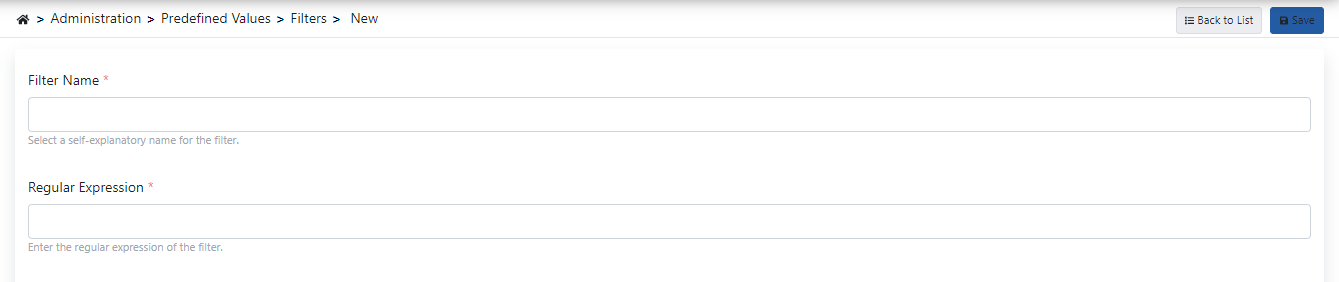
The fields used for Filter creation configuration are shown in the table below.
| Field | Description |
|---|---|
| Filter Name (Filter Name) | Field where the filter definition name is entered. |
| Regular Expression (Regular Expression) | Field where the regular expression is entered. |