API Proxy ACL
The API Proxy ACL screen is not in the menu; it can only be opened by its direct address. The same access settings (Expiration, Environments, Blocked Endpoints) can also be configured on the API Proxy tab of the Identity → Access Control screen. See Access Control.
Consumer access permission alone is not sufficient for API proxy access.
For the settings in the consumer and access permission to be valid, one of the authentication policies must be added on the API Proxy and the Security Manager option must be selected as the authentication method in this policy.
On this page, all API Proxies belonging to the project in which the authorized application user is included are listed as shown in the image below, and can be filtered optionally.
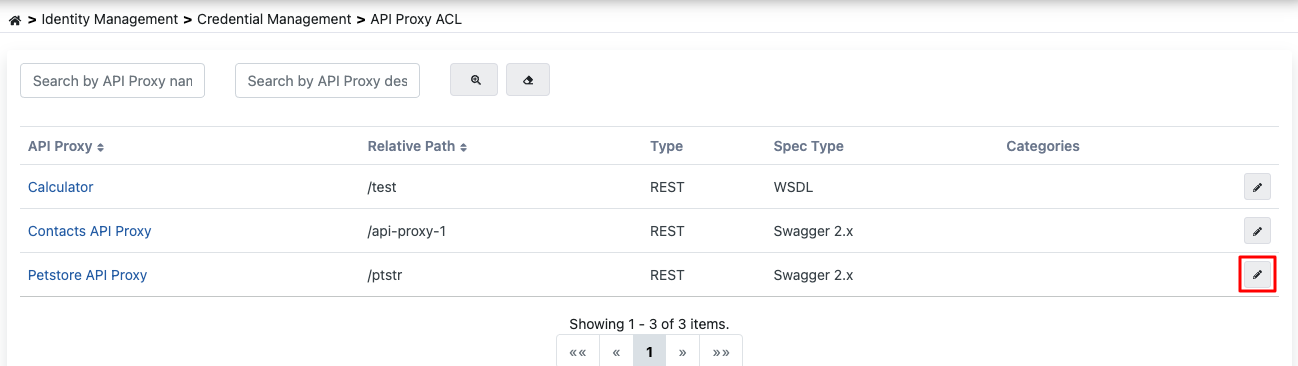
API Proxy Access Permission Management
To perform operations on an API Proxy, go to the detail screen of the relevant API Proxy by pressing the button marked in red above.
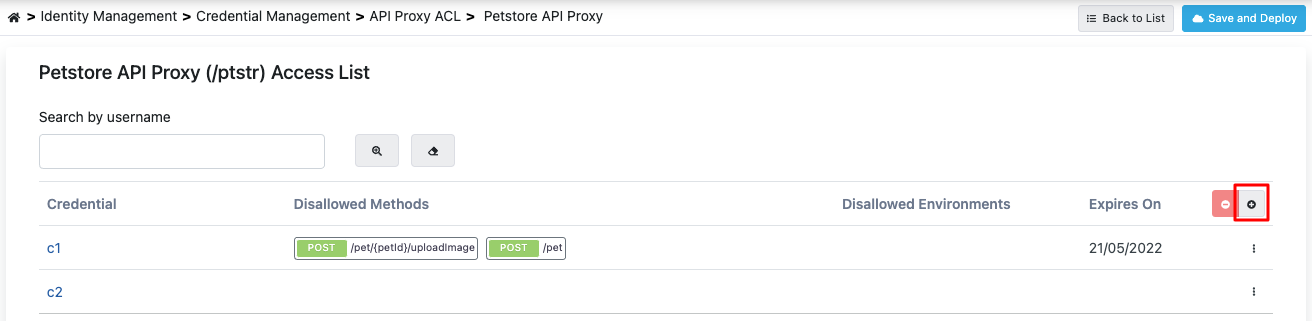
This screen contains the list of Consumers that have been previously granted access permission for the API Proxy.
To add a new Consumer, press the button marked in red in the image above.
When the Add button is pressed, consumers defined within the project or defined from the management menu are listed as shown in the image below.
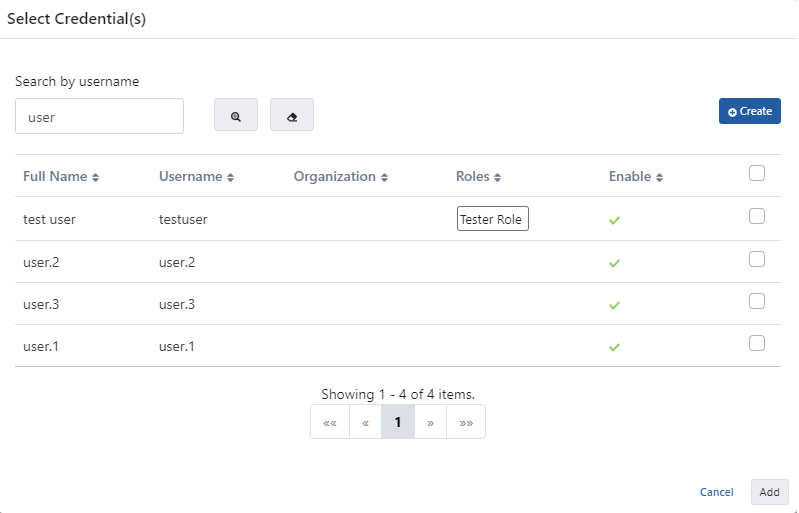
On this screen, access permission for one or more consumers to the API Proxy can be granted at the same time.
Consumer Configuration
After granting access permission to the consumer for the API Proxy, return to the page with the list of consumers that have been granted access permission to the API Proxy:
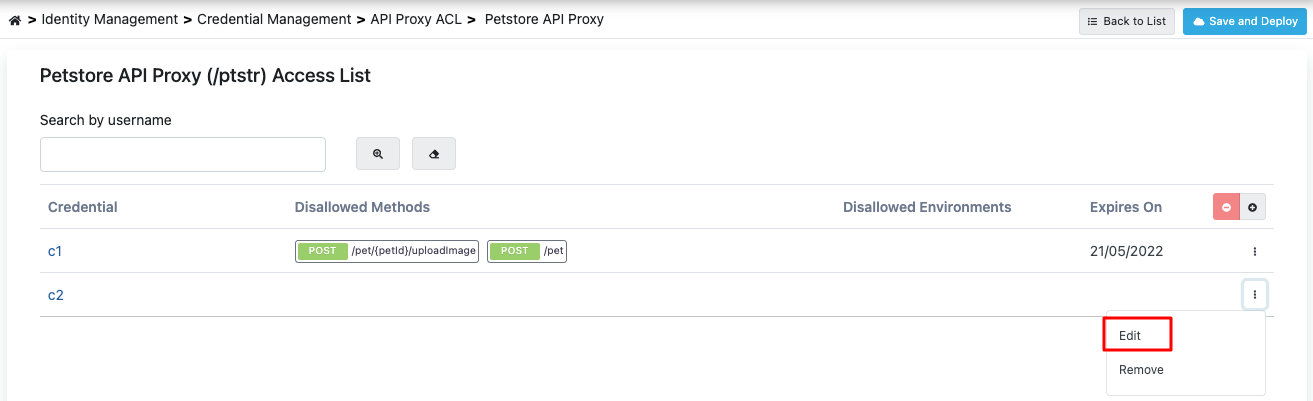
To make API Proxy-specific settings for the consumer, press the Edit button marked in red on this page.
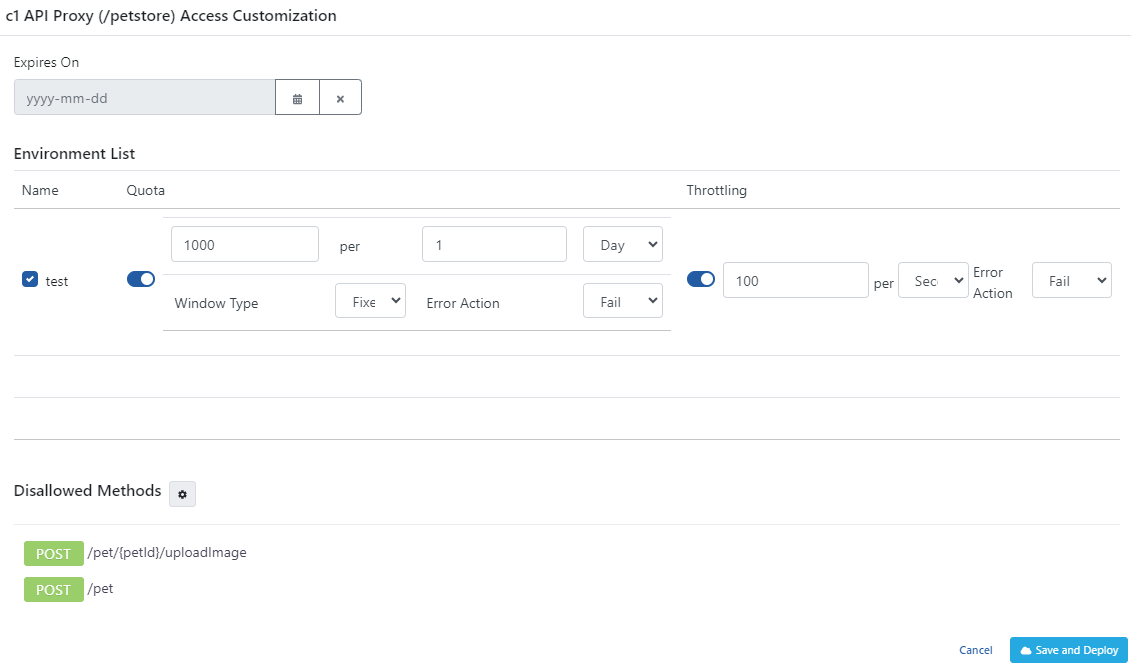
Configuration Parameters
As of 2026.09, the gateway no longer reads the Environment Quota / Environment Throttling fields (or their Message Count/Interval/Window Type/Counting Mode/Limit Change Action details), nor the environment's own Enable AI Token Budget field and its budget values — on upgrade, every existing value here was converted automatically into a Limit Plan; see Legacy Limits Migrated at Upgrade and, for the AI budget specifically, AI Budgets. These fields are no longer shown on the screen; manage limits going forward by applying limit plans on the consumer's Limits tab. The access fields — Expires On, Environment List (enabled/disabled) and Disallowed Methods — are unaffected and keep controlling access exactly as before.
Version 2026.10.0 removed the AI Budget Source setting and the AI token budget of each environment from this row. See Removed AI Budgets.
The fields used for access configuration are shown in the table below:
| Field | Description |
|---|---|
| Expires On (Expires On) | If this date value is entered, the Consumer will no longer be able to access the API Proxy from the time this date arrives (valid from midnight 00:00). If left empty, it continues to access the API Proxy as long as it does not become inactive. The arrival of this date only restricts access to this API Proxy, it does not make any change in access to other API Proxies. |
| Environment List (Environment List) | Turns the access of the consumer to the API Proxy on or off for each environment where the API Proxy is deployed. |
| Disallowed Methods (Disallowed Methods) | If it is desired that the consumer not access any method of the API Proxy regardless of the roles it has, the methods of the API Proxy that are desired to be closed to access are selected here. By default, the consumer can access all methods of the API Proxy. |
| Save and Deploy Button (Save and Deploy) | After completing the settings/changes, press the Save and Deploy button to activate the settings. |
Uniqueness of Access Permissions
A consumer's access permission for a given API Proxy is held in a single record. Even if you stay on the screen and press Save and Deploy several times, no new record is created for the same permission; the record created by the first save is updated by the later ones.
Access permissions that arrive through an API Product subscription in the portal are the exception. Because those permissions are held against the subscribed product, the same consumer and the same API Proxy may be listed as separate records for different product subscriptions. Each record belongs to its own product subscription and is removed with it.
In versions before 2026.09.1 the same permission could be recreated on every save. When you upgrade to this version, existing duplicates are consolidated automatically: the oldest record is kept and the restrictions from the other copies are applied onto it (the earliest expiry date, the union of disallowed methods, and any environment disabled in any copy). Consolidation never widens access.
If you need to clean up without waiting for the upgrade, you can request the cleanup script from the Apinizer team.