API Proxy Group ACL
Consumer access permission alone is not sufficient for API Proxy Group access.
For the settings in the consumer and access permission to be valid, one of the authentication policies must be added on the API Proxy Group and the Security Manager option must be selected as the authentication method in this policy.
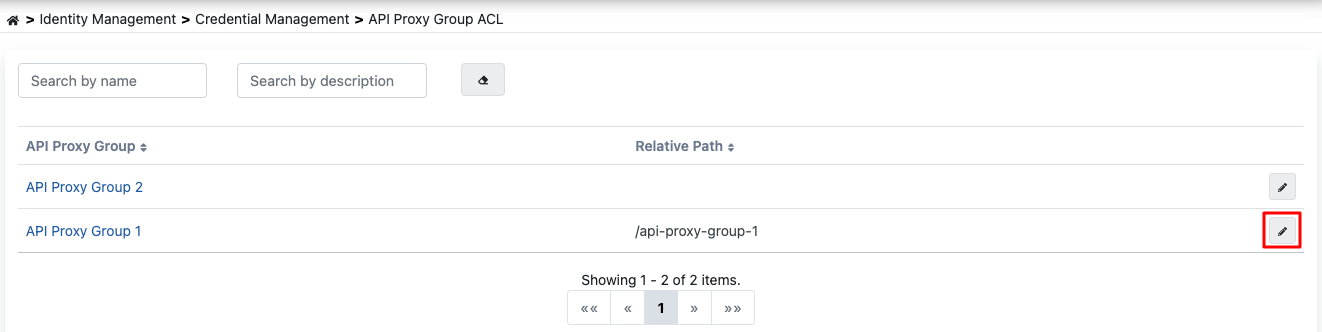
On this page, all API Proxy Groups belonging to the project in which the authorized application user is included are listed, and can be filtered optionally.
API Proxy Group Detail Screen
To perform operations on an API Proxy Group, go to the detail screen by selecting the relevant group from the list.
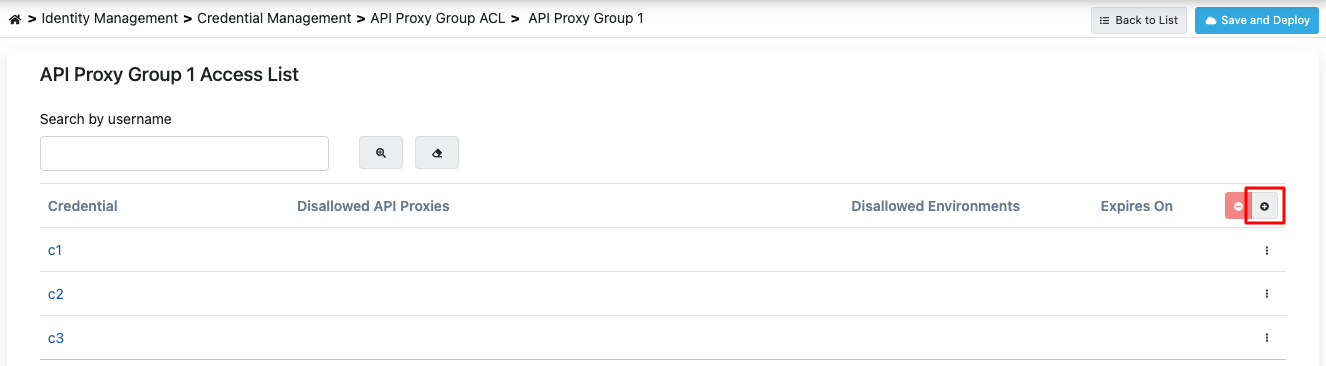
This screen contains the list of Consumers that have been previously granted access permission for the API Proxy Group.
To add a new Consumer, press the Add button.
Adding Consumer
When the Add button is pressed, consumers defined within the project or defined from the management menu are listed.
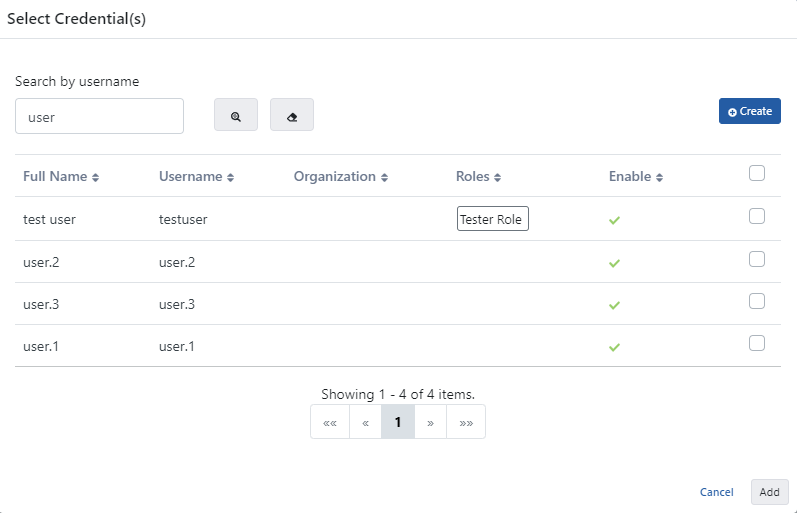
On this screen, access permission for one or more consumers to the API Proxy Group can be granted at the same time.
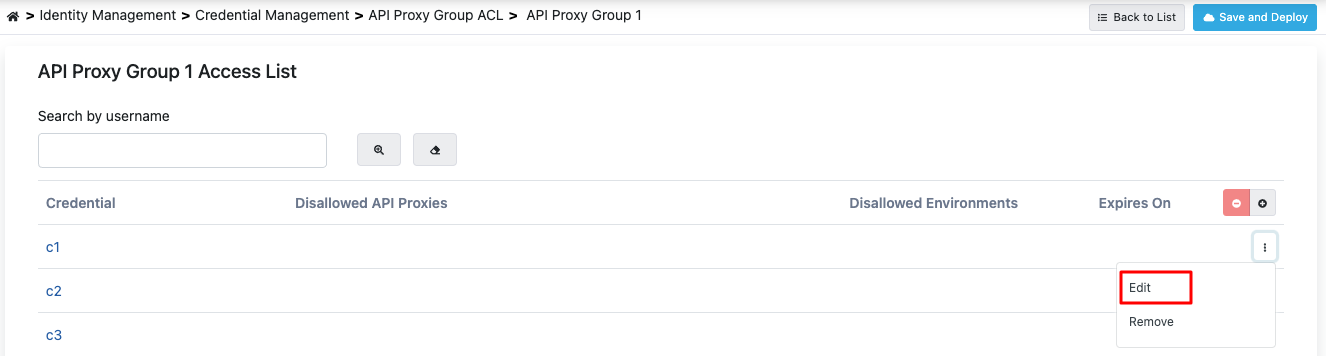
After granting access permission to the consumer for the API Proxy Group, return to the page with the list of consumers that have been granted access permission to the API Proxy Group:
Access Configuration
To make API Proxy Group-specific settings for the consumer, press the Edit button.
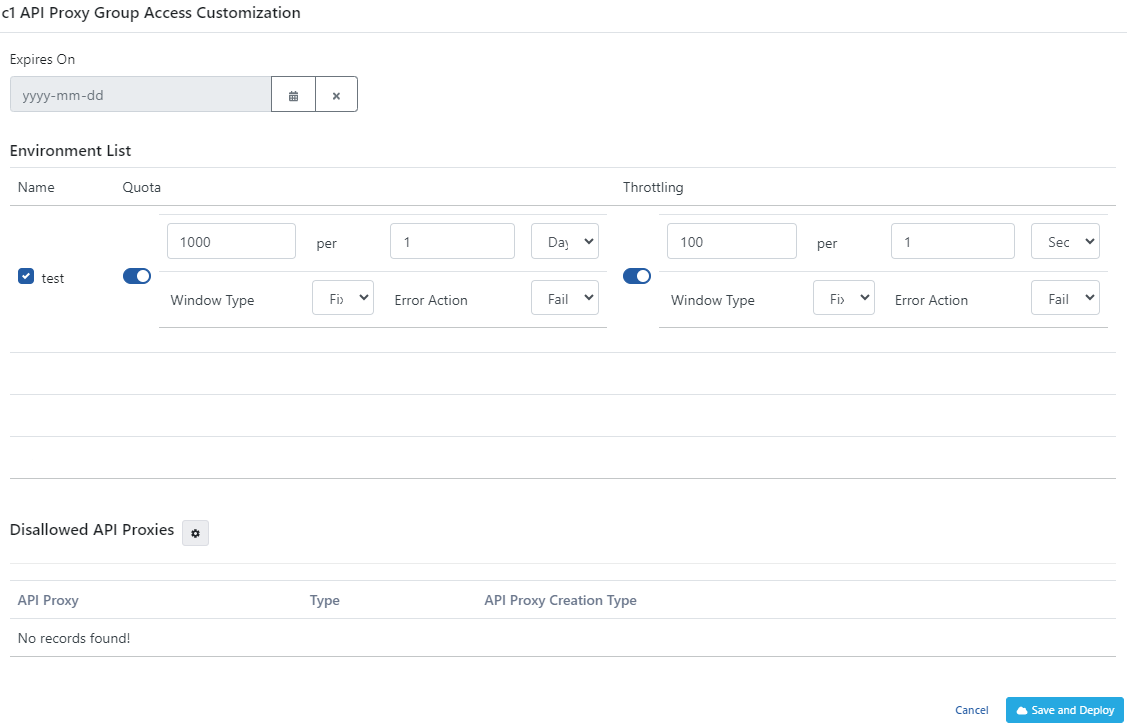
Configuration Fields
As of 2026.09, the gateway no longer reads the Environment Quota / Environment Throttling fields below (or their Message Count/Interval/Window Type details) — on upgrade, every existing value here was converted automatically into a typed Limit Plan and assignment; see Legacy Limits Migrated at Upgrade. These fields remain visible below as a read-only audit trail. The access fields — Expires On, Environment List (enabled/disabled), Disallowed API Proxies — are unaffected and keep controlling access exactly as before.
| Field | Description |
|---|---|
| Expires On (Expires On) | If this date value is entered, the Consumer will no longer be able to access the API Proxy from the time this date arrives (valid from midnight 00:00). If left empty, it continues to access the API Proxy Group as long as it does not become inactive. The arrival of this date only restricts access to this API Proxy Group, it does not make any change in access to other API Proxy Groups. |
| Environment List (Environment List) | Enables entering Quota and Throttling values specific to the environment where the API Proxy Group is deployed. |
| Environment Quota (Quota) | The quota value specific to the specified environment of the API Proxy Group. |
| Environment Throttling (Throttling) | The throttling value specific to the specified environment of the API Proxy Group. |
| Message Count (Message Count) | The maximum number of messages that can be sent to the Backend API within the time given with the Throttling Interval. |
| Interval Time Amount (Interval Time Amount) | A numeric value indicating the duration of the limitation window in the selected time unit. |
| Interval Time Unit (Interval Time Unit) | The time interval unit used for API request limitation (for example, second, minute). |
| Interval Window Type (Interval Window Type) | The time interval method used for API request limitation (fixed or sliding). |
| Cache Connection Timeout (Second) (Cache Connection Timeout (Second)) | The timeout duration for cache connection is specified. |
| Action for Cache Connection Error (Action for Cache Connection Error) | The action to be applied if the policy experiences a connection problem with the cache server is specified. |
| Disallowed API Proxies (Disallowed API Proxies) | If it is desired that the consumer not access any API Proxy of the API Proxy Group regardless of the roles it has, the API Proxies of the API Proxy Group that are desired to be closed to access are selected here. By default, the consumer can access all API Proxies of the API Proxy Group. |
| Save and Deploy Button (Save and Deploy) | After completing the settings/changes, press the Save and Deploy button to activate the settings. |
Uniqueness of Access Permissions
A consumer's access permission for a given API Proxy Group is held in a single record; staying on the screen and pressing Save and Deploy several times does not create a new record for the same permission. Permissions that arrive through an API Product subscription in the portal are the exception and may be listed as separate records per product.
For the details and for the automatic consolidation that runs during the upgrade, see the API Proxy ACL page.