Consumer Roles
Role Definition
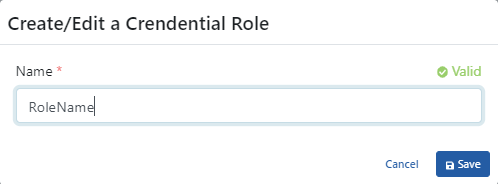
The only value required for defining roles is the role name value.
| Field | Description |
|---|---|
| Name | The role name. Required. |
| OAuth Scope Name | Optional. The scope name a client asks for when it connects to an MCP proxy with the Standard MCP OAuth profile. Leave it empty if the role is not used with that profile. Use only visible ASCII characters, without spaces, quotes or backslashes. |
Roles can be unique throughout Apinizer.
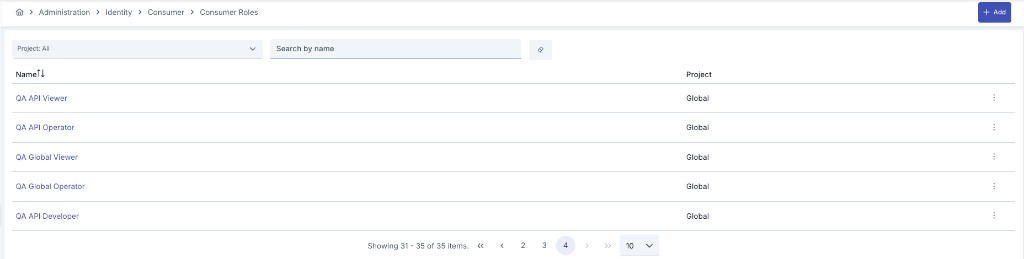
Role scope. A role is either project-scoped or global:
- A role created inside a project belongs to that project and is only visible there.
- A role created from the Administration menu is global and is available in every project.
Both the Consumer Roles list of a project and the Role selector on the consumer edit screen show the same set: the project's own roles plus the global ones. Global roles are marked with a Global tag in the list and a (Global) suffix in the selector. Editing or deleting a global role requires administration-level identity permission; project users see it read-only.
Using Role Based Access Control in Policies
Apinizer authorization structure is not used as a separate policy, but together with an "Authentication" policy. It is added to all appropriate authentication policies in the same way.
Authorization allows putting one more level of security layer after authentication control. The roles that the authenticated user has are compared with the roles expected by the method/endpoint to be accessed.
- If the roles the user has do not meet the roles expected by the method/endpoint, the message flow is interrupted and an error is returned.
- If the roles the user has meet the roles expected by the method/endpoint, the message continues its path.
Authorization Settings
Authorization settings are made in the "Authorization Configuration" section of the authentication policy.
First, authorization settings must be activated in this section. When authorization settings are activated;
- If the policy is added to an API Proxy, role-based access control can be defined both on an API Proxy basis and on the method/endpoints of the API Proxy.
- If the policy is added to an API Proxy Group, role-based access control can only be defined on an API Proxy Group basis.
An image containing authorization settings is shown below:
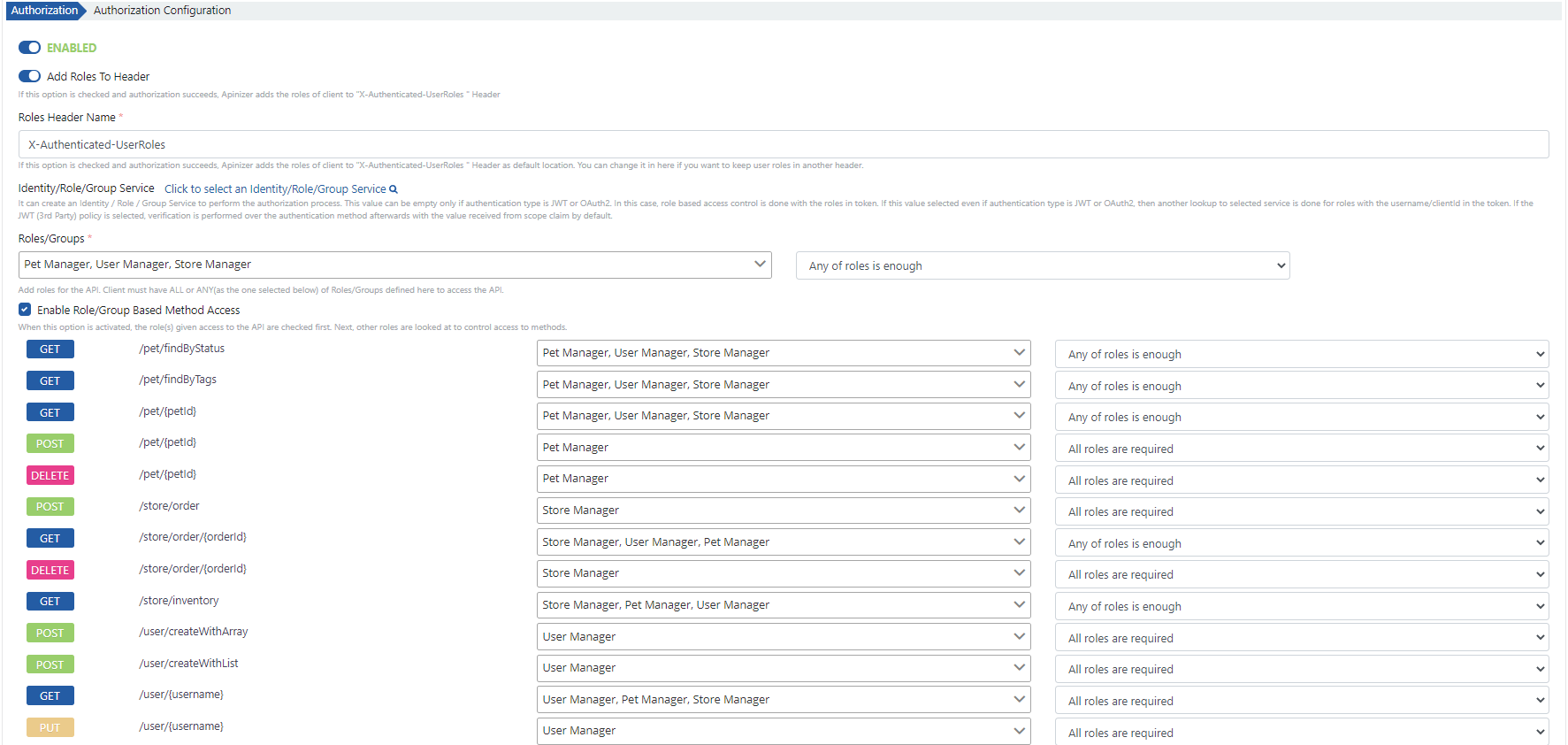
The fields used for authorization configuration are shown in the table below.
| Field | Description |
|---|---|
| Add Roles to Header (Add Roles to Header) | When authentication is successfully performed, it sends the roles of the authorized user to the Backend API in the message header key value 'X-Authenticated-UserRoles' by default. The "X-Authenticated-UserRoles" value can be optionally customized. |
| Identity/Role/Group Service (Identity/Role/Group Service) | This field should be filled if it is desired for roles to be retrieved through another Identity/Role/Group Service instead of the Identity/Role/Group Service where authentication is performed. When this field is filled, roles are queried through the Identity/Role/Group Service with the authorized username and password. |
| Roles/Groups (Roles/Groups) | Roles that the client must have to access the API Proxy are selected. Required field. |
| Requirement (Requirement) | It must be selected how many of the specified roles the client must have to access the API Proxy. It can take one of the following values: • All roles are required: The user must have all of the specified roles. Otherwise, access is not allowed. • Any of roles is enough: The user having any of the specified roles is sufficient for access to be allowed. |
| Enable Role/Group Based Method Access (Enable Role/Group Based Method Access) | When enabled, roles required for each method/endpoint that the API Proxy has can be defined separately. When roles are defined for methods/endpoints, both role control for API Proxy access and role control for that method/endpoint are performed for access to any method. For example, • Only Role-1 is required for API Proxy. • Role-2 is required for /metot1 method/endpoint. • No role definition is made for /metot2 method/endpoint. In this case, a user with only Role-1 role can access the method/endpoint named /metot2, but cannot access the method/endpoint named /metot1. |
If the authentication policy is configured for an API Proxy Group, this field is not visible.
For detailed information about role definitions, you can visit the Consumer Roles and Identity Providers (Identity Providers) pages.