IP Groups
An image containing IP Group settings is shown below:
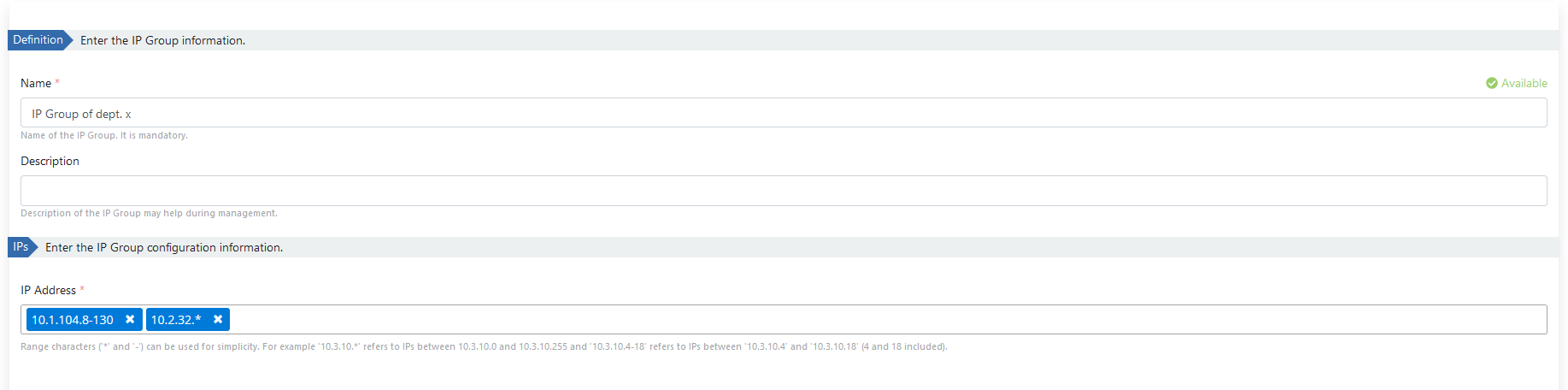
The fields used for IP Group configuration are shown in the table below.
| Field | Description |
|---|---|
| Name (Name) | Name information of the created IP Group. |
| Description (Description) | Description/definition information about the IP Group. |
| IP Address (IP Address) | IP Addresses to be added to the group are entered. '*' and '-' characters can be used to specify IP ranges. To add many IPs at once, all IPs can be written separated by commas. IPs will be automatically parsed and added. - The value '10.3.10.*' specifies IPs between '10.3.10.0' and '10.3.10.255'. - The value '10.3.10.4-18' represents IPs between '10.3.10.4' and '10.3.10.18' (4 and 18 included). |
Info
All IP groups can be moved to the Admin page with the "Globalize" option, removed from this list, made available in all projects, and management is left to the Admin user.